CHAPTER 16
Content Management Application (CMA)
DL.3 Digital Light User Manual 255
Viewing Server Identification Information
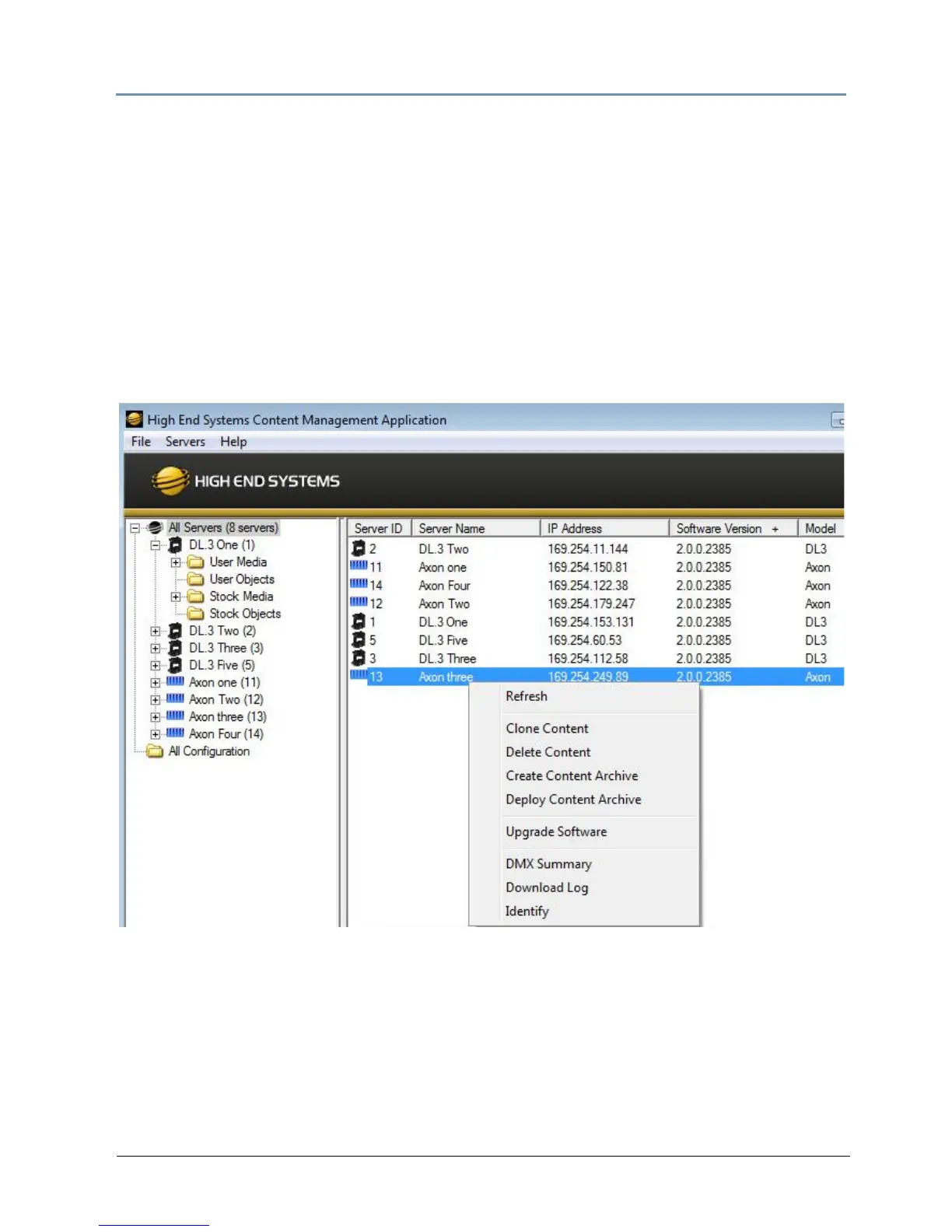
Selecting the All Server view displays all the Digital Light fixtures and Axon servers on the
fixture network. In the following example, six servers have been identified on the network. The
right pane contains the following details in a table format.
• Serv
er ID number defaults to 1, but can be configured in the CMA or in the DL.3 or DL.2
fixture’s Menu system
• Server Name is a name you assign to a Digital Light fixture or Axon server
• IP Address is assigned to that unit by the router or Auto IP
• Software Version Number
• Model identifies the media server as a DL.3, DL.2 or Axon
NOTE: Clicking in a column heading sorts the table according to the values in
that column.
In the All Server view, the drop down Servers menu or right clicking to select a server in the
right pane gives you the these options:
• Refresh the screen.
• Clone Content replicates the server’s user content to one or more other servers on the
network, (see page 273).



 To Next Page