CHAPTER 13
Effect Mode Options Descriptions
DL.3 Digital Light User Manual 233
Texture Mixing
Effect Mode parameter DMX value = 51
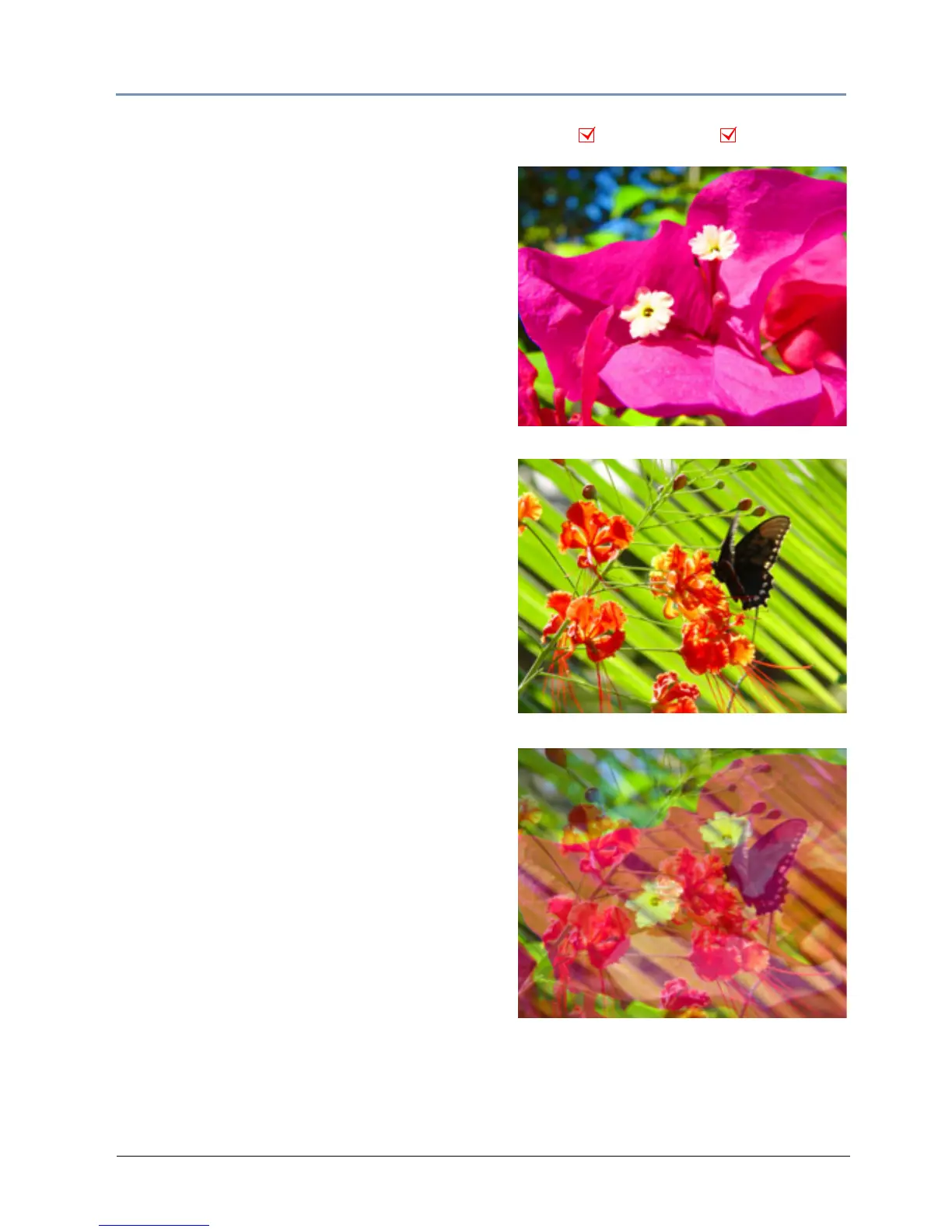
Use Texture Mixing to mix two media file outputs on
one object. With this effect, you can crossfade the
texture (media file content) from one active
Graphic Object to the texture of another Graphic
Object. When the Texture Mixing effect is selected
in the example to the right, the media file output of
Graphic Object 1 (minus applied effects) is selected
and mixed to Graphic Object 2 with opacity = 50%.
Modifier 1: Selects the Source file for the texture
you w
ant to pull. A DMX value = 1 selects the media
content fr
om Graphic Object 1, a value = 2 selects
from Gr
aphic Object 2, and a value = 3 selects
from Gr
aphic Object 3.
Modifier 2: Selects the effect level you want to use
for the source fil
e. A DMX value = 0 selects the
original file without effects. If effects have been
applied to the image, A DMX value
= 1 includes the
first ap
plied effect; DMX = 2 includes the first two
e
ffects and DMX = 3 includes the first three effects.
Modifier 3: Adjusts Graphic Object opacity of the
source texture fro
m a DMX value of 0 = transparent
to 255 (100%) = fully opaque.
TIP: Use the following steps create a modified
Trails effect with the Texture Mixing effect:
1. Select two Graphic Objects. The second
object can be a solid black screen (Media
Folder 1, Media File 1)
2. Use Modifier 1 to select the Graphic Object
you want to display with a trail effect.
3. Set Modifier 2 to a DMX Value = 2
4. Set Modifier 3 in a range between a DMX
value of 240-254. The closer to 254, the
more exaggerated the trail effect appears.
If Modifier 3 is set to 255, the output will
appear to stall or freeze on an image.
NOTE:This effect is also available as a Visual
Mode adjusted with two Modifier para-
meters, (see Texture Mixing on page 104).
Object Effect Global Effect
Effect Mode parameter DMX = 51
Modifier 1 parameter DMX = 1
Modifier 2 parameter DMX = 0
Modifier 3 parameter DMX = 128
Graphic Object 1 Content
Graphic Object 2 Content



 To Next Page