CHAPTER 9
Graphic Functions: Opacity and Effects
DL.3 Digital Light User Manual 91
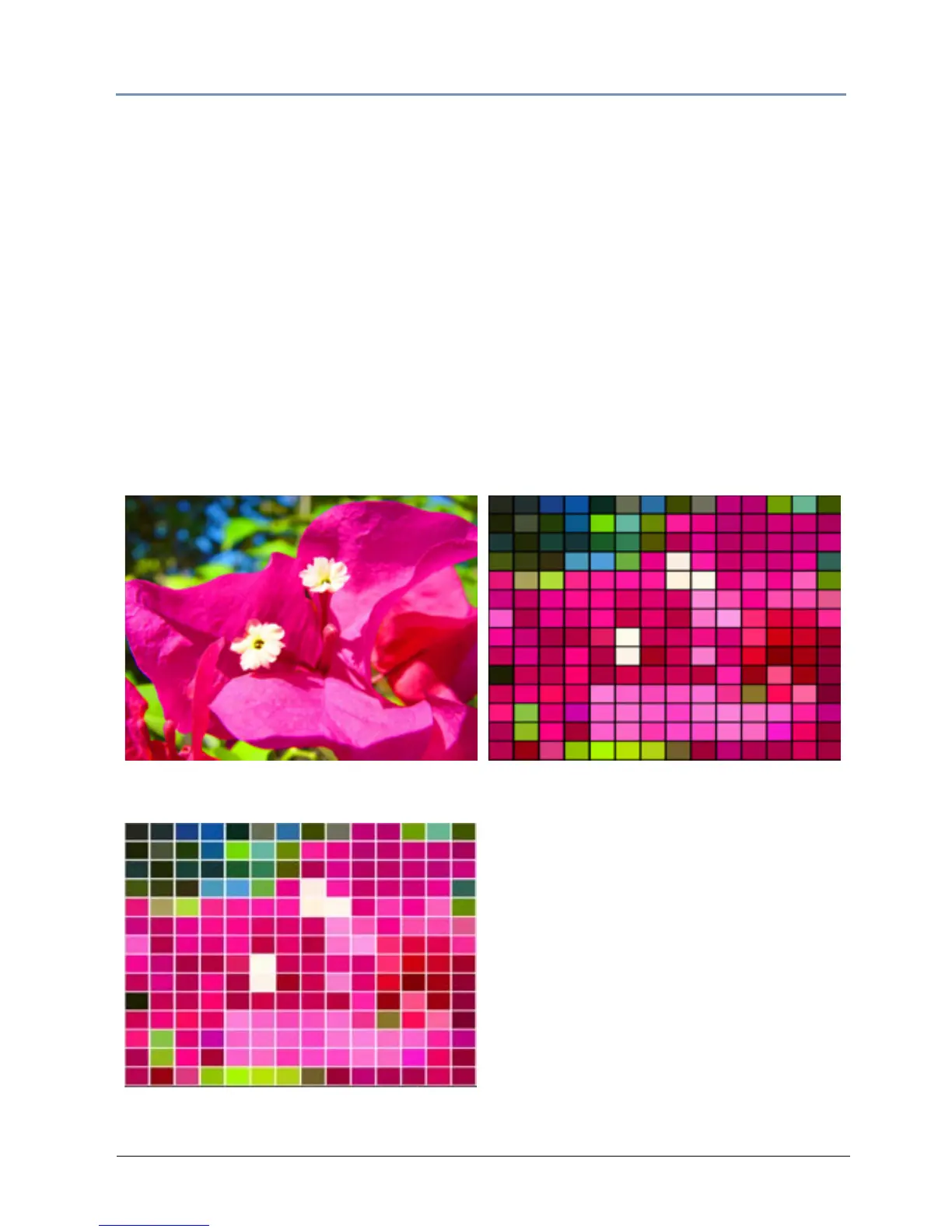
Faux Tile
Visual Mode parameter DMX value = 17
This option divides the image into a grid of t
iles. The color of the center pixel in each cell defines
the solid color for that tile. You can control the number and spacing of tile and choose between
a black and white background grid.
Modifier 1: Controls the number of tiles. The default D
MX value of 0 = a 10 x 10 grid of tiles.
Increasing the DMX value increases grid divisions to a maximum of 100 x 100 tiles at a value of
255 (100%).
NOTE: A small number of larger tiles will also result in reduced color
variation.
Modifier 2: Adjusts the grid thickness around each tile. DMX values below the midpoint of the
range increase the spacing between tiles on a black background from O to a maximum space
between tiles at a DMX value of 127. Values above the midpoint increase the spacing between
tiles on a white background to a maximum space between tiles at a DMX value of 255 (100%).
Original Content
Visual Mode Parameter DMX value = 17
Visual Mode Modifier 1 DMX value = 255
Visual Mode Modifier 2 DMX value= 0



 To Next Page