CHAPTER 7
Graphic Functions: Defining Content
68 DL.3 Digital Light User Manual
In Frame Default DMX Value: 0 = The beginning of a media file is the playback start point.
Out Frame Default DMX Value: 65535 = The end of a media file is the playback endpoint.
As you move from 0 to 100% of the In F
rame value range, you can select the beginning of a
media file segment as a percentage of the file length. Moving from 0 to 100% of the Out Frame
value range selects the end of a media file segment as a percentage of the file length.
Segment Selection Examples
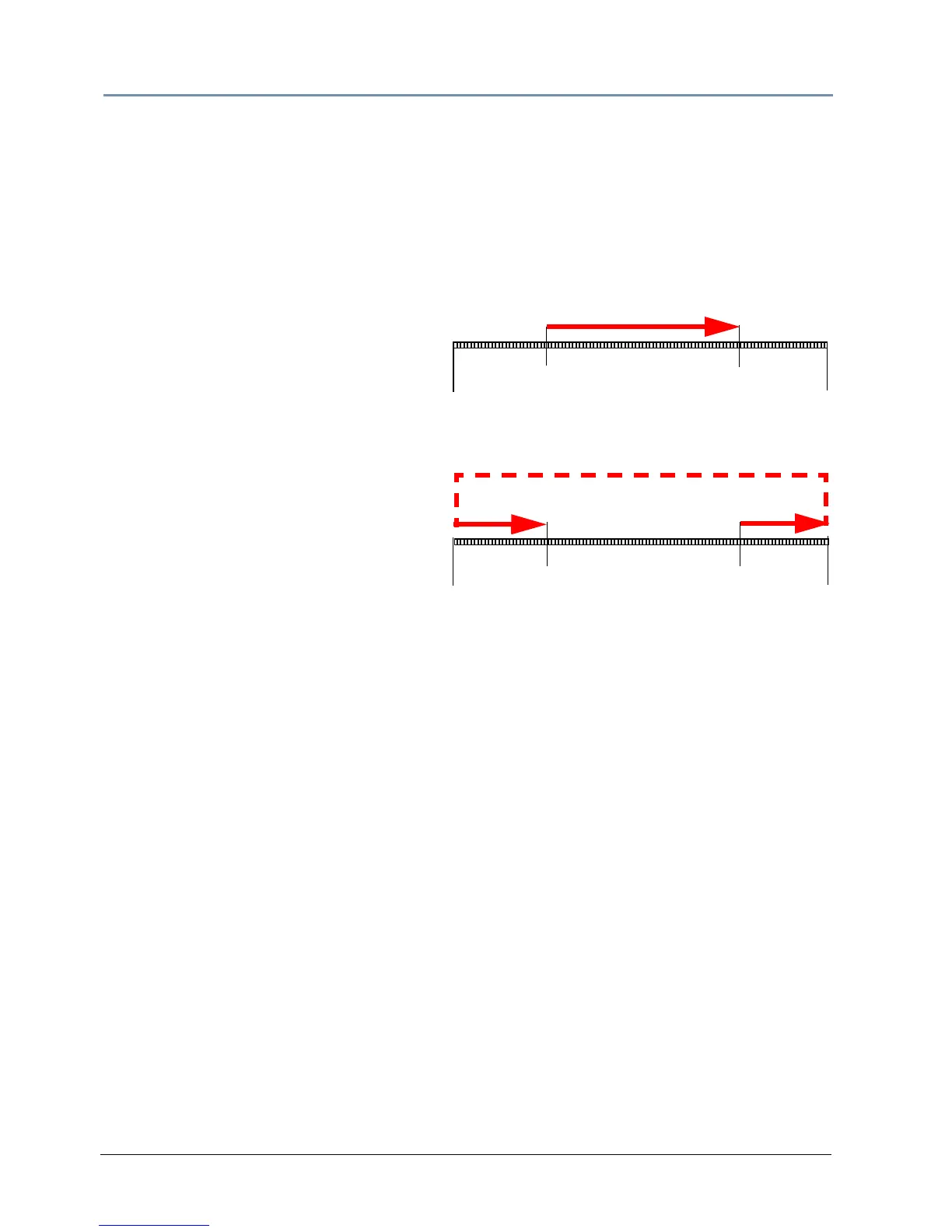
You can create a segment anywhere between
the beginning and the end of a media file.
The In Frame does not have to precede the
Out Frame.
To skip a segment in the center of a media
f
ile, set the In Frame to a point following the
Out Frame. The file will play from the
In
Frame to the end and then start at the
beginn
ing of the file and play to the
Out
Frame. When you create a segment in
t
his way, you may notice a jump as playback
skips from the end of the file to the
beginning.
File
Start
File
End
In Frame
25%
In Frame
75%
Out Frame
75%
Out Frame
25%
Example 2
Example 1
File
Start
File
End



 To Next Page