CHAPTER 16
Content Management Application (CMA)
256 DL.3 Digital Light User Manual
• Delete Content removes all the user content from the server.
• Create Content Archive lets you back up all the server’s user content to a compressed
file, (see page 272).
• Deploy Content Archive restores user content to the server from the backup, (see page
272).
• Upgrade Software allows you to upgrade fixture software. For more information on
upgrade options, see Upgrading Software on page 276.
• DMX Summary provides a web-based summary of a server’s content in a table format.
• Download Log provides useful troubleshooting information to Customer Service if needed.
• Identify will cause a fixture to strobe, so you can find it in the rig.
Content Organization
The media server on each fixture has a
file system that holds the movies,
images, and 3-D object
s that make up
the content that the server uses.
These files, folders, and their DMX
v
alues are collectively known as the
“Content” on the media server.
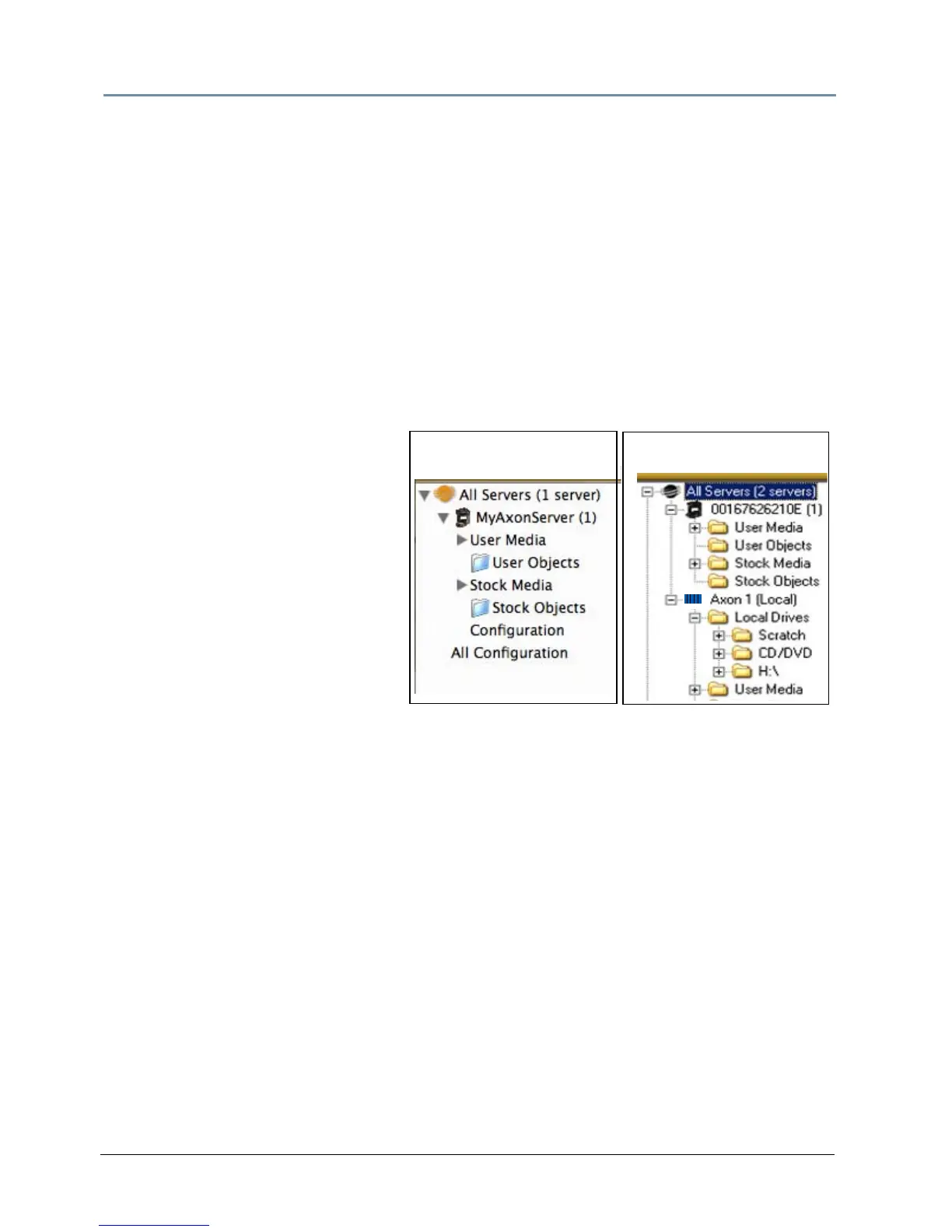
The CMA Client Window organizes and
i
dentifies content by source (preloaded
Stock content or custom User content)
and type (Media files or 3-D Object
files).
NOTE: Tree structure differs slightly on the two platform versions. In the Mac
version, to access Server Configuration information for an individual
server, select the Configuration option under the individual server. In
Windows Explorer, configuration information for the server is located
directly by selecting the server.
Preloaded Stock Content
A large library of Stock Media and Stock Objects ships on every DL.3, DL.2 or Axon media
server and will also be provided through upgrades from High End Systems.
NOTE: The DL.3 fixture ships with an additional 400+ files of media content,
many in higher resolution.
Windows OS
Mac OS



 To Next Page