CHAPTER 17
Maintenance and Troubleshooting
DL.3 Digital Light User Manual 307
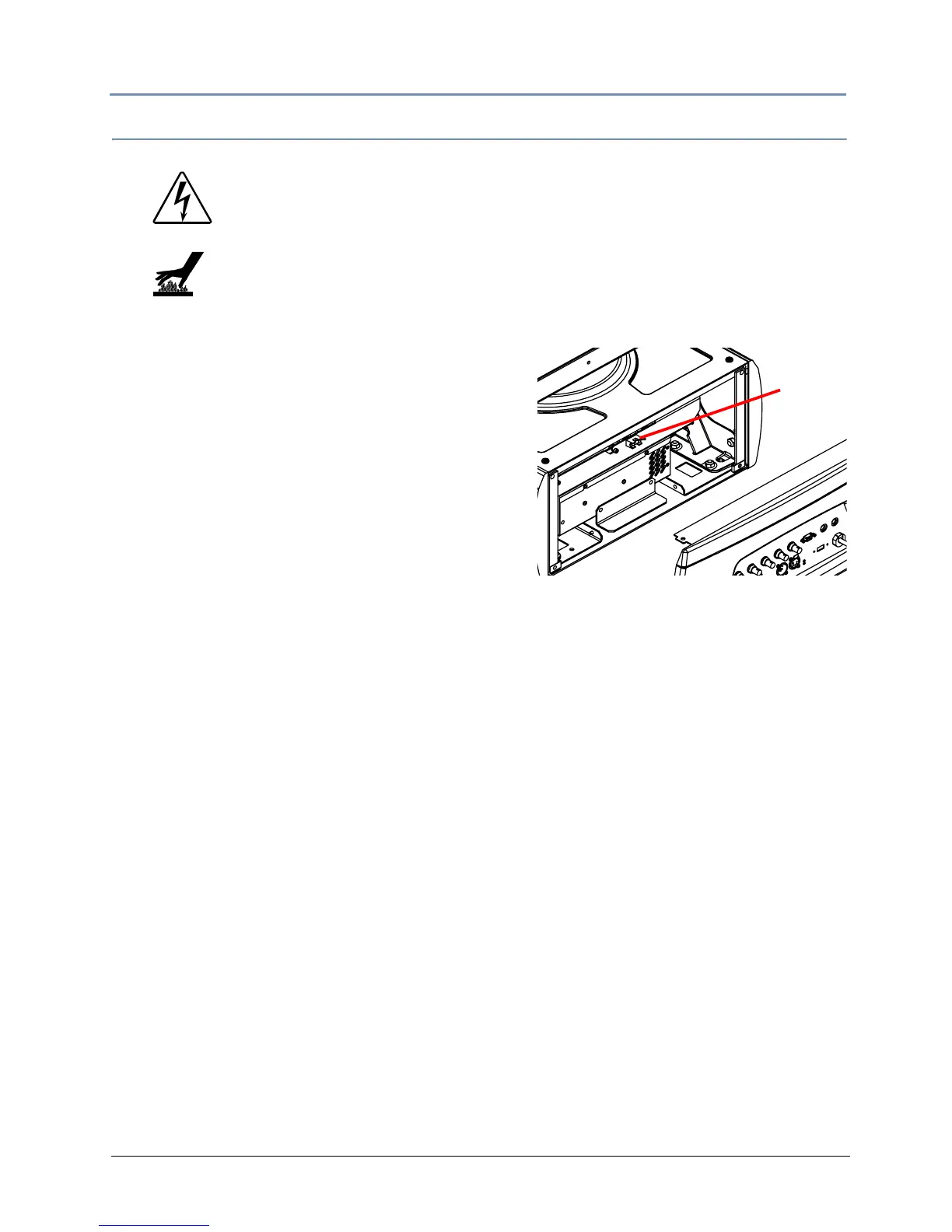
Replacing the Fuse
The DL.3 has one user-serviceable fuse which controls mains voltage to the fixture.
To replace a fuse:
1. Disconnect power to the fi
xture. If the fixture
has been operating, allow the fixture to cool
before handling.
2. Loosen the 2 Phillips head screws
on the top
cover of the connector side of the box.
3. Tilt the connector panel away from the box
4. Remove the fuse from the fuse holder.
5. Replace the fuse with a 5A
, slow-blow fuse only.
6. Replace the side and to
p panels.
WARNINGS!
Disconnect power before servicing.
Replace fuses with the specified type and rating only.
Equipment surfaces may reach temperatures up to 130° C
(266° F). Allow the fixture to cool before handling.
Fuse



 To Next Page