CHAPTER 16
Content Management Application (CMA)
284 DL.3 Digital Light User Manual
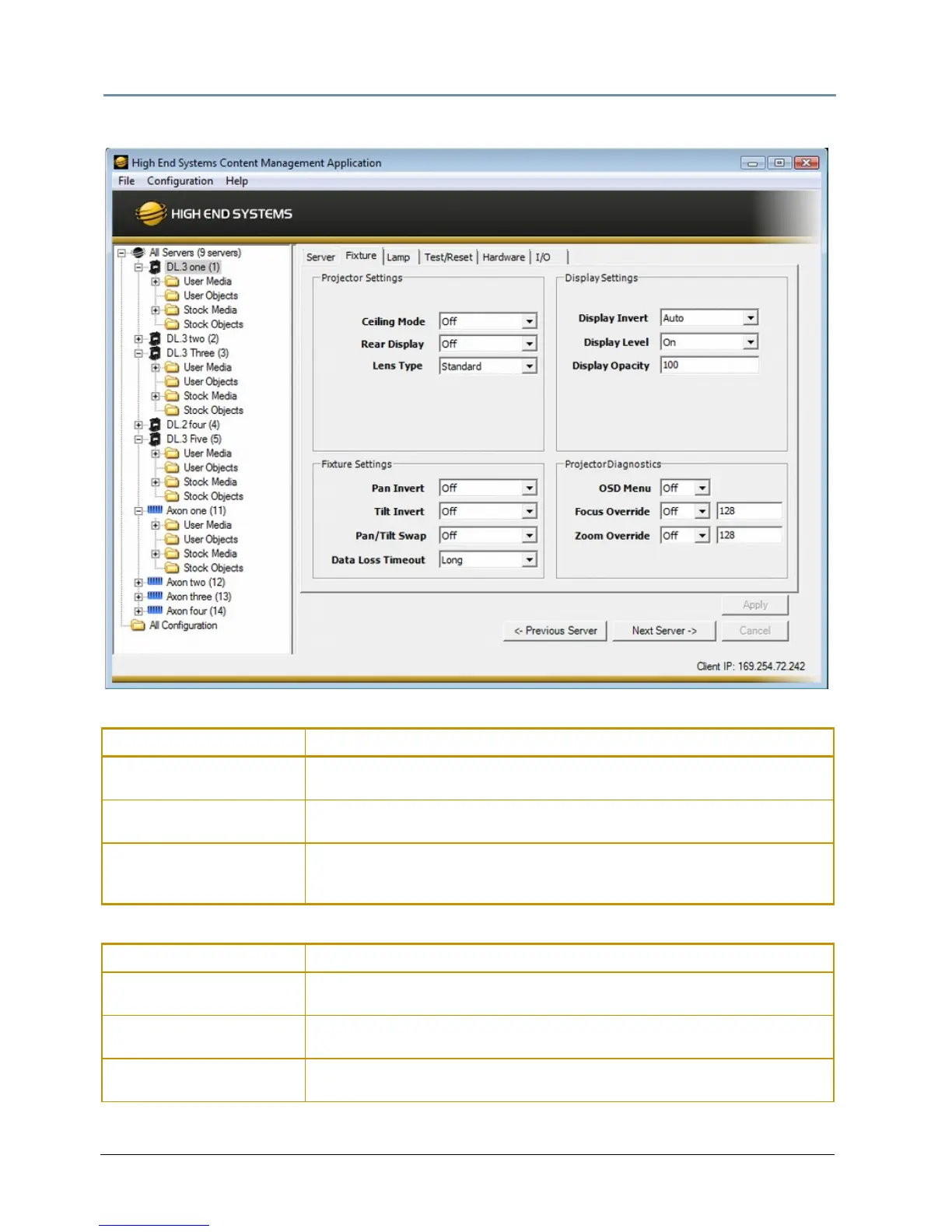
Fixture Tab
Projector Settings
Fixture Settings
Configuration Item Configuration Value Options
Ceiling Mode
On accesses the pro
jector menu to rotate the image 180°
Off
reverts to original orientation
Rear Display
On accesses projector menu t
o invert the projected image
Off
reverts to original orientation
Lens Type
Select currently installed lens from St
andard, Long Throw, Ultra Long
Throw, or Wide Angle for DL.3 fixtures. NOTE: This option is greyed out for
DL.2 fixtures.
Configuration Item Configuration Value Options
Pan Invert
On Invert
s pan positioning
Off
reverts to default position
Tilt Invert
On Invert
s Tilt positioning
Off
reverts to default position
Pan/Tilt Swap
On swap
s pan and tilt positioning
Off
reverts to default positioning



 To Next Page