CHAPTER 2
Setup and Configuration
16 DL.3 Digital Light User Manual
Software Setup
Software setup for DL.3 fixtures requires the following steps:
1. After powering on the DL.3 media server,
launch the CMA software.
2. Check the software version installed and upgr
ade if necessary.
3. Configure the DL.3 fixture’s DMX source, DMX protocol, and DMX Start Channel.
Installing and Launching the Content Management Application (CMA)
The Content Management Application software that shipped on CD with your fixture communi-
cates remotely with all DL.3, DL.2 and Axon media servers over an Ethernet network to:
• Upload and download custom digital conten
t to fixtures
• Remotely control all menu commands
• Update software
Axon media servers can run the CMA directly. If your fixt
ure network is linking DL.3 and DL.2
fixtures only, you will need to run the CMA on a computer connected to the Ethernet link you
have established.
The following are the minimum hardware requirements
for a remote computer running the
CMA:
• Windows XP, Vista, Windows 7 (32 and 64 bit) or Mac OS 10.6 or later
•
Microsoft Framework 2.0 or later
• 100/1000 base Ethernet card (a Gigabit Ethernet card is recommended for fast content
uploading of large files)
After setting up an Ethernet network and linking all DL.3 fixtures and your computer, insert the
CD th
at shipped with your fixture to automatically install the CMA on your hard drive.
For more information on CMA operation, see Chapter 16: Content Management Application
(CMA) on
page 251.
NOTE: If the CMA doesn’t automatically launch, navigate to the CMA.msi file
in your Windows browser and double click to launch.
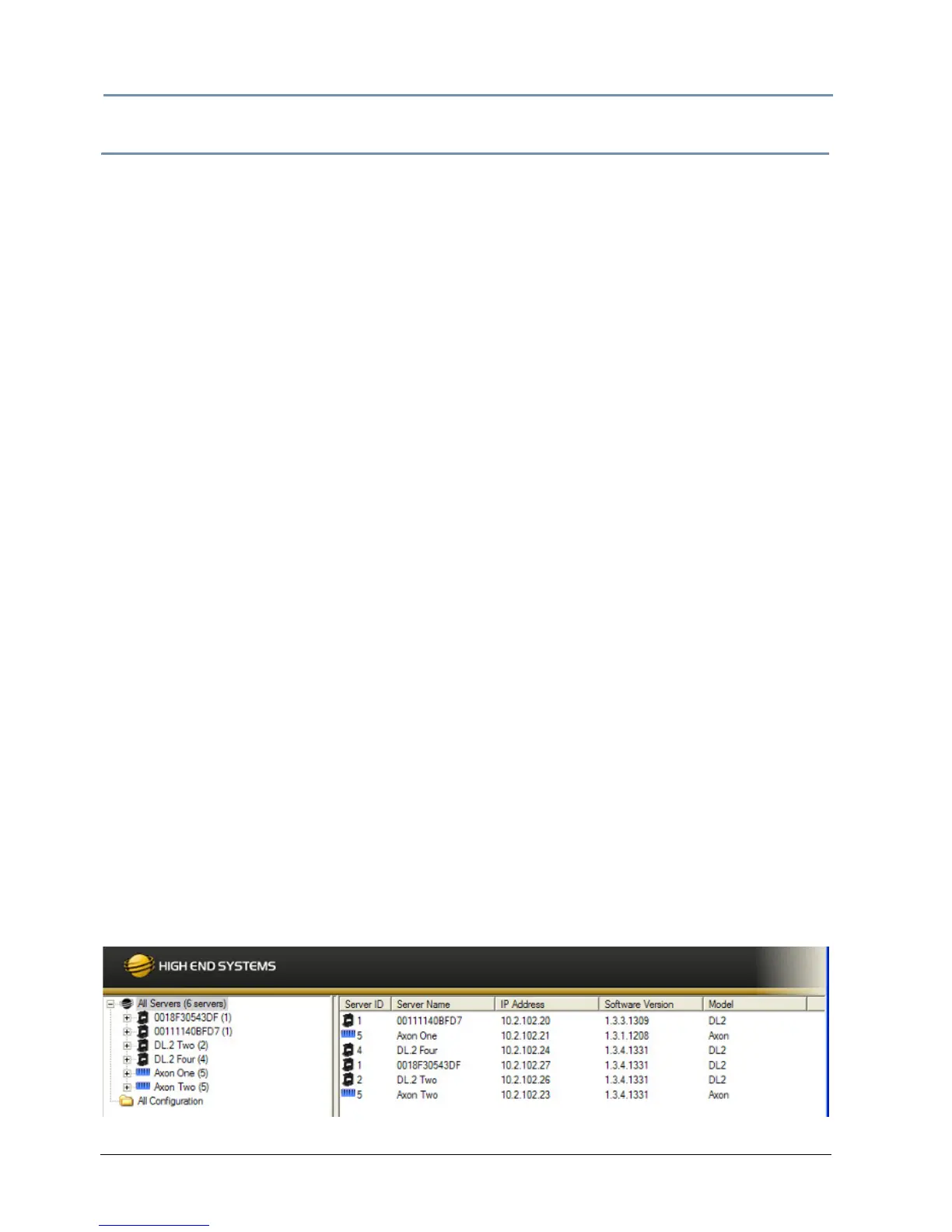
When you launch the CMA, it automatically finds and identifies all DL.3, DL.2 fixtures and Axon
media servers connected to the fixture link.



 To Next Page