CHAPTER 3
The Digital Light Menu System
DL.3 Digital Light User Manual 37
Info Tab
The Info tab displays current fixture information such as hardware and software versions,
sensor status, total fixture and lamp hours, and DMX errors. You can also reset Lamp and
Fixture hours.
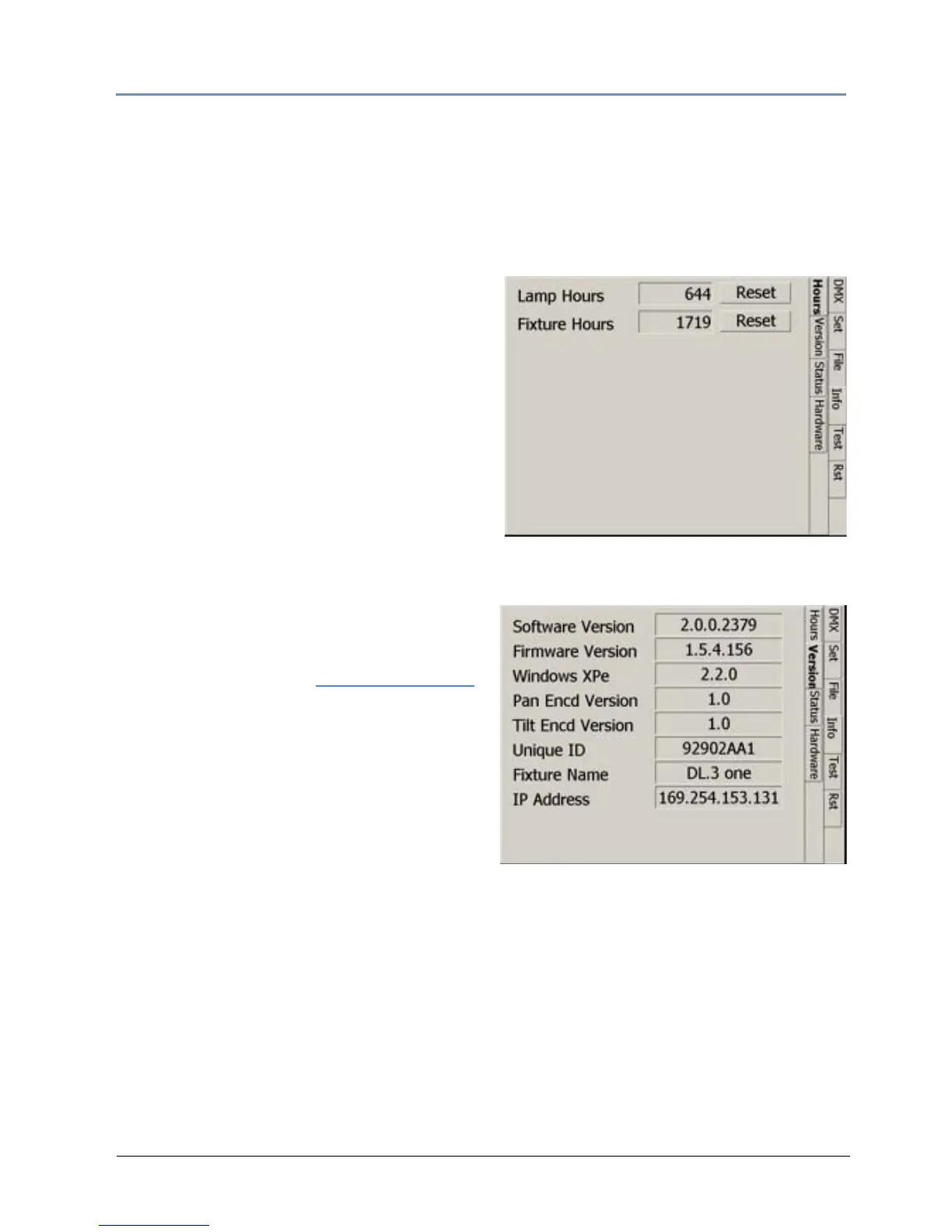
Info_Hours
The Hours tab displays the Lamp and Fixture
hours of operation since the last reset. Clicking
on the Res
et button resets the associated hours
to zero. Lamp hours should be reset to zero
whenever a lamp is replaced.
Fixture Hours information i
s often used to
track fixture hours for a show or a rental period.
The number field displays the number of hours
the fixture has been operating since the last
reset. Pressing the Fixture Hours Reset returns
the value to 0.
Info_Version Screen
This screen displays the current versions of the
fixture’s configuration components. You can
compare these to the latest versions available on
the DL.3 support page at
www.highend.com.
Software Version an
d Firmware Version
fields display the current versions loaded on this
fixture.
Unique ID i
s a factory assigned ID for the
media server.
Fixture Name field
displays a name you assign
in the Content Management Application for easy reference in developing your show.
IP Address is assigned to tha
t unit by the router or Auto IP.



 To Next Page