CHAPTER 17
Maintenance and Troubleshooting
DL.3 Digital Light User Manual 301
Check the following warnings and cautions before servicing the filters:
Cleaning the Base Housing Filter
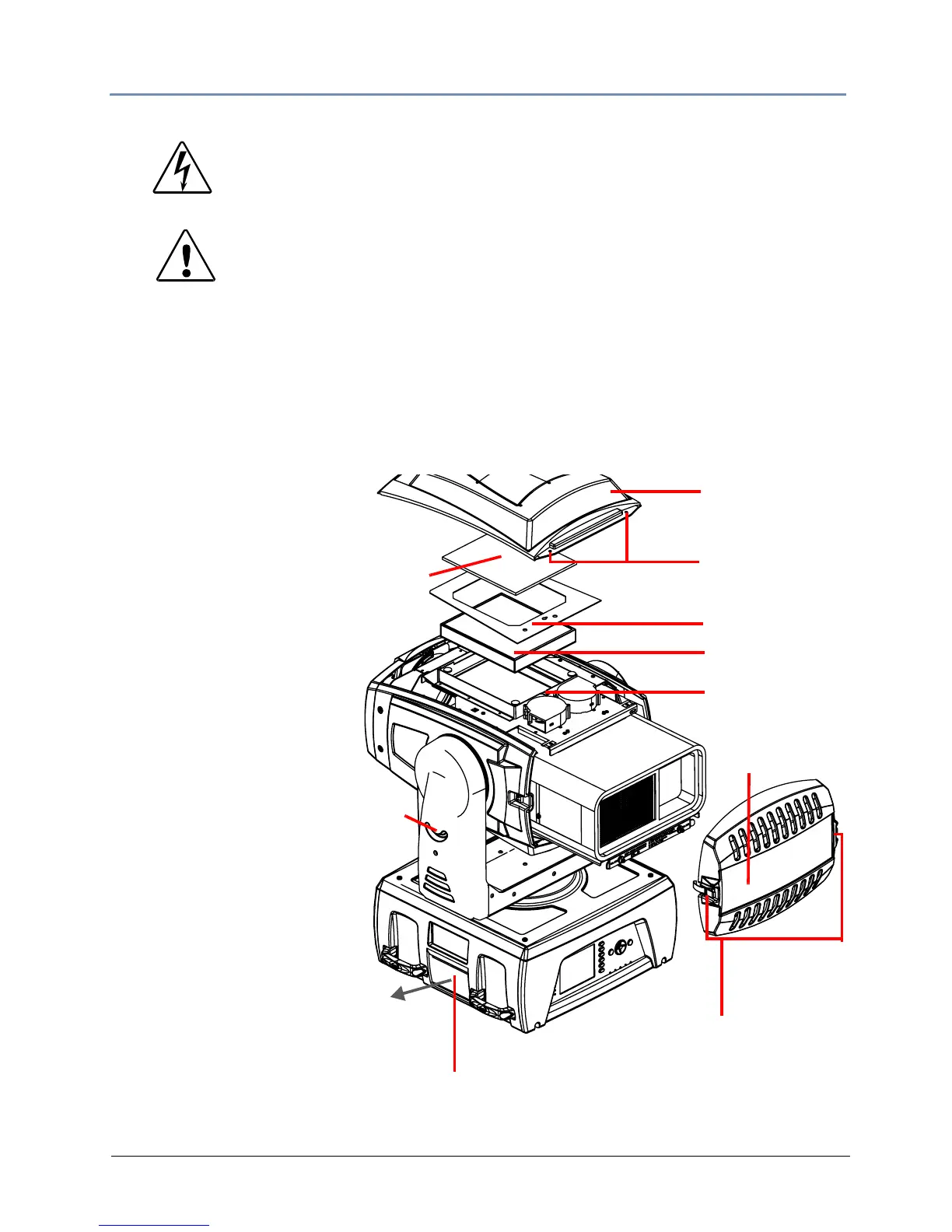
This filter is located between the handles on the fan side of the box. You can pull it off the fixture
and clean it with soap and water. Allow it to dry thoroughly before replacing.
Replacing the Fixture Filter
A HEPA filter and a prefilter
are located inside the fixture
hea
d and should be replaced
whenever they become
discolored from particulates or
when the Menu displays FILTER
Service ERROR or FILTER
Service WARN.
Access the fixture filters:
1. Lock the fixture head in
th
e 90
° tilt position.
2. Unlatch and remove the
rear bez
el assembly.
3. Loosen the two captive
phillips-h
ead screws on the
top cover and remove the
top cover.
4. Slide the top cover back
to free it from the front
bezel.
Inspect the filters:
5. Lift the prefilter away from
th
e filter bracket
6. Remove the two phillips pan
screws
securing the filter bracket and lift the filter unit off the fixture.
WARNINGS!
Disconnect power before servicing.
Replace fuses with the specified type and rating only.
CAUTION!
Do not operate a projector with Air Filter removed. Dust may
ac
cumulate on LCD Panel and Projection Mirror degrading
projection quality.
Do not put small parts into Air Int
ake Vents. It may result in
malfunction of a projector.
Loosen
Top cover
Filter bracket
Filter
Rear Bezel
Open Latches



 To Next Page