CHAPTER 17
Maintenance and Troubleshooting
302 DL.3 Digital Light User Manual
7. Remove the bracket and remove the HEPA filter from filter housing. Inspect both the prefilter
and the HEPA filter.
8. A dirty prefilter can cause an early Service Filter w
arning. If the prefilter looks dirty, clean it
with water. Thoroughly dry the prefilter before proceeding.
9. If the HEPA filter is discolored with particul
ates, replace it with the part listed in Related
Products and Accessories on page 4.
Reassemble the Fixture
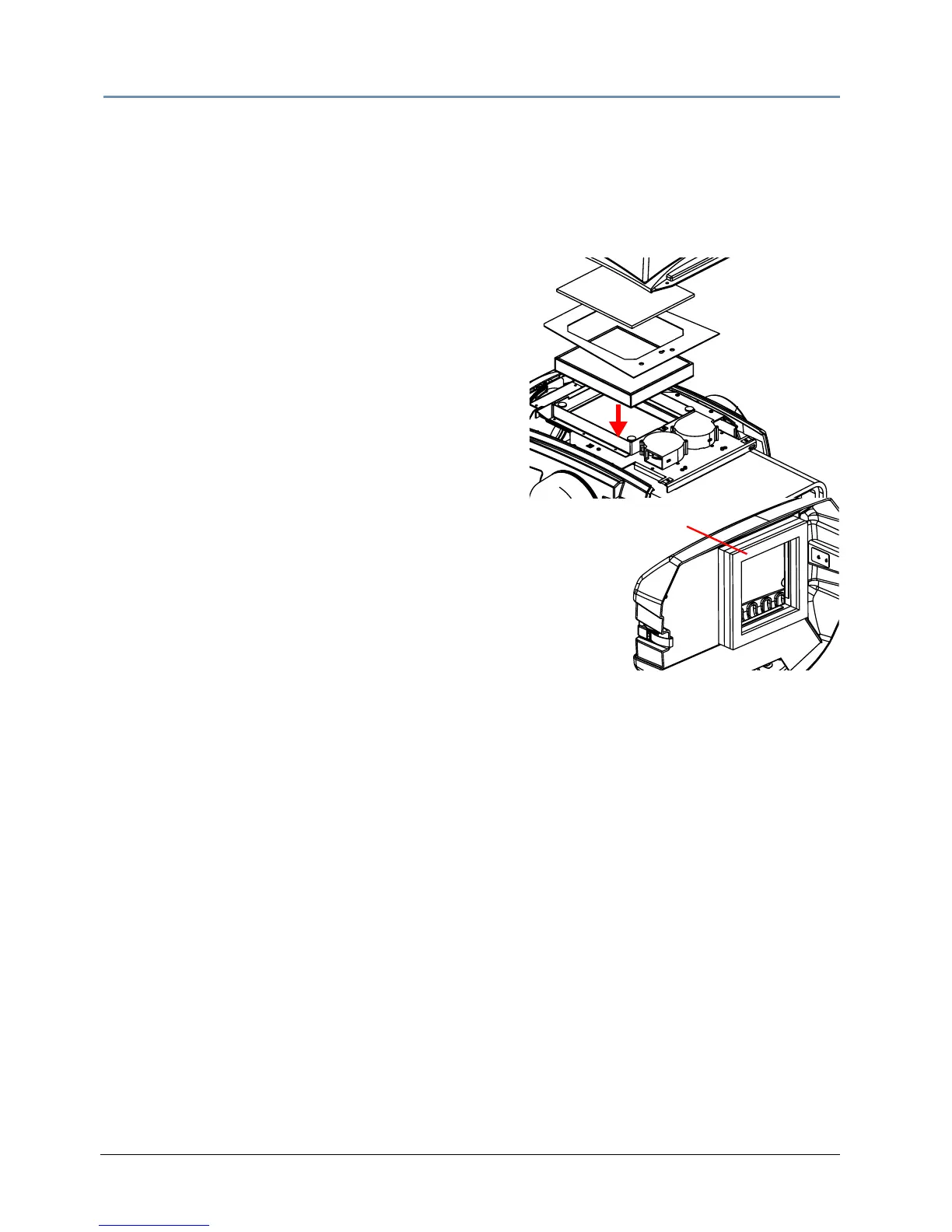
10. Reinstall the HEPA Filter with the rubber gasket
down
.
11. Reattach the filter bracket with the two philips pan
sc
rews.
12. Replace the prefilter over the bracket on velcro
tabs
.
13. Replace the top cover, fastening it with the two
captiv
e phillips-head screws.
14. Carefully replace the rear bezel, maki
ng sure to
position (but do not
force) the gasket against the
lamp cover located on the back of the projector.
and relatch the rear bezel assembly.
Place HEPA
filter with gasket
against plenum
Gasket



 To Next Page