CHAPTER 13
Effect Mode Options Descriptions
DL.3 Digital Light User Manual 237
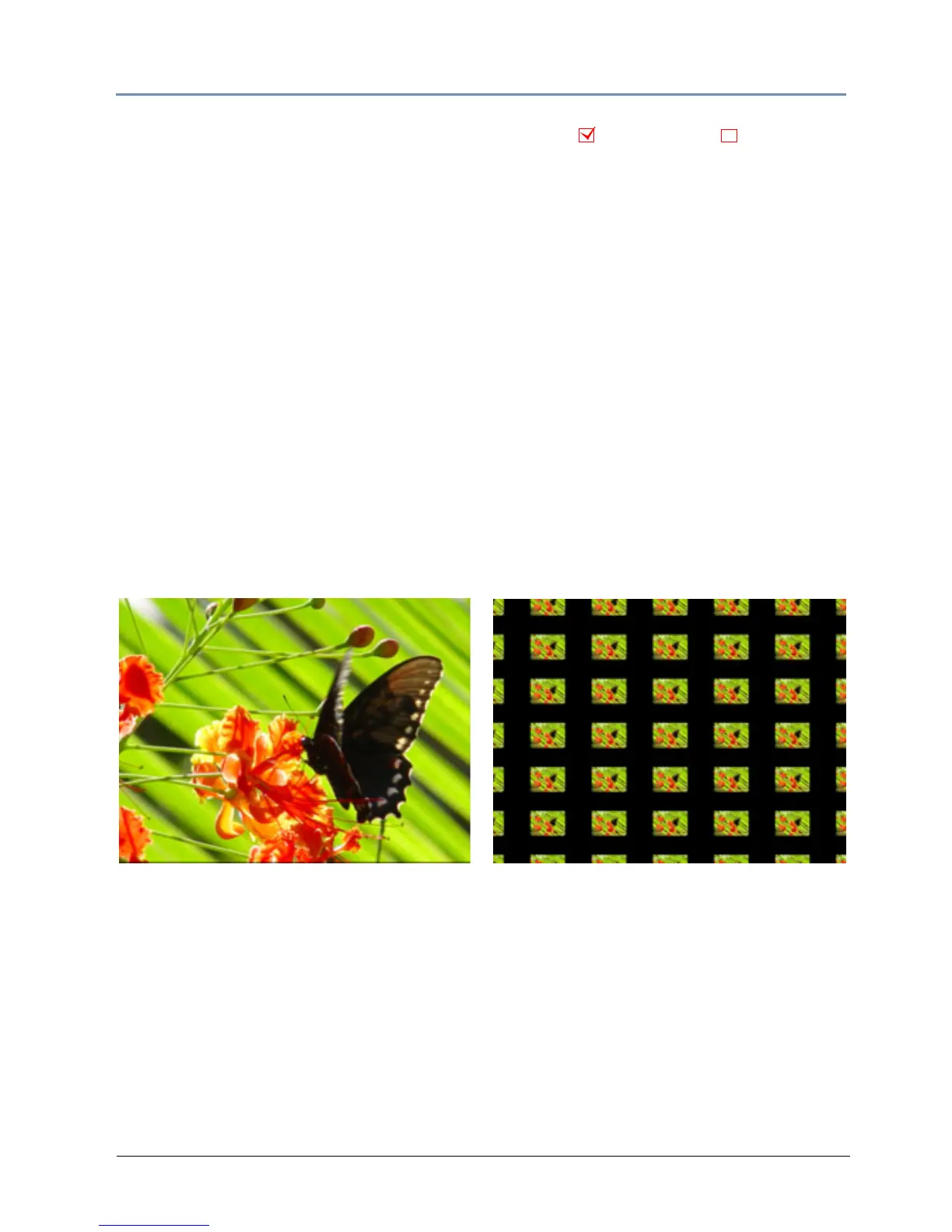
Tiling On
Effect Mode parameter DMX value = 48
Tiling varies the number of times a media file is applied as a texture to an object. This effect
works best on objects that have an undisrupted surface area.
Modifier 1: Adjusts the size and number of tiles along t
he x axis. A value of 128 (50%) =
no adjustment. Values below the midpoint size a single image to 0 = maximum image
magnifi
cation. Values above the midpoint increase number of images displayed to 255 (100%)
= maximum.
Modifier 2: Adju
sts the size and number of tiles along the x axis. A value of 128 (50%) = no
adjustment. Values below the midpoint size a single image to 0 = maximum image magni-
fication. Values above the midpoint increase number of images displayed to 255 (100%) =
maximum.
Modifier 3: Adjusts the spacing between tiles. Black spacing between tiles increases from a 0 =
a mi
nimum width to 127 = a maximum width. Transparent spacing between tiles increases from
128 = a minimum width to 255 = a maximum width.
NOTE: The Tiling effect implemented on Effect 1 overrides tiling on both
Effect 2 and Effect 3.
Object Effect Global Effect
Modifier 1 parameter DMX = 251
Modifier 2 parameter DMX = 255
Modifier 3 parameter DMX = 97
Original Content



 To Next Page