CHAPTER 17
Maintenance and Troubleshooting
312 DL.3 Digital Light User Manual
Button Action
When in the large format display, pressing any
button reverts to the normal menu display showing
the Detailed Message Display pane in the
Info_Status tab of the menu. At that point, you can
view the detailed information for the error/warning
messages or navigate elsewhere.
Inactivity Timer
After 30 seconds of inactivity from the display
navigation/editing buttons has passed, the display
returns to the large format error display should there be any new messages to be displayed or if
there is a persistent error. A persistent error is a case where the error condition continues to
occur.
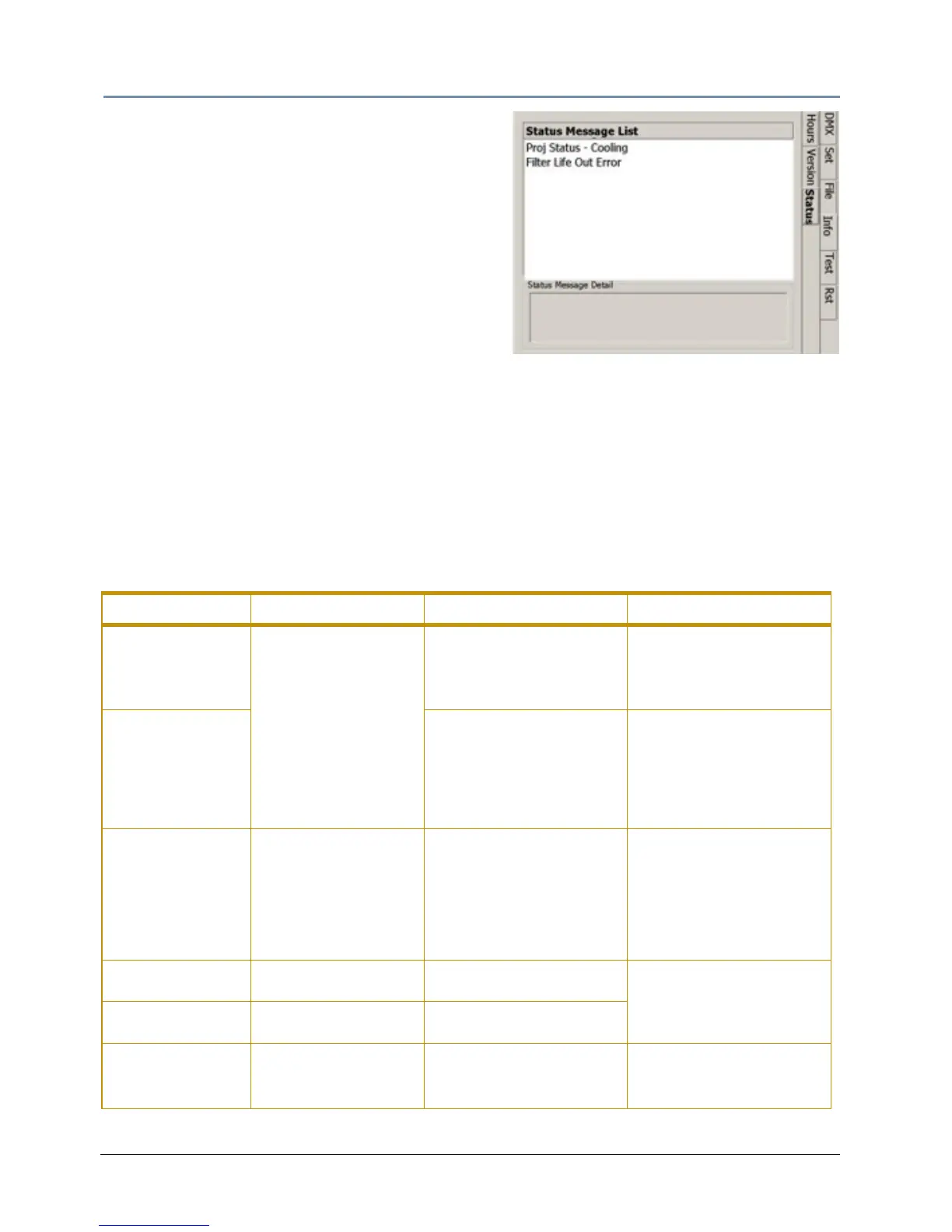
The second way to view Status messages is by navi
gating to the Info_Status screen. This screen
displays current error or status messages. If there are multiple error/warning messages
displayed, use the up/down arrows to scroll through the list in the top pane. When an item is
highlighted in the top pane, the bottom pane details information associated with that error.
Supported Error/Warning Messages
Issue Large Format Message Message Detail Notes
Projector
T
emperature Status
Info_Status tab only
This message does not
a
ppear in large format
PROJ STATUS-COOLING
The projector must cool
down before it can re-strike
the lamp
This message will end when
the fixture ha
s reached the
recommended operational
temperature
Motion Shut Down
St
atus
Motion Shut Down
The Motion Systems is in
shut down mode. To return
to normal operation, power
cycle or perform a HOME
ALL
Home the fixture through the
menu syste
m
“Test_Home_
Motion All_Home”
screen, the
CMA, (see page 287) or
from the DMX console (see
page 242).
Camera
Communicat
ion
Error
CAMERA COMM ERROR
The system is unable to
communicate with the
Camera.
Check the Ribbon cable
connectio
ns at the camera
and the head card. (the Blue
side should be facing out).
Use the camera’s zoom
butto
ns to check that the
camera has power.
Filter Missing Error
FILTER MISSING ERROR
Filter not present. Insert
Filter!
See C
leaning and
Replacing Filters on p
age
300
Service Filter Error
FILTER SERVICE ERROR
Filter needs Servicing.
Replace Filter NOW.
Filter Service
Wa
rning
FILTER SERVICE WARN
Filter needs Servicing.
Replace Filter SOON.
See C
leaning and
Replacing Filters on p
age
300



 To Next Page