CHAPTER 15
Live Video Input and Control
246 DL.3 Digital Light User Manual
Live Video Connection Options
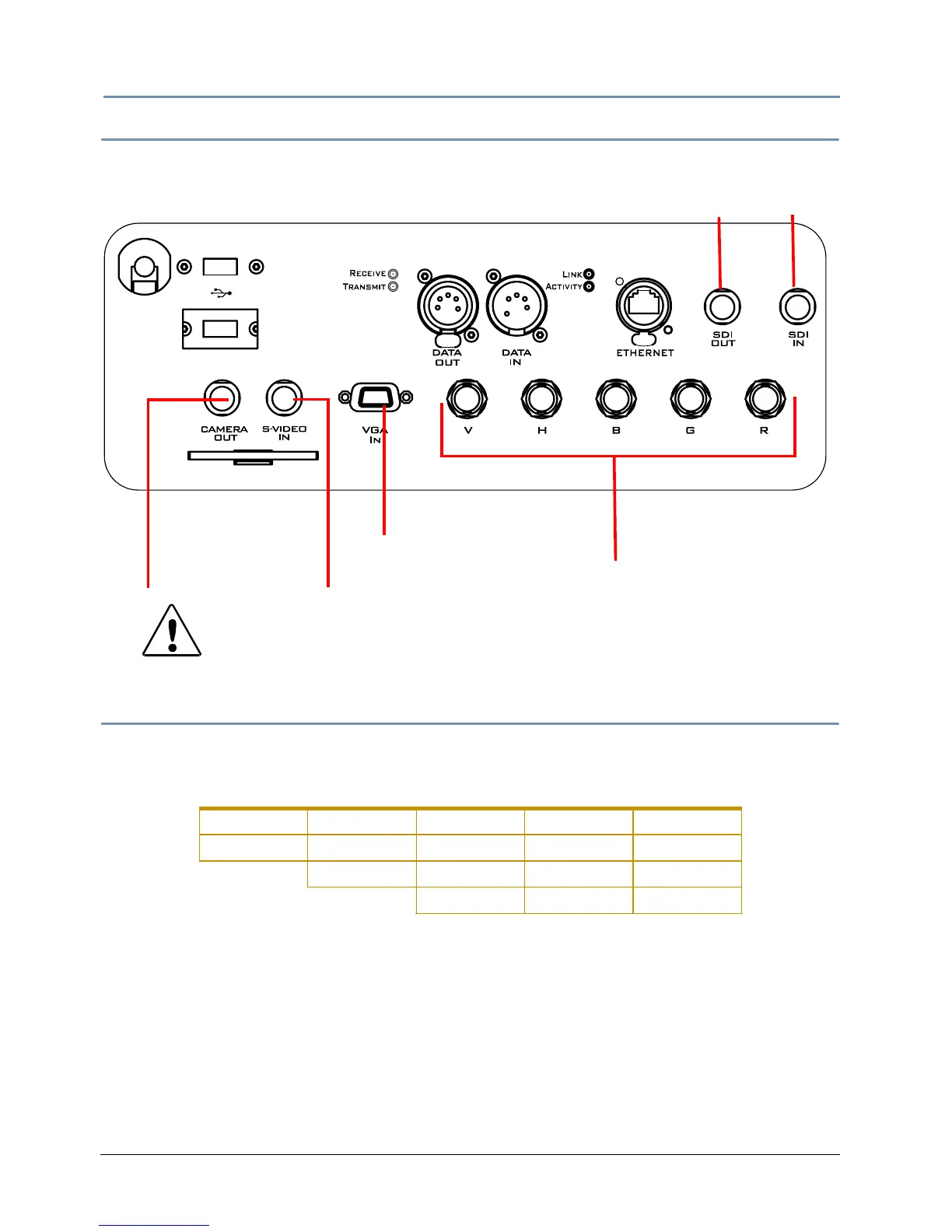
The DL.3 fixture has video connectors for RGBHV, VGA and S-Video on its rear panel, as shown in
the following figure.
Configuring the Video Input Source
S-Video
DL.3 fixtures support multiple SVideo formats including:
You will need to configure the DL.3 fixture to ide
ntify a video input source. You can choose
between S-Video and SDI in one of the following ways:
• Manually using the DL.3 menu system (see information about the Proj
ector Input field on the
Set_I/O Screen on page 35.)
• Remotely through the CMA (see DL.3 and DL.2 Media Server Configuration Options on page
282).
• Via the DMX console commands (see Projector Control on page 243).
NOTE: The integrated camera provides an NTSC_M video signal.
CAUTION:
To avoid damaging the fixture and voiding the warranty, do not
phy
sically connect to the RGBHV and VGA inputs at the same time.
NTSC_M PAL_B PAL_H SECAM_B SECAM_K
NTSC_MJ PAL_D PAL_I SECAM_D SECAM_K1
PAL_G PAL_M SECAM_G SECAM_L
PAL_N SECAM_H SECAM_L1
USB 1
100-120 V;
50-60Hz; 7A
200-240 V;
50-60Hz; 3.5 A
USB 2
S-Video Camera
S-Video In to
the graphics engine
VGA input to
RGBHV input option
to the projector
Output to another
DL.3 fixture or device



 To Next Page