CHAPTER 12
Global Functions: Collage Generator™ Effect
DL.3 Digital Light User Manual 139
DMX values of 128-255 default to the upper left corner of the grid.
Selecting any value larger then the number of gri
d rectangles defined by Modifier 1 or values
from 128-255 defaults to the top-left rectangular area of the grid.
The Mod
ifier 3 channel lets you manually or automatically control the blended edges of the
adjacent projections. You can also display grid overlays that show your Modifier 1 and Modifier
2 c
hannel selections.
DMX Value Action
0 No blend adjustment
1-63 Progressively darkens
the blend regions
64 No blend adjustment
65-127
Progressively brightens the blend regions.
128-143 Displays rectangular area with no blending
144 Selects a blend curve optimized for color content
145 Selects a blend curve optimized for grayscale content
146-160 Selects the default blend curve
161-191 Displays rectangular area with no blendin
g covering full projector output
192-199 Displays default alignment pattern in rectangular area without blend area
200-207 Displays default alignment pattern with blending
208-215 Displays default alignment pattern and blend area with no blending
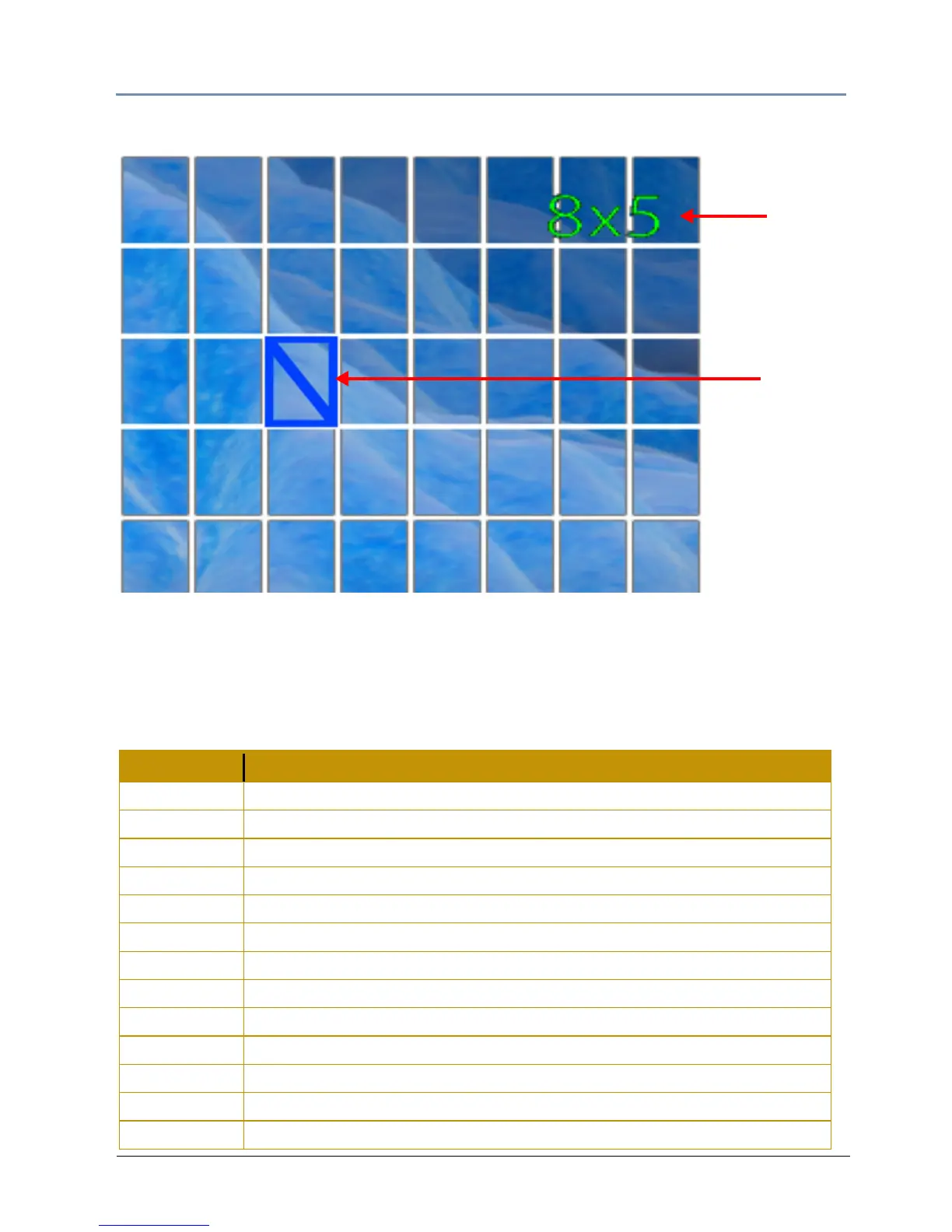
216-255 Displays collage selection grid
over selected image/movie.
Selected
cell
Array
Size
(8 x 5)



 To Next Page