CHAPTER 16
Content Management Application (CMA)
DL.3 Digital Light User Manual 297
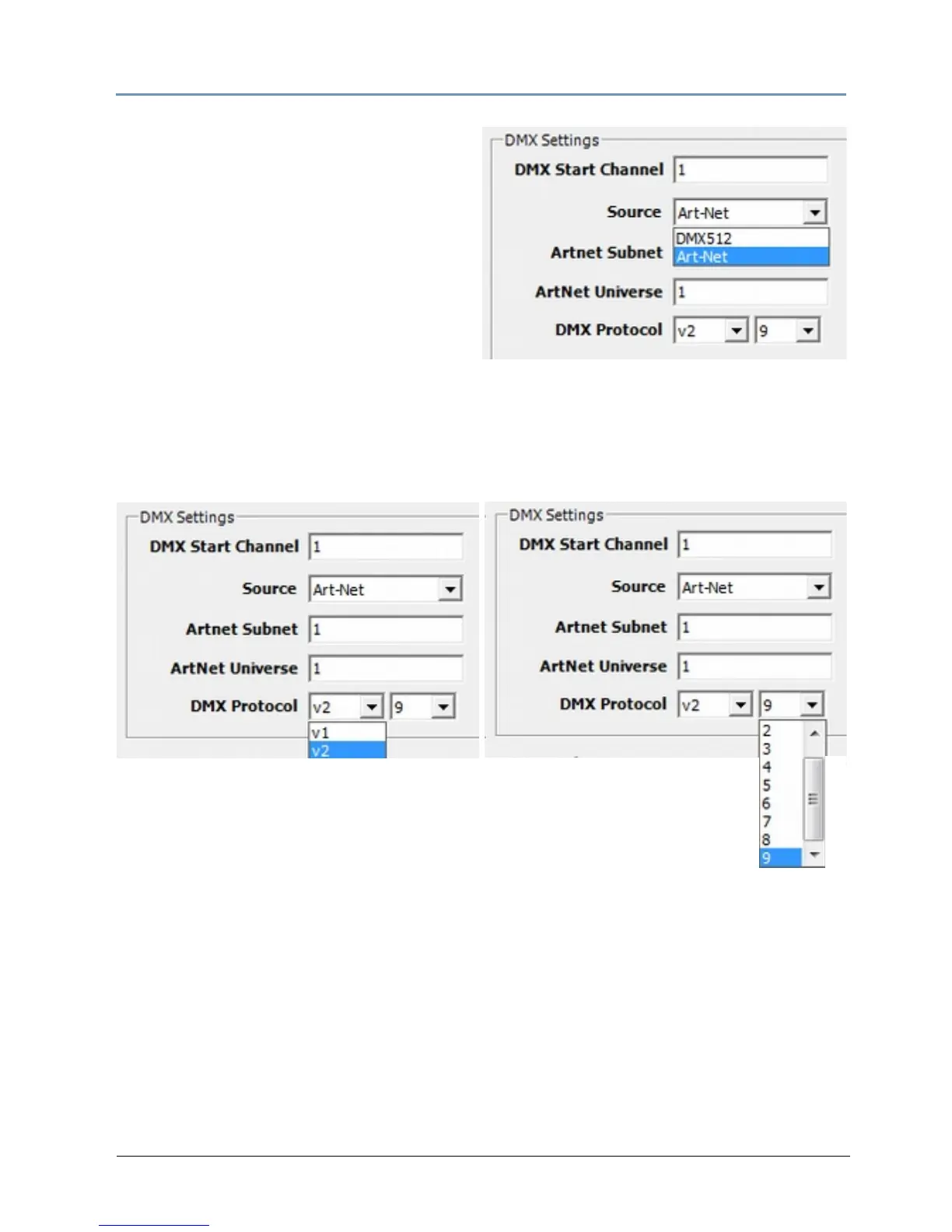
2. Select a DMX Source type by clicking on
the down arrow of the Source field to
select DMX512 or Art-Net.
If you select Art-Net, assign a universe
numbe
r from 1–16.
3. Select a D
MX Protocol type by choosing V1, or V2 from the drop down list in the option
field. and then select the number of Graphic Object layers for your application.
The Protocol you select is based on how man
y DMX channels are required for your
application. For more information on selecting protocol, see Protocol Options on
page 59
and Appendix A: DMX Protocol on
page 321.
4. Edit the DMX St
art Channel by entering a valid Start Channel for the protocol type you
have chosen.
For more information on selectin
g a valid start channel, see Determining a DMX Start
Channel on
page 42.



 To Next Page