CHAPTER 3
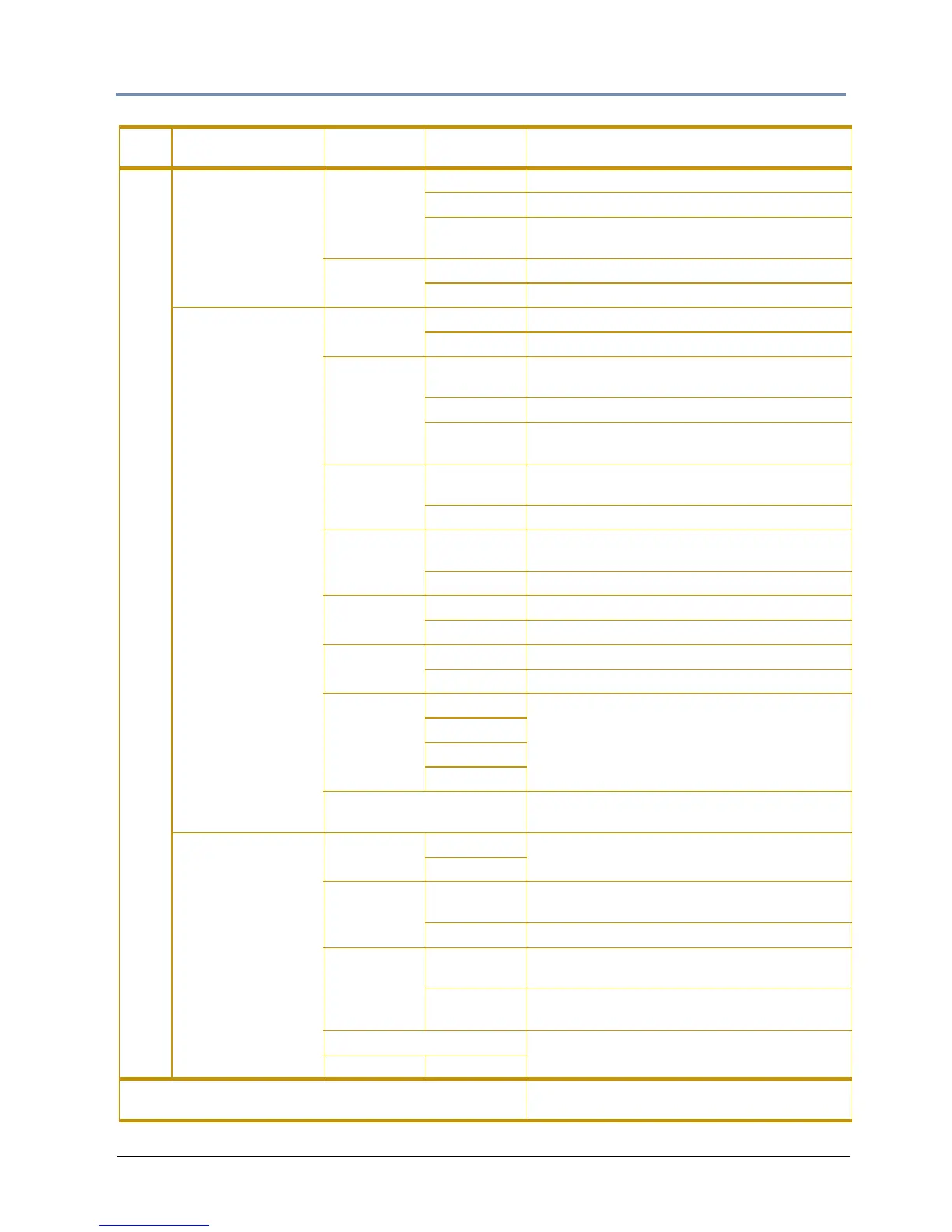
The Digital Light Menu System
DL.3 Digital Light User Manual 27
Set
Fixture
Display
Invert
On Inverts menu display and navigation
Off Turns off the display invert
Auto
Automatically inverts display when fixture
mounting is g
reater than 45°
Factory
Defau
lts
On Restores factory default settings
Off Default
Projector
Projector
Lamp
On Manually turns Projector Lamp on
Off Manually turns Projector Lamp off
Projector
Powerup
Always
Turns the projector lamp on whenever the
fixtur
e is connected to power
Manual Turns on the lamp when Projector Lamp = On
DMX
Turns the projector lamp on with DMX
input (default)
Zoom
Over
ride
On
Overrides the DMX values sent by the console.
Set valu
e manually from 0-255
Off Default
Focus
Over
ride
On
Overrides the DMX values sent by the console.
Set valu
e manually from 0-255
Off Default
Projector
Ceil
ing
On Rotates the image 180° around the x-axis
Off Default
Projector
Rear
On Rotates the image 180° around the y-axis
Off Default
Lens Type
Standard
Selects the lens currently installed in the
pr
ojector.
NOTE: these options are active for DL.3
fixtur
es only
Long
Ultra Long
Wide
Projector Defaults
Clicking the Reset button r
estores Factory
Projector Defaults
I/O
(not available in
DL.3F fixtures)
Projector
Input
External
Chooses the input the Projector will accept
Internal
Projector In
by DMX
Yes
Selecting Yes allows projector’s input source to
be selected
from DMX
No Disables changing projector input via DMX
S-Video Input
Internal
Accepts S-Video signal from the DL.3 onboard
camera input
External
Accepts S-Video signal from another DL.3 or
video
source
External SVideo Format
Options dependant on the fixtures video card
configuration
SDI Format
File
Displays content file locations and allows a
content pr
eview (see page 40).
Main
Ta
b
Sub-Tabs/
Screens
Fields
Controls
Options Function/Notes



 To Next Page