EasyManua.ls Logo

MBRAUN LABmaster pro sp - Page 134

MBRAUN LABmaster pro sp
302 pages
Print Icon
To Next Page IconTo Next Page
To Previous Page IconTo Previous Page
Loading...
7 Gas purifier operation
Circulation
Page
7 - 10
MB-20-G/MB-200G-W_MB-LABmaster_MB-200 MOD_TP700
Operating Manual - V5.0 - 04/2018 - STD
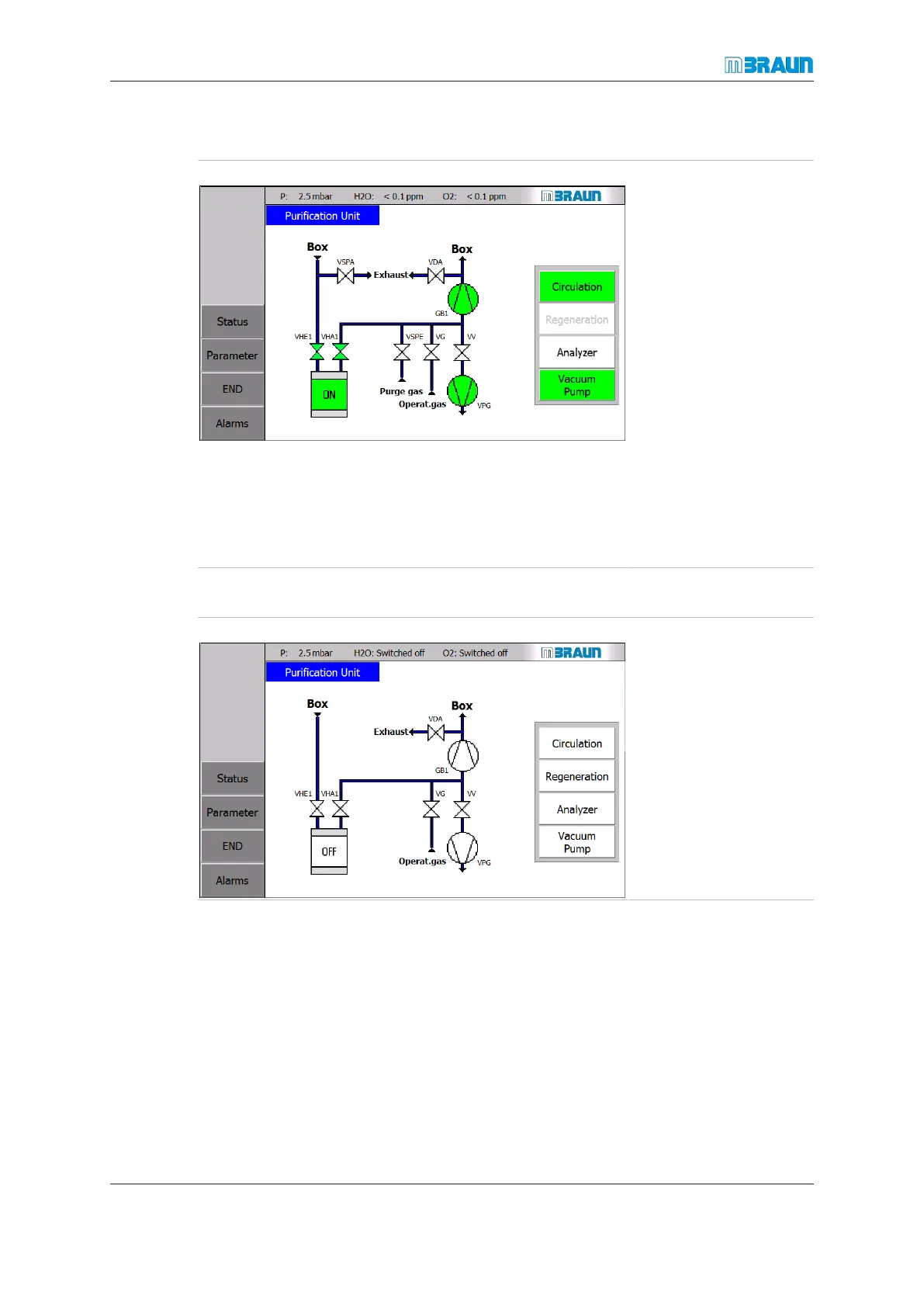
Alternative way of switching circulation on
Start Screen RKM icon
Touch the Circula-
tion button.
The vacuum pump must
be switched on separ-
ately:
Touch button Va-
cuum Pump. After
switching on the va-
cuum pump, the col-
our of the buttons
Circulation and Va-
cuum Pump
changes from white
to green.
ð The blower starts up.
ð The vacuum pump
starts up.
ð Circulation starts.
Alternative way of switching circulation off
Start Screen RKM icon
To switch circulation
off, touch the Circu-
lation button again.
ð The blower switches
off.
ð The vacuum pump
must be switched off
separately.

Table of Contents

Related product manuals