7 Gas purifier operation
Regeneration operation
MB-20-G/MB-200G-W_MB-LABmaster_MB-200 MOD_TP700
Operating Manual - V5.0 - 04/2018 - STD
Page
7 - 19
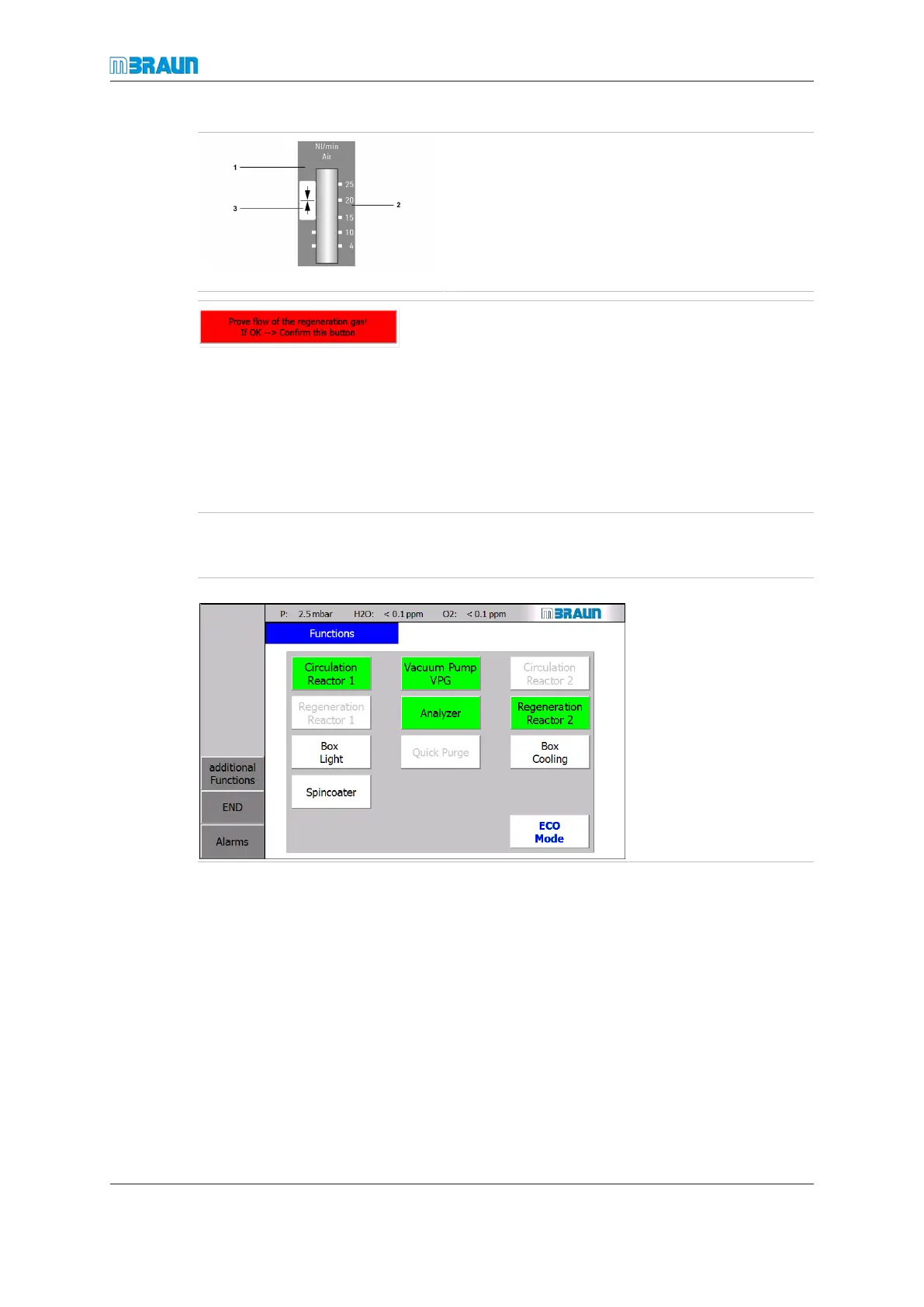
► Check regeneration gas flow on the flowmeter.
► Check regeneration gas flow: the indicator (2)
on the analogue flowmeter (1) must be within
15… 20l/min.
► If not, check the regeneration gas supply.
► If you want to abort the process, touch the
Abort button.
► If the regeneration gas flow is OK, press the red
Prove flowof the regeneration gas! … button (refer
to figure on left).
ð If not yet activated, the colour of the Vacuum Pump
button changes from white to green.
ð The circulation button is disabled.
ð The colour of the Regeneration button changes from
white to green.
ð The regeneration sequence begins.
Screen Functions with double purifier (dp) after activation:
Start Screen ⇨ Functions
Functions screen after ac-
tivation of the regenera-
tion.
¡ Reactor 2 is in regen-
eration mode and is
disabled for circula-
tion.
¡ Reactor 1 is in circula-
tion mode and is dis-
abled for regenera-
tion.



 To Next Page