7 Gas purifier operation
Regeneration operation
Page
7 - 20
MB-20-G/MB-200G-W_MB-LABmaster_MB-200 MOD_TP700
Operating Manual - V5.0 - 04/2018 - STD
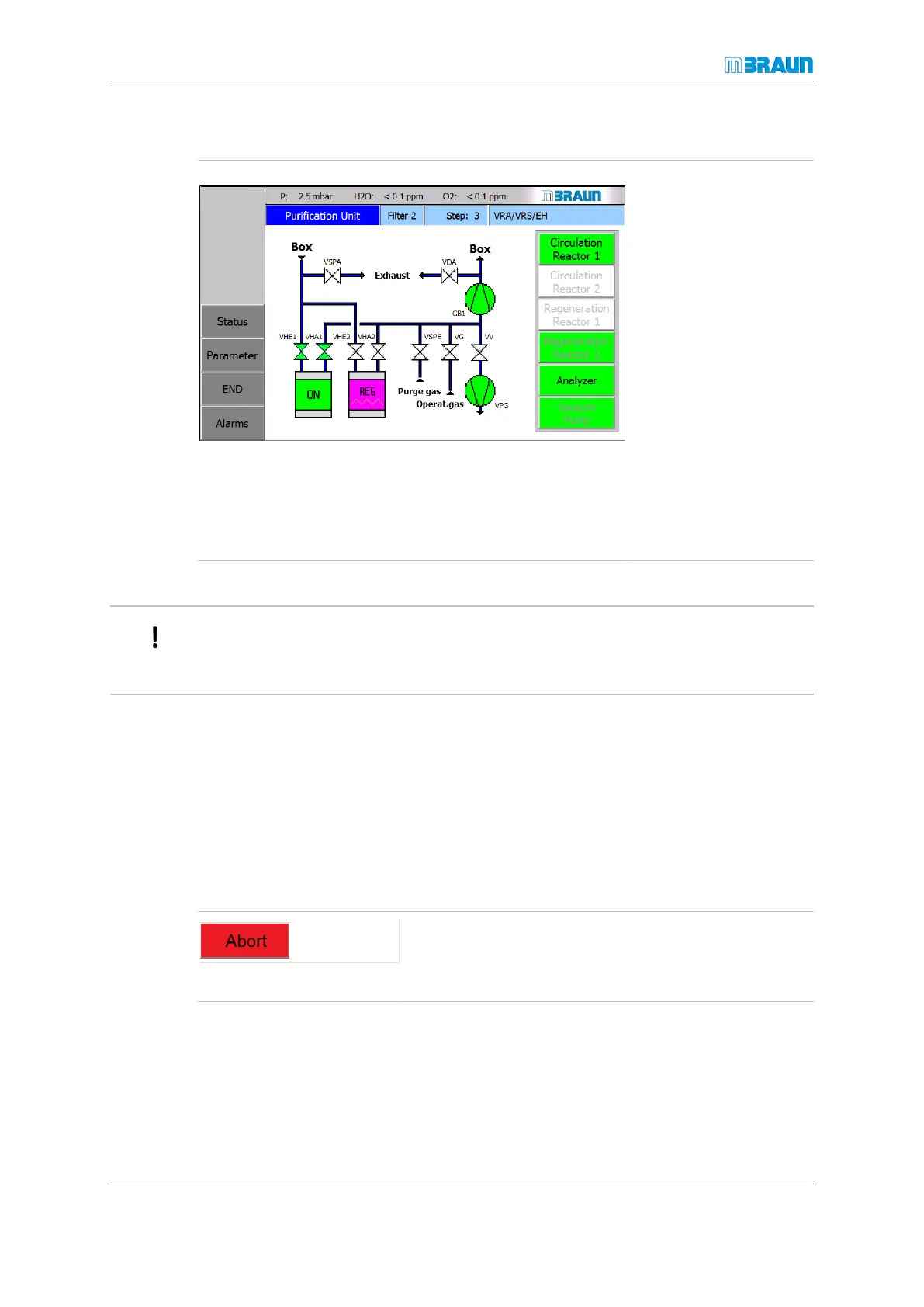
Screen Purification Unit in a dp system after activation:
Start Screen ⇨ RKM icon
Status reactor 1:
¡ Reactor 1 is manually
switched to the circu-
lation mode.
Status reactor 2:
¡ Regeneration is in
progress.
¡ The Regeneration
Reactor 1 button is
disabled.
¡ The Circulation Re-
actor 2 button is dis-
abled.
¡ The regeneration
status line (on top
right of the screen) is
displayed.
Alternatively, regeneration can be activated on the Purification Unit screen (see figure
above).
The activation on a sp system is equivalent unless an atmosphere circulation through the
glovebox is not available.
Deactivating regeneration
The regeneration is stops automatically by the Siemens PLC after the full sequence of
steps has been executed.
After the regeneration has stopped, the regeneration bar disappears and the regenerated
reactor prepares for circulation.
An Abort button is display in the screen during those steps along the regeneration pro-
cess, a termination is possible.
► To abort the regeneration manually ahead the sched-
uled time, touch the Abort button.
ð Confirmation dialogue3 is displayed in an overlay win-
dow.



 To Next Page