9 Antechamber operation (Vacuum antechamber)
PLC-controlled loading and unloading
MB-20-G/MB-200G-W_MB-LABmaster_MB-200 MOD_TP700
Operating Manual - V5.0 - 04/2018 - STD
Page
9 - 11
Status indicators
The pressure of a Siemens PLC-controlled antechamber is measured. The actual pres-
sure is displayed and visualised on the touch panel.
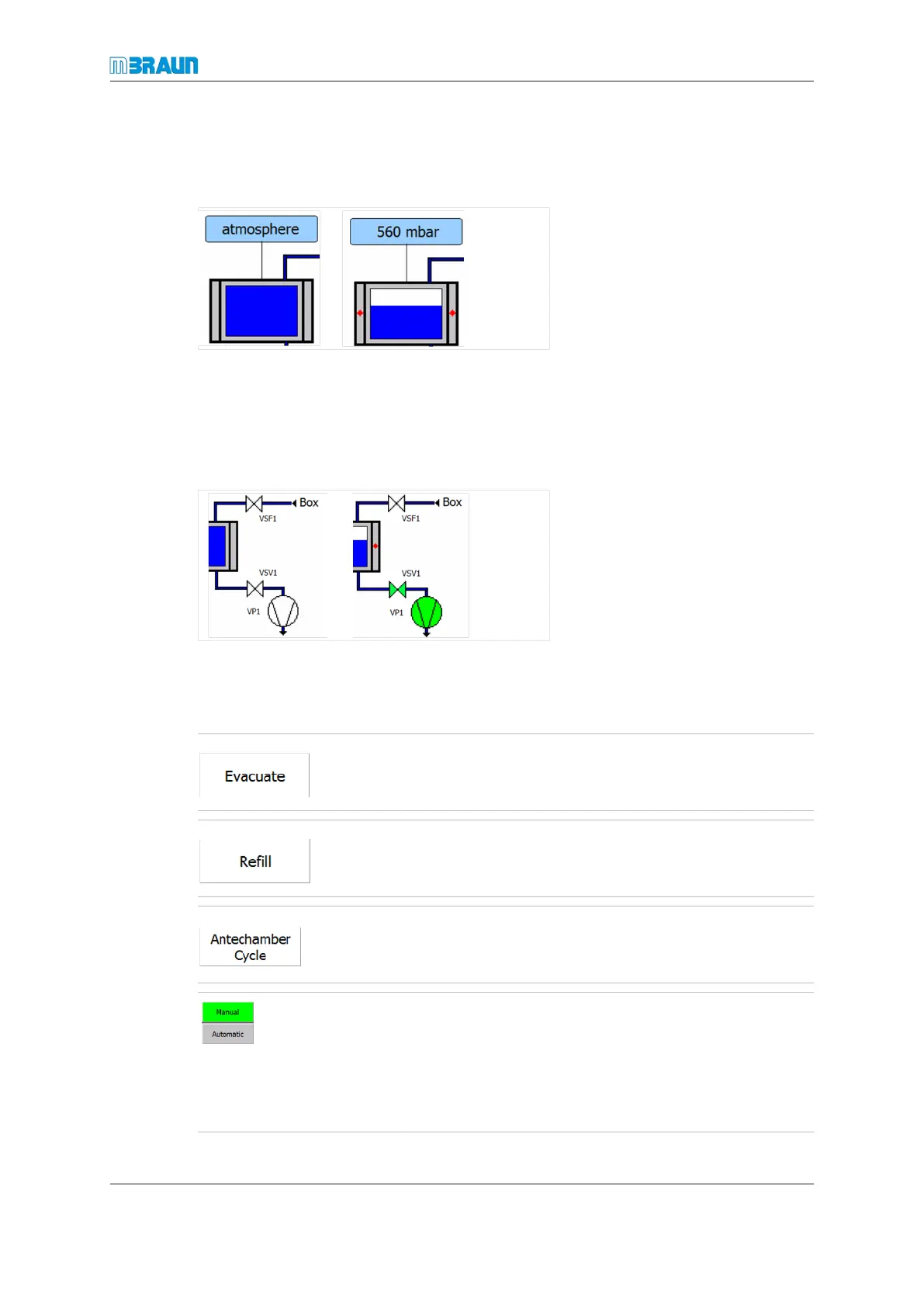
A blue bar in the antechamber symbol icon displays the pressure as an analogue indic-
ator:
¡ Low vacuum (equal or near atmospheric pressure): blue bar is long (figure on left)
¡ High vacuum (low atmospheric pressure): blue bar is short (figure on right)
Status display for valves (input/output) and vacuum pump
The antechamber processes are activated and deactivated using the touch buttons.
In manual operation: evacuates the antechamber
In manual operation: refills the antechamber
In automatic operation: starts automatic sequence of the
evacuate / refill steps
Change between the modes: manual operation <-> auto-
matic operation:
¡ In manual operation: Evacuate and Refill buttons are
enabled.
¡ In automatic operation: Antechamber Cycle button
gets released



 To Next Page