Field Service Ver. 1.0 Jun. 2008 10. Service Mode
151
Adjustment / Setting
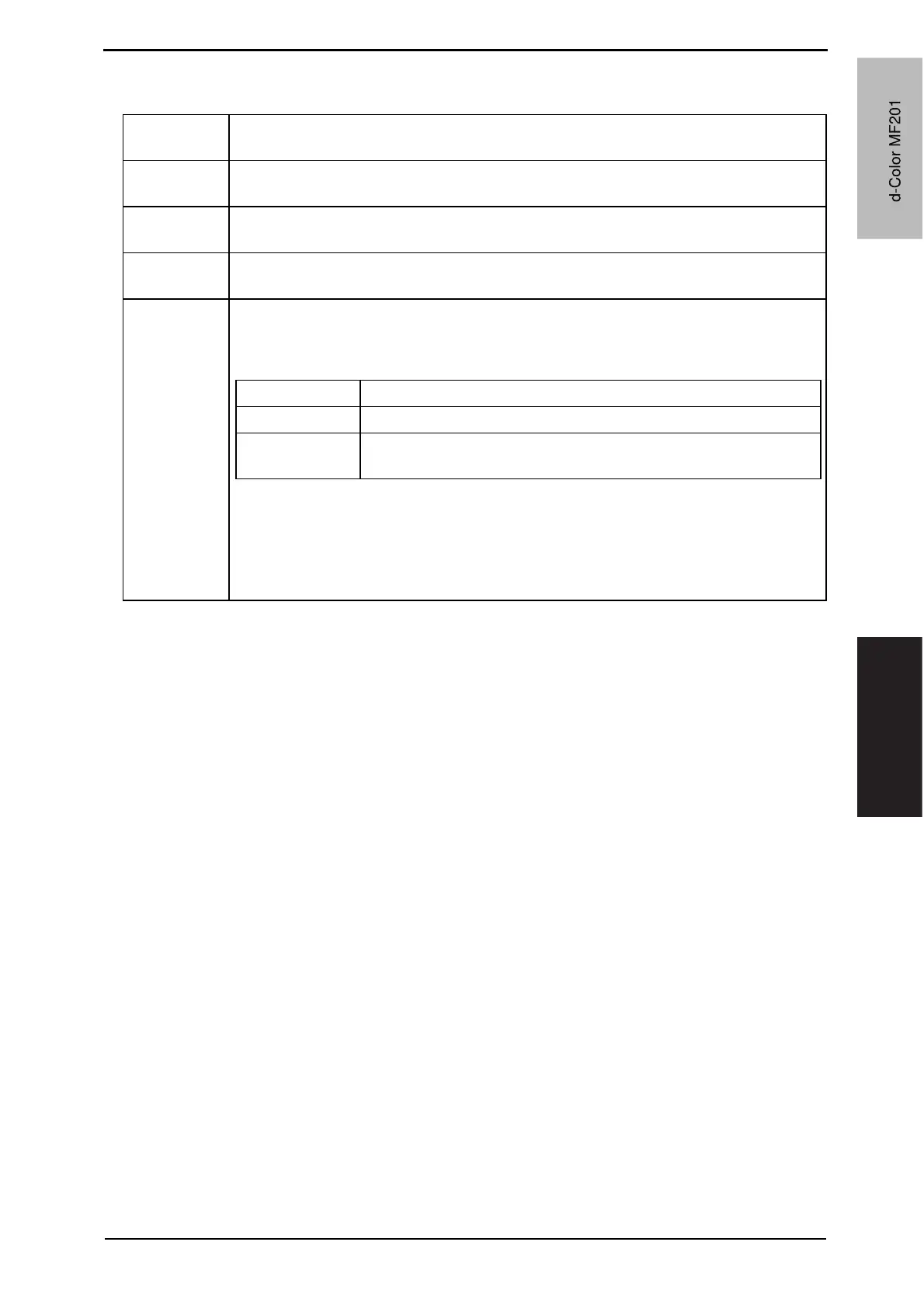
10.3.2 Fusing Transport Speed
Functions • To adjust the speed of the fusing drive motor so as to match the fusing speed with
transport speed.
Use • Brush effect or blurred image is evident as a result of changes in environmental con-
ditions or degraded durability.
Variable
Range
-2.0 % to +2.0 % (in 1 increments)
Adjustment
Instructions
If brush effect is evident, vary the setting value and check for image.
If a blurred image occurs, decrease the setting.
Setting/
Procedure
1. Call the Service Mode to the screen.
2. Touch these keys in this order: [Machine Adjustment] o [Fusing Transport Speed].
3. Select the transport speed, at which the brush effect or blurred image has occurred.
4. Enter the new setting from the [+]/[-] keys.
5. Touch [OK] to validate the adjustment value.
6. Return to the basic screen.
7. Output two or three test printing and check to see whether the image has any prob-
lem.
Transport speed Paper Setting
92 mm/s Plain paper: color/monochrome, OHF film
46 mm/s
Thick 1, Thick 2, Thick 3, envelope, postcard:
monochrome/color
d-Color MF201
Y109660-1 Sevice Manual
d-Color MF201



 To Next Page
 Loading...







