6. Other Field Service Ver. 1.0 Jun. 2008
60
Maintenance
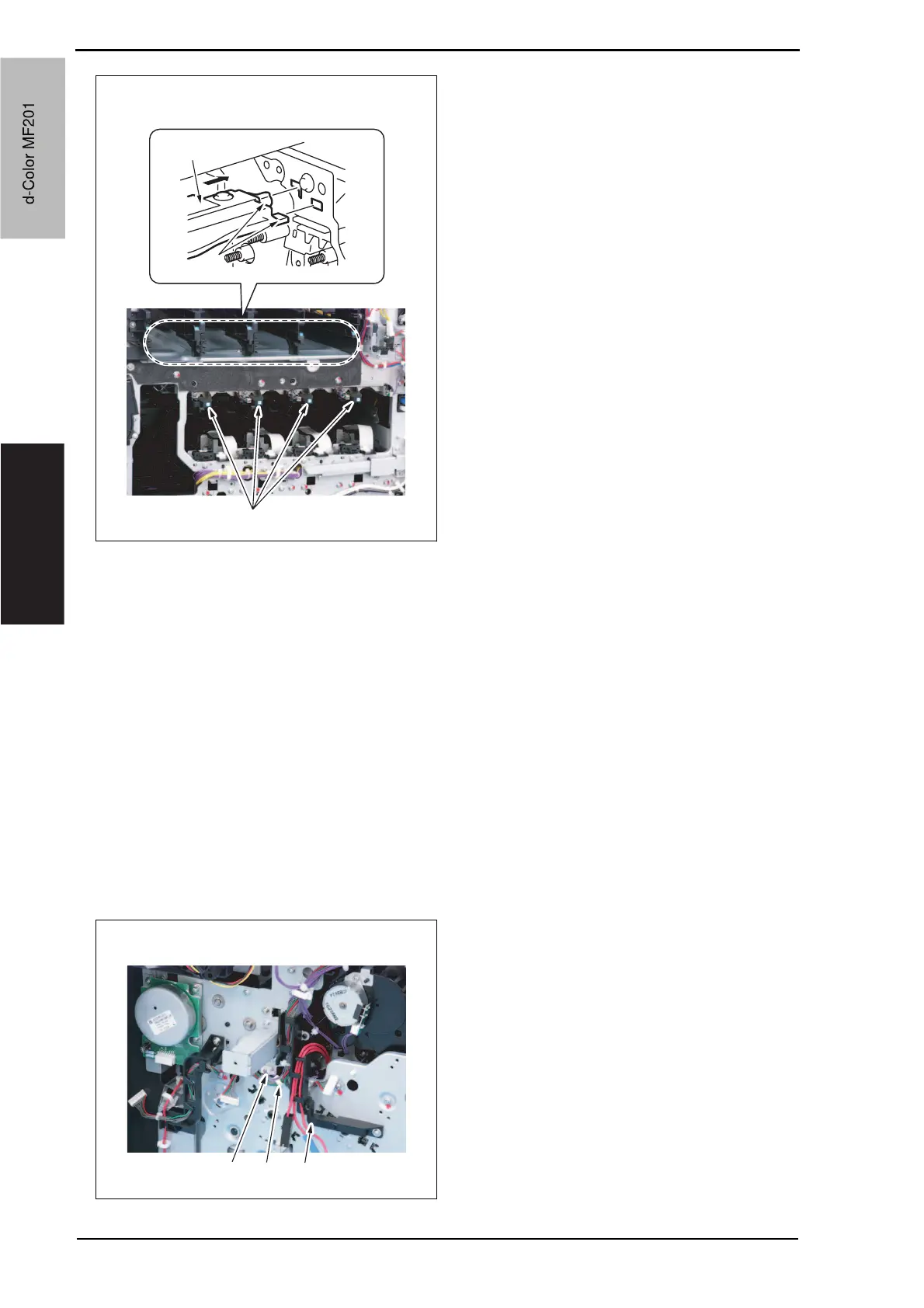
8. Install the imaging unit guide rails [1].
NOTE
• Make sure that the two claws [2] at
rear end of the rail are fit in the
locating hole on the main unit.
9. Reinstall the Image transfer belt unit.
10. Reinstall the front cover.
11. Make skew adjustment of the PH unit.
See P.275
NOTE
• When replacing the PH unit, make sure to conduct PH unit skew adjustment.
6.3.25 Main drive unit
1. Remove the transfer belt unit.
See P.24
2. Remove the high voltage unit.
See P.85
3. Remove the Color PC motor.
See P.92
4. Remove the transport motor.
See P.91
5. Disconnect the connector [1].
6. Remove the harness from the wire
saddle [2] and the harness cover [3].
A02EF2C081DA
[2]
[1]
[1]
A02FF2C038DA
[1] [2] [3]
d-Color MF201
Service Manual Y109660-1
d-Color MF201


 To Next Page
 Loading...







