Field Service Ver. 1.0 Jun. 2008 19. Image quality problem
321
Troubleshooting
19.3 Solution
NOTE
• Typical faulty image samples shown in the following are all printed with A4S set-
ting.
19.3.1 Scanner system: white lines in sub scan direction, white bands in sub
scan direction, colored lines in sub scan direction, and colored bands in
sub scan direction
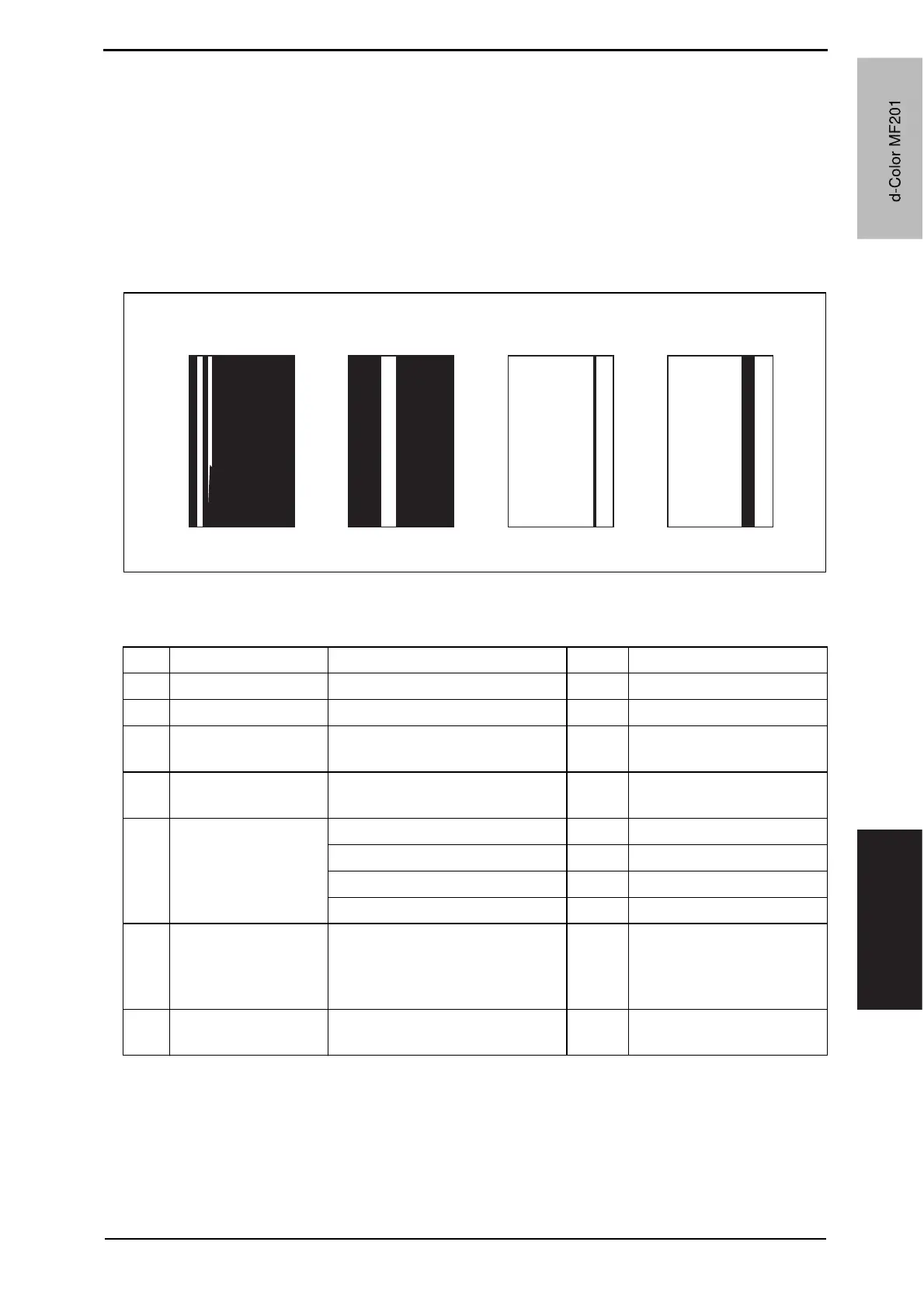
A. Typical faulty images
B. Troubleshooting procedure
(1) When the original glass is used
A02EF4C507DA
White lines in sub scan
direction
White bands in sub
scan direction
Color bands in sub
scan direction
Color lines in sub scan
direction
Step Section Check item Result Action
1 Original Original is damaged or dirty. YES Change original.
2 Original cover Original pad is dirty. YES Clean.
3
Original glass Original glass is dirty. YES Wipe the surface clean with
a soft cloth.
4
Shading sheet Shading sheet is dirty. YES Wipe the surface clean with
a soft cloth.
5
Mirror, lens,
exposure lamp, and
reflectors
Mirror is dirty YES Clean.
Lens is dirty YES Clean.
Exposure lamp is dirty YES Clean.
Reflectors are dirty YES Clean.
6
Machine Adjustment
o Scan Area o Feed
adjustment
(Service Mode)
The adjustment value for [Feed]
falls within the specified range.
NO Readjust.
7
The white lines/bands or colored
lines/bands are blurry.
YES Change exposure unit.
d-Color MF201
Y109660-1 Sevice Manual
d-Color MF201


 To Next Page
 Loading...







