Field Service Ver. 1.0 Jun. 2008 17. Malfunction code
301
Troubleshooting
17.5.8 C2451: Release new transfer belt unit
17.5.9 C2551: Abnormally low toner density detected cyan TCR sensor
17.5.10 C2553: Abnormally low toner density detected magenta TCR sensor
17.5.11 C2555: Abnormally low toner density detected yellow TCR sensor
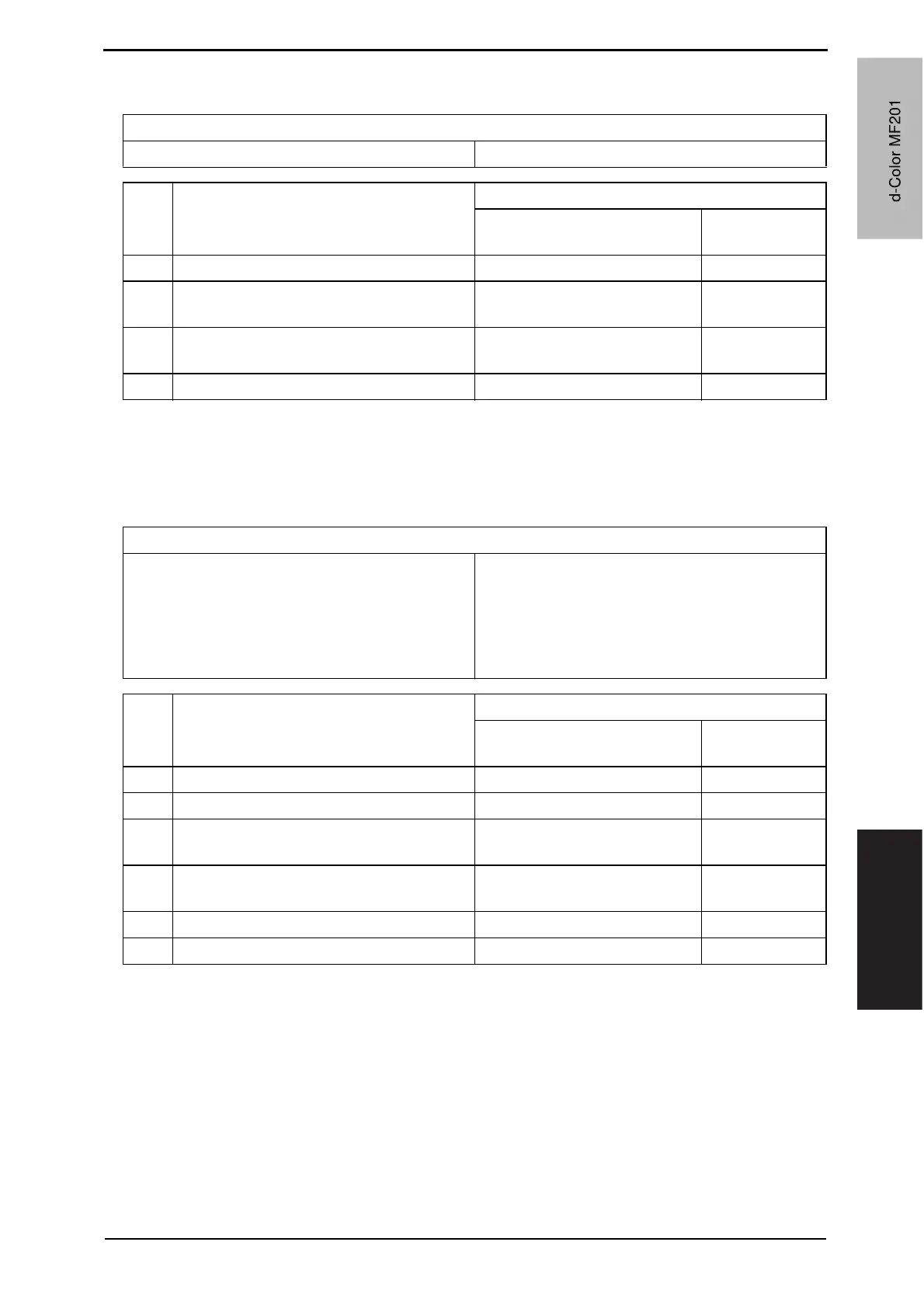
Relevant parts
Transfer belt unit Printer control board (PRCB)
Step Action
WIRING DIAGRAM
Control signal
Location (Electri-
cal component)
1 Reinstall unit — —
2
Check there is a short circuit in the fuse of
the transfer belt unit.
——
3
Check the PRCB connector for proper
connection and correct as necessary.
——
4 Change PRCB — —
Relevant parts
Imaging unit /C
Imaging unit /M
Imaging unit /Y
Toner cartridge /C
Toner cartridge /M
Toner cartridge /Y
Toner supply motor/CK (M7)
Toner supply motor/YM (M6)
Printer control board (PRCB)
Step Action
WIRING DIAGRAM
Control signal
Location (Electri-
cal component)
1 Reinstall imaging unit — —
2 Reinstall toner cartridge — —
3
M6 operation check
(At this time, IU must be non-installation.)
PRCB CN30-5 to 8 C to D-24
4
M7 operation check
(At this time, IU must be non-installation.)
PRCB CN30-1 to 4 C to D-24
5 Change imaging unit — —
6 Change PRCB. — —
d-Color MF201
Y109660-1 Sevice Manual
d-Color MF201


 To Next Page
 Loading...







