Chapter 4 SuperLoader Operation
Configurations Page
112 SuperLoader User’s Guide
View the
Compression
Setting 4
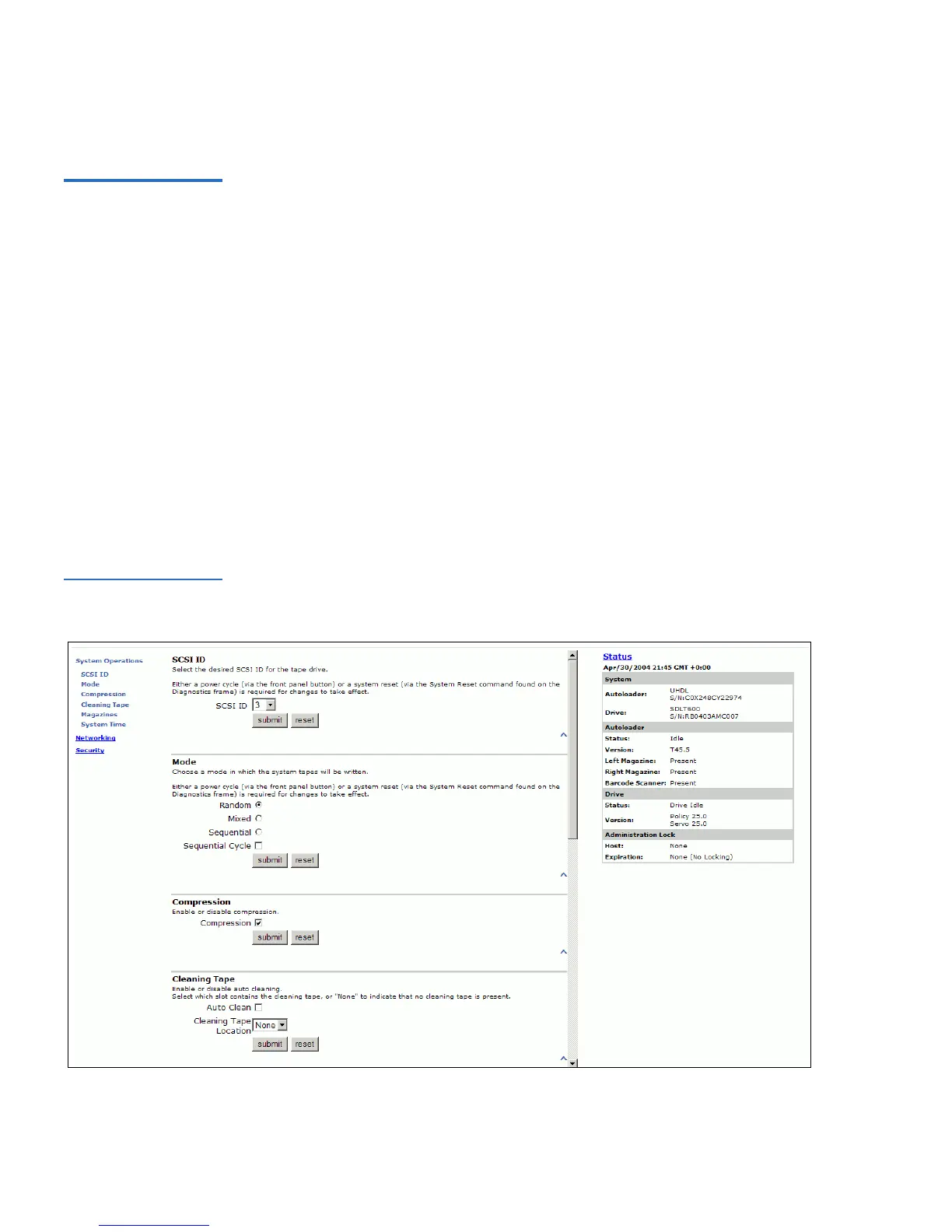
To view the Compression Setting on the SuperLoader, use the following
procedure.
To View the Compression Setting: 4
1 On any On-board Remote Management page, click
Configurations
from the banner.
• If a check mark appears in the box next to
Compression,
compression is enabled. To disable compression, click the box to
remove the check mark.
• If no check mark appears in the box next to
Compression,
compression is disabled. To enable compression, click the box to
enter a check mark.
2 Click
submit.
Figure 81 Viewing the
Compression Setting



 To Next Page