5. After adding all the desired Subject Alternative Names, follow instructions
for "Creating an HTTPS Certificate Request" on page84.
2.14.6.7 Requesting an HTTPS Certificate
Before requesting an HTTPS Certificate from a third-party Certificate Authority,
you need to create a Certificate Request:
1.
Navigate to MANAGEMENT > HTTPS Setup, or to MANAGEMENT > Net-
work Setup > Actions panel: HTTPS.
2.
In the HTTPS Setup window, under the Certificate Request Parameters
tab, complete the form as described under "Creating an HTTPS Certificate
Request" on page84.
3. Click Submit to generate your Certificate Request.
4.
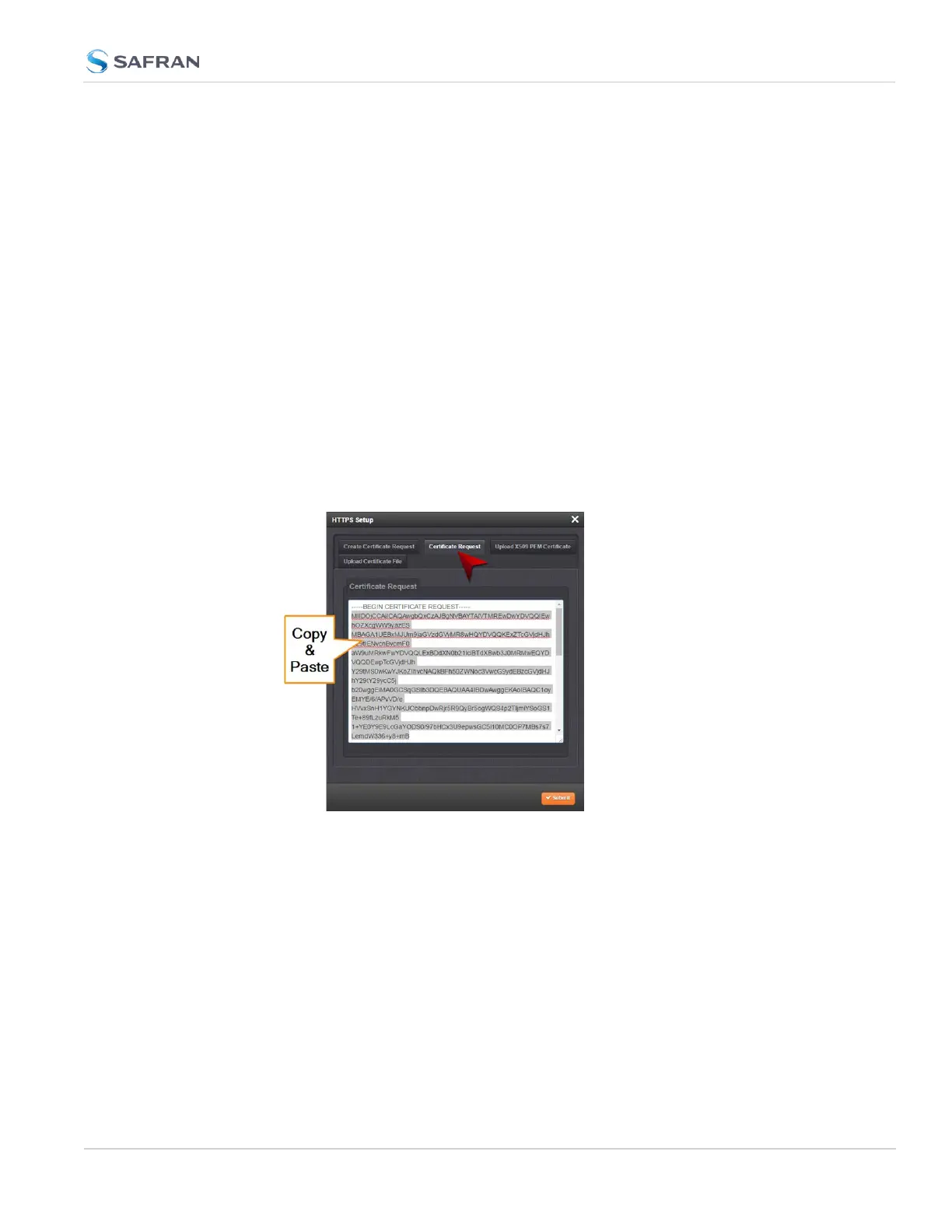
You have now created a Certificate Request. Navigate to the Certificate
Request tab to view it:
5.
Copy the generated Certificate Request from the Certificate Request win-
dow, and paste and submit it per the guidelines of your Certificate Author-
ity. The Certificate Authority will issue a verifiable, authenticable third-party
certificate.
6. OPTIONAL: While waiting for the certificate to be issued by the Certificate
Authority, you may use the certificate from the Certificate Request window
as a self-signed certificate (see below).
NOTE: Preventing accidental overwriting of an existing certificate:
2.14 Configure Network Settings
CHAPTER 2 • SecureSync 2400 User Manual Rev. 5.2
89



 To Next Page