Default
Telecom G.8265.1
Power Utility 61850-9-3
Power System C37.238
Transmission modes: Unicast, Multicast (IPv4 and Ethernet), and Hybrid
[default]
Timestamping: SecureSync has PTP time stamp functionality which is set
to use the PTP timescale.
2.16.1 The PTP Screen
The PTP screen provides PTP status information, and provides access to all con-
figurable PTP settings.
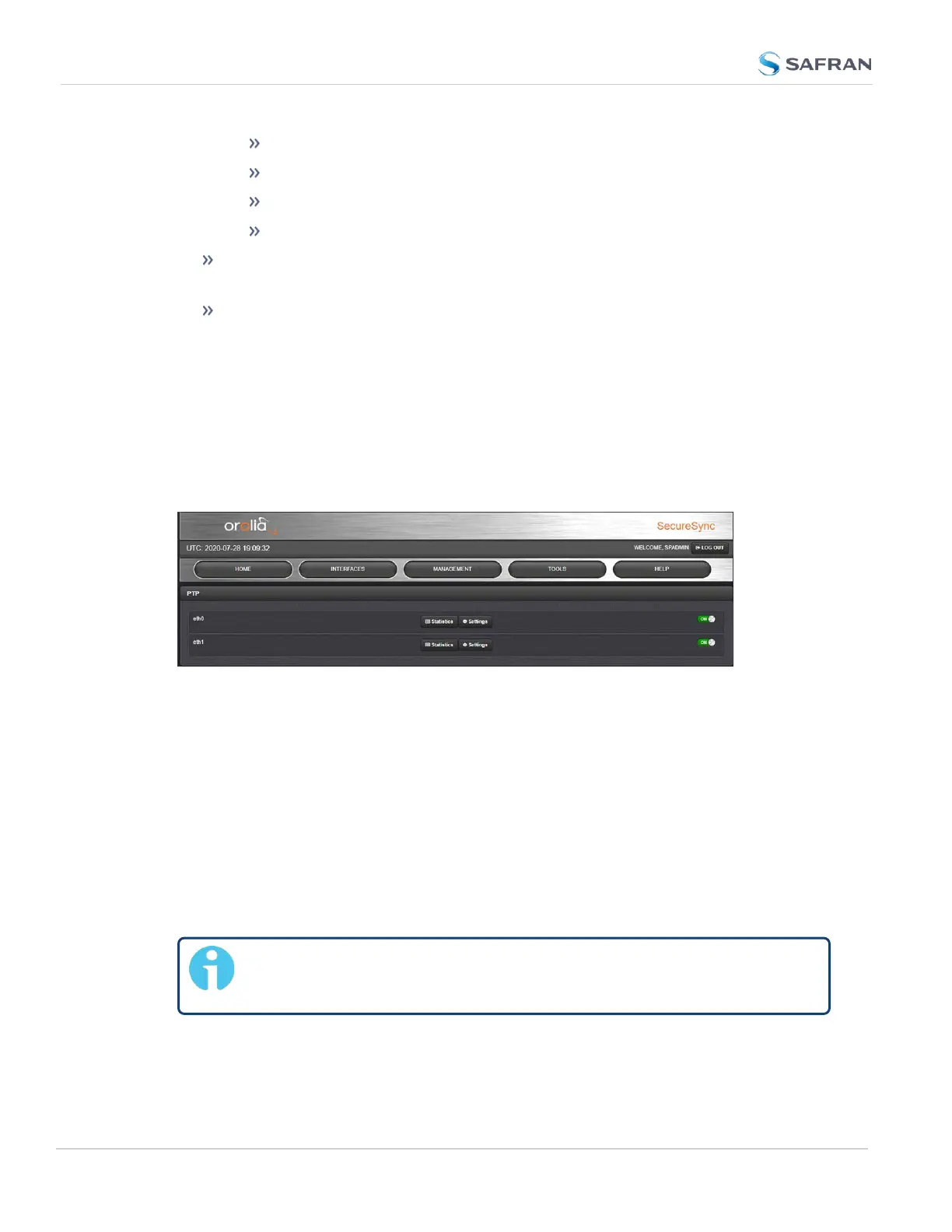
To access the PTP screen, navigate to MANAGEMENT > NETWORK: PTP Setup.
The PTP screen will open:
Figure 2-12: PTP setup screen
For each Ethernet port (eth0-eth1) you can toggle PTP functionality ON or OFF.
PTP defaults to OFFfor both ports.
You can also access the "Settings" panel and the "Statistics" panel for each port
(see below).
2.16.1.1 The PTP Settings Panel
The Settings Panel provides access to the configuration settings, divided into
two tabs, which are described below. Each tab allows you to Restore defaults.
Note: The PTP settings fields visible will changed based on profile
selection and other choices made in the configuration process.
150
CHAPTER 2 • SecureSync 2400 User Manual Rev. 5.2
2.16 Configuring PTP



 To Next Page