Note: The illustrations shown below are examples. The windows dis-
played in your Web UI may look differently.
2.19.1 How to Configure an Input Reference
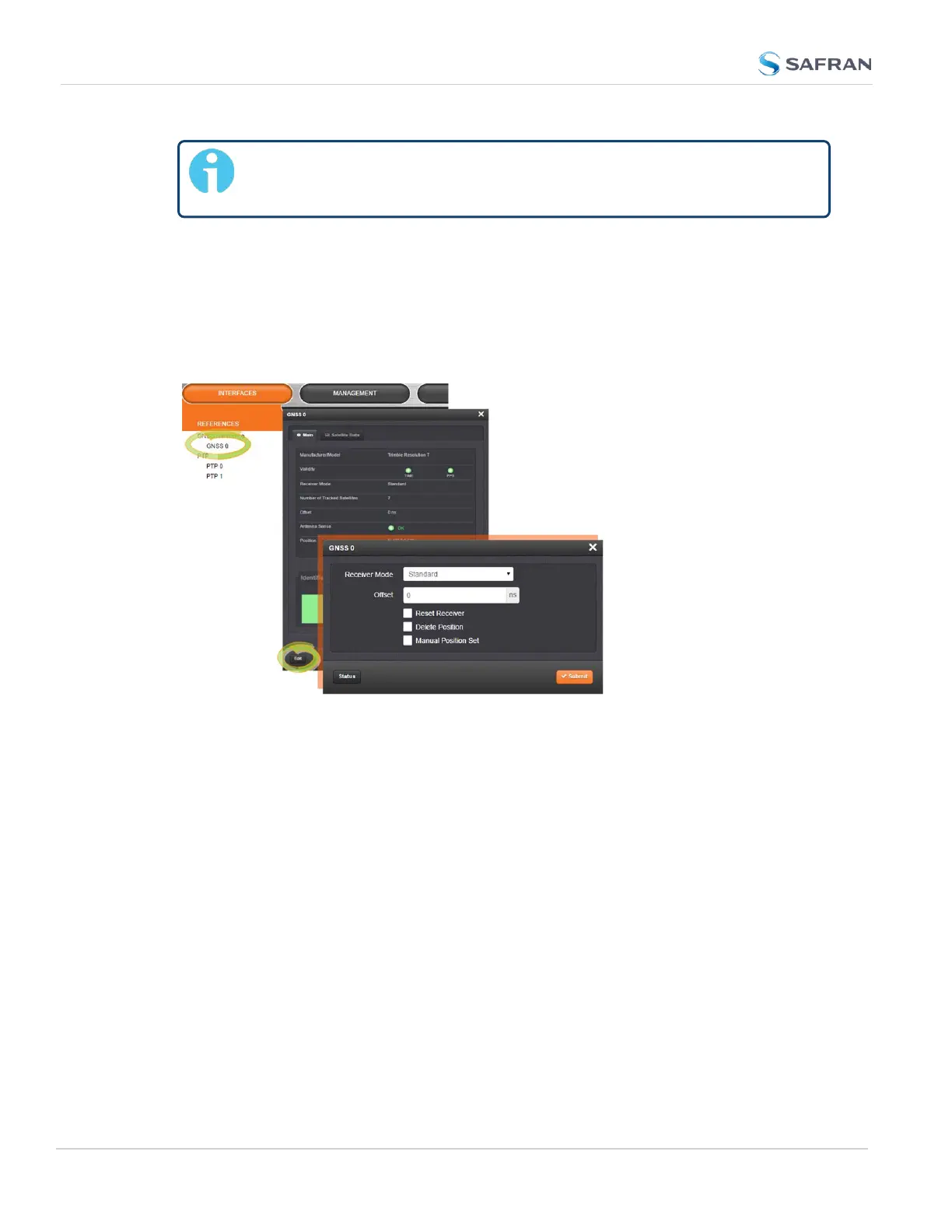
To access the user-editable settings of an Input Reference, choose one of these
two methods:
Configuring the settings of an input reference, method 1:
1.
Under INTERFACES > REFERENCES, click the desired reference.
2. The Status window for the specific reference you selected will be displayed. Click
the Edit button in the bottom-left corner.
3. The settings window for the chosen reference will be displayed. Edit the field(s)
as desired.
Configuring the settings of an input reference, method 2:
1.
In the INTERFACES > REFERENCES drop-down menu, click REFERENCES
(white on orange), or an input reference category (e.g., "GNSS reference").
2. In the Status window, click the GEAR button next to the desired input reference.
3. The settings window for the chosen reference will be displayed. Edit the field(s)
as desired.
For more information, see "Managing References" on page204.
162
CHAPTER 2 • SecureSync 2400 User Manual Rev. 5.2
2.19 Configuring Input References



 To Next Page