There are several configuration files that are bundled in one file for ease of hand-
ling.
Note: For security reasons, configurations relating to security of the
product, such as SSH/SSL certificates, cannot be backed up to a PC.
4.7.1 Accessing the System Configuration Screen
The System Configuration Screen provides comprehensive information about
hardware and software status. To access the System Configuration screen:
1.
Navigate to TOOLS > SYSTEM: Upgrade/Backup.
2.
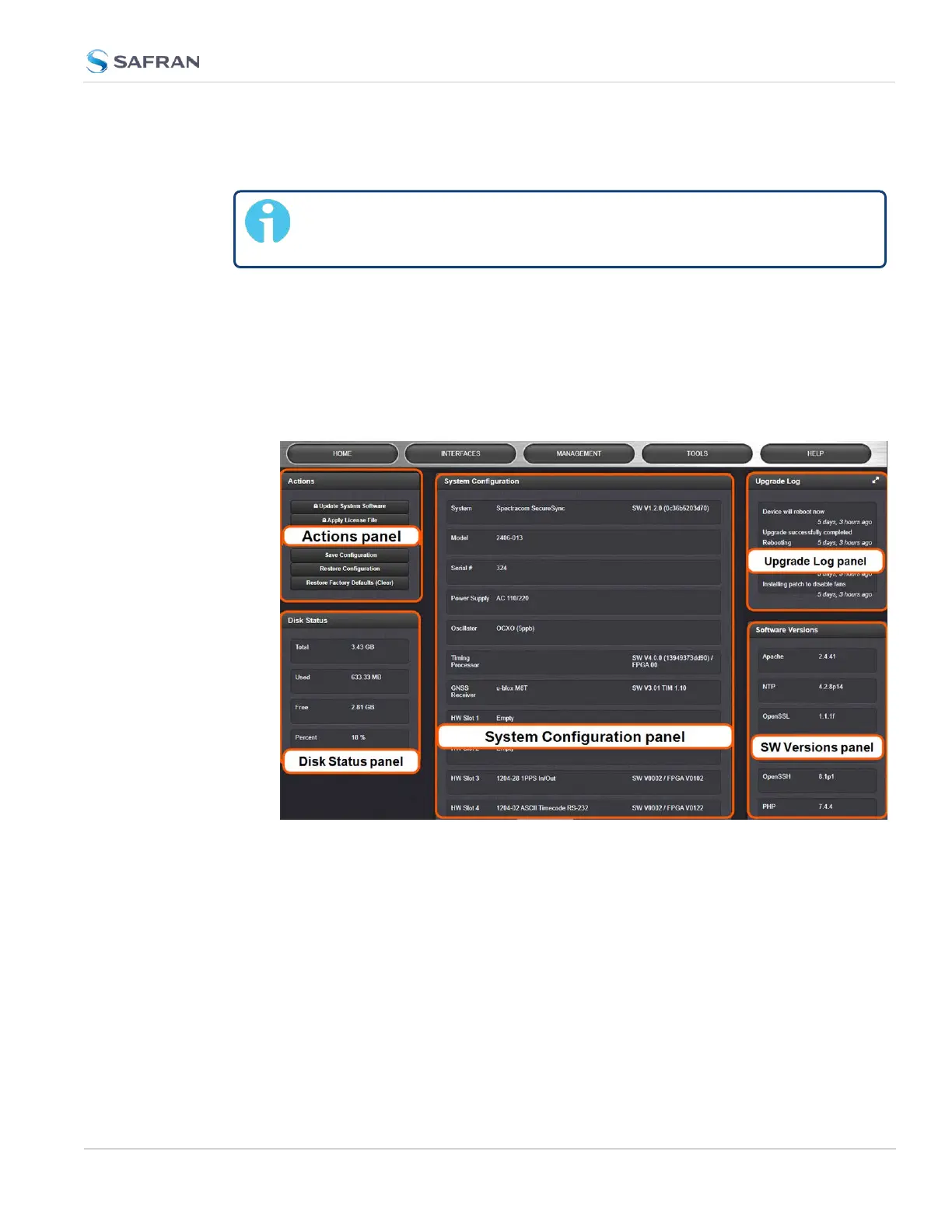
The System Configuration screen will display:
The System Configuration screen consists of 5 panels:
The Actions panel
The Actions panel is used for updating the system software, managing license
files, saving and restoring the configuration files, and restoring the factory
defaults.
The System Configuration panel
The System Configuration panel provides the following information:
4.7 Backing-up and Restoring Configuration Files
CHAPTER 4 • SecureSync 2400 User Manual Rev. 5.2
341



 To Next Page