Note: The eth0 port is the default port for static routing.
If a port is not given its own static route, all packets from
that port will be sent through the default.
2.14.5 Access Rules
Network access rules restrict access to only those assigned networks or nodes
defined. If no access rules are defined, access will be granted to all networks and
nodes.
Note: In order to configure Access Rules, you need
ADMINISTRATORrights.
To configure a new, or delete an existing access rule:
1.
Navigate to the MANAGEMENT > Network Setup screen.
2.
In the Actions panel on the left, click on Access Control.
3.
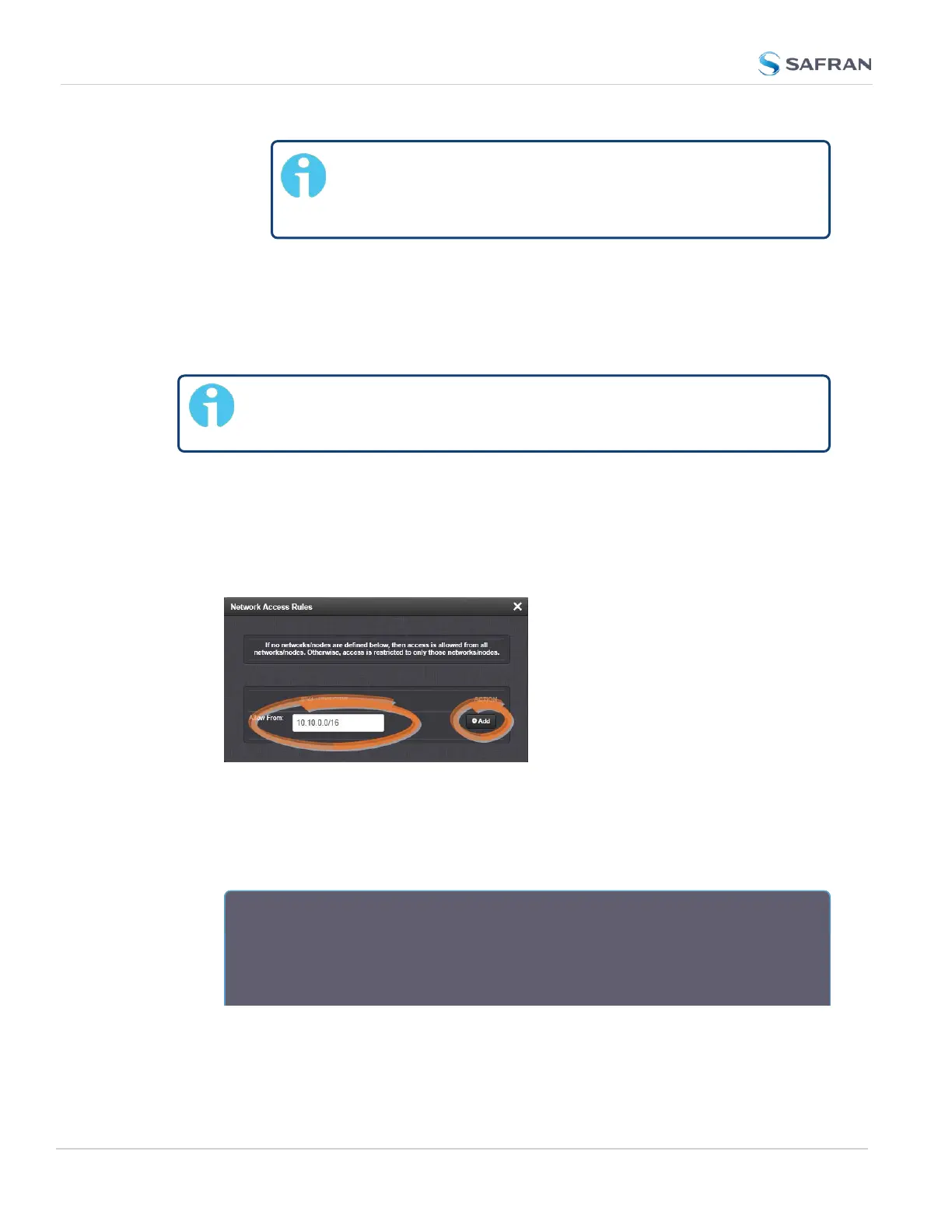
The Network Access Rules window displays:
4.
In the Allow From field, enter a valid IP address. It is not possible, however,
to add direct IP addresses, but instead they must be input as blocks, i.e. you
need to add /32 at the end of an IP address to ensure that only that
address is allowed.
Example: 10.2.100.29/32 will allow only 10.2.100.29 access.
I P a d d r e s s n o m e n c l a t u r e :
IPv4—10.10.0.0/16, where 10.10.0.0 is the IP address and 16 is the sub-
net mask in prefix form. See the table "Subnet Mask Values" on page71 for a
list of subnet mask values.
80
CHAPTER 2 • SecureSync 2400 User Manual Rev. 5.2
2.14 Configure Network Settings



 To Next Page