2.15.4 Viewing NTP Clients
To view the NTP clients being served by SecureSync:
1.
Navigate to MANAGEMENT> NETWORK: NTP Setup.
2.
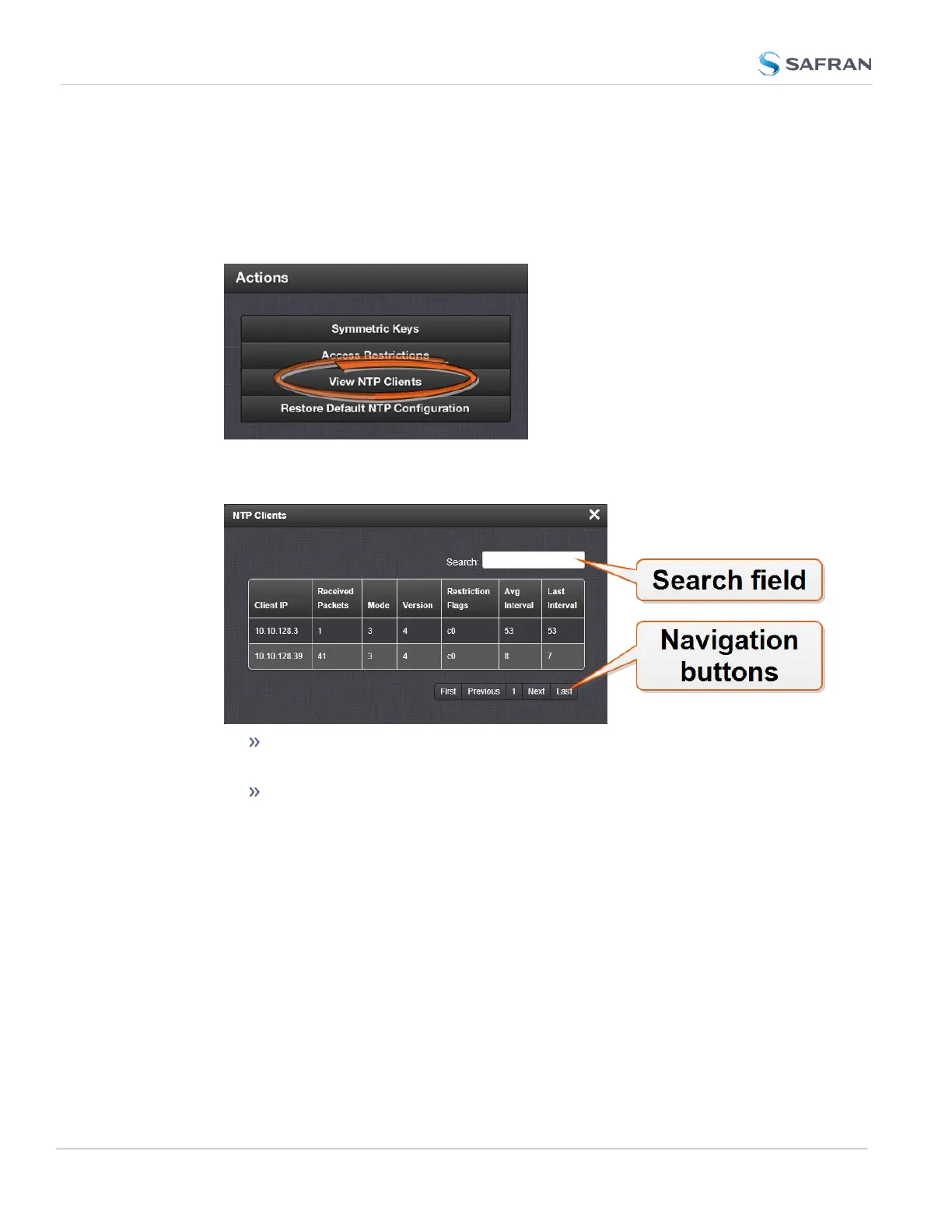
In the NTP Actions panel, click View NTP Clients:
3.
The NTP Clients window will display, showing a table of the clients that are
synchronizing to SecureSync via NTP:
You can search any of the fields for specific information in the Search
field at the top of the window.
A limit of 10 entries will appear on the screen at any one time. If you
have more than 10clients, you can move through the table using the
First, Previous, Next and Last navigation buttons at the bottom of
the screen.
2.15.5 Restoring the Default NTP Configuration
The SecureSync default NTP configuration can be restored at any time. It com-
prises basic settings such as Stratum1 operation with no other servers or peers,
no broadcasting and no access restrictions. External queries or modifications are
not permitted, while generally all IPv4 and IPv6 client connections are allowed.
To restore SecureSync to its default NTP configuration:
118
CHAPTER 2 • SecureSync 2400 User Manual Rev. 5.2
2.15 Configure NTP



 To Next Page