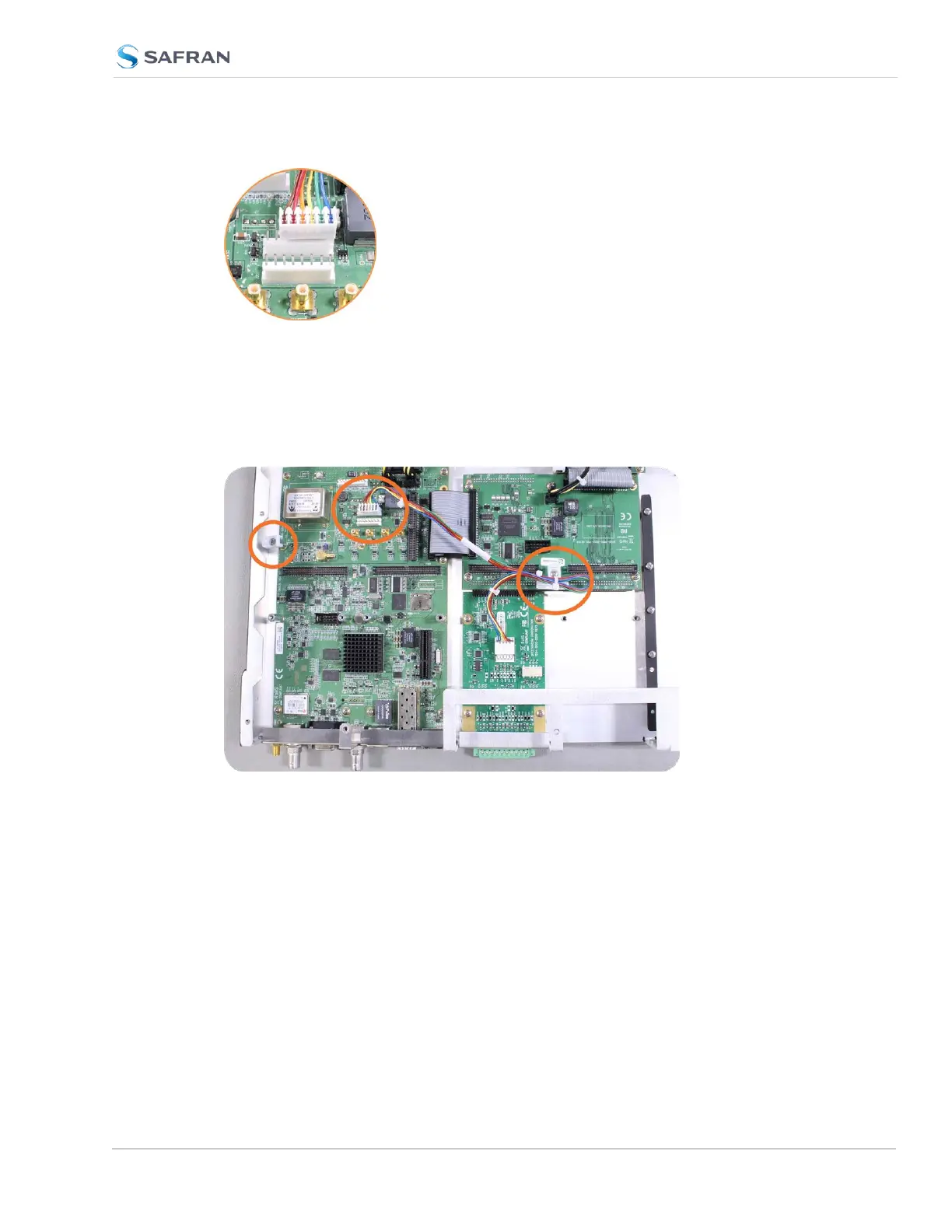
Figure 5-11: J19 Connector, seen from rear of unit.
b. Using the supplied cable ties, secure the cable, part number 8195-0000-
5000, from the option card to the white nylon cable tie holders fastened to
the mainboard (see figurebelow). Use the fastener closest to your install-
ation location.
Figure 5-12: Cable routing
5.2.2.13 [10]: NENA-Compliant Card, Cable Installation
Additional steps for the installation of the NENA-compliant card (PN1204-1F).
SecureSync 2400 User Manual 383
APPENDIX



 To Next Page