This time message will be transmitted before every 1PPS signal, and can be used
to evaluate accuracy and jitter.
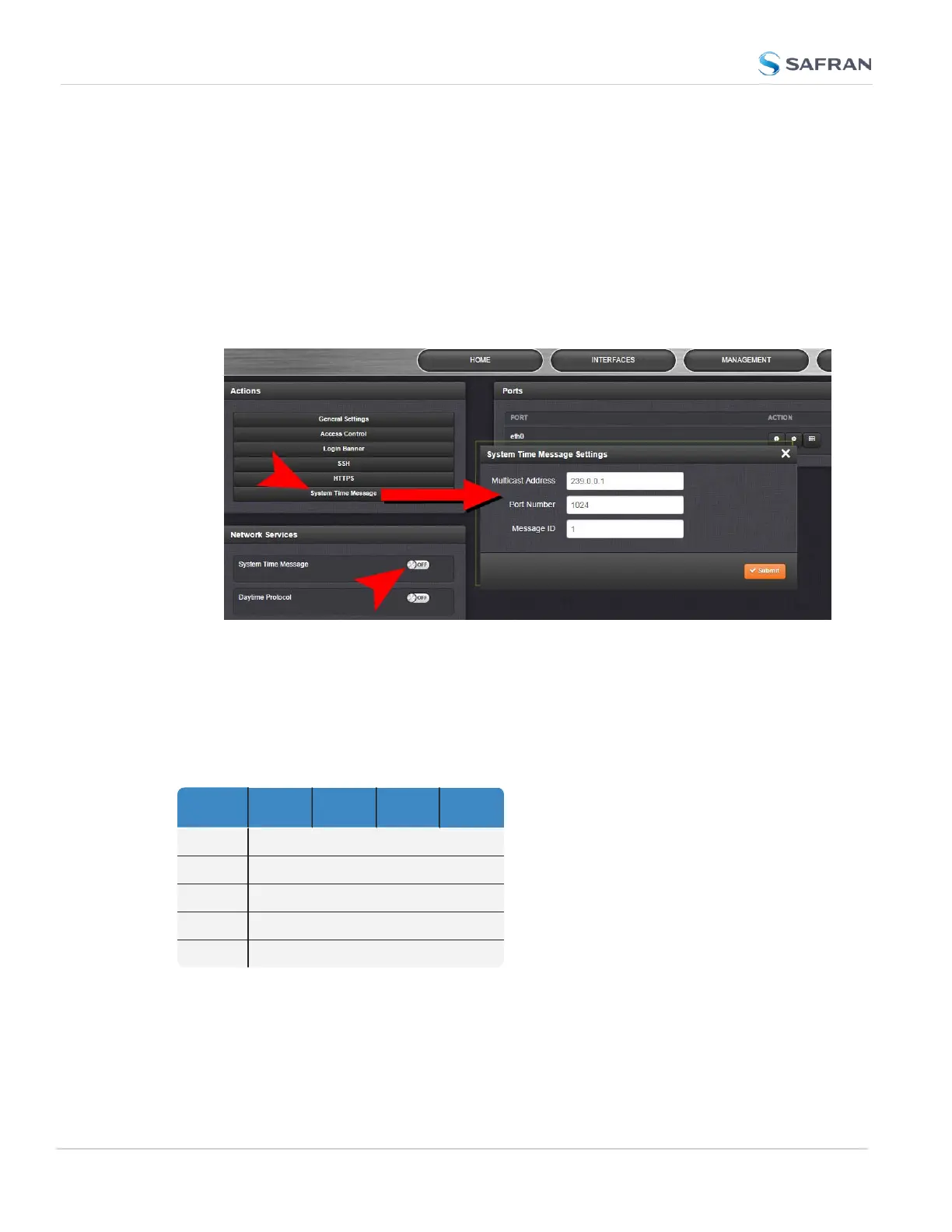
To set up and enable a System Time Message:
1.
Navigate to MANAGEMENT > Network Setup > Actions panel, and select
System Time Message. The Settings window will open.
2.
Populate the fields Multicast Address, Port Number and Message ID, and
click Submit.
3.
In the Network Services panel, enable System Time Message.
2.14.10.1 System Time Message Format
This message contains the time when the next 1PPS discrete will occur. It is sent
once per second prior to the 1PPS discrete.
Table 2-4: System Time Message format
Word Byte 3 Byte 2 Byte 1 Byte 0
1 Msg ID
2 Msg Size
3 Seconds
4 nSec
5 EOM
112
CHAPTER 2 • SecureSync 2400 User Manual Rev. 5.2
2.14 Configure Network Settings



 To Next Page