Editing and Deleting Users
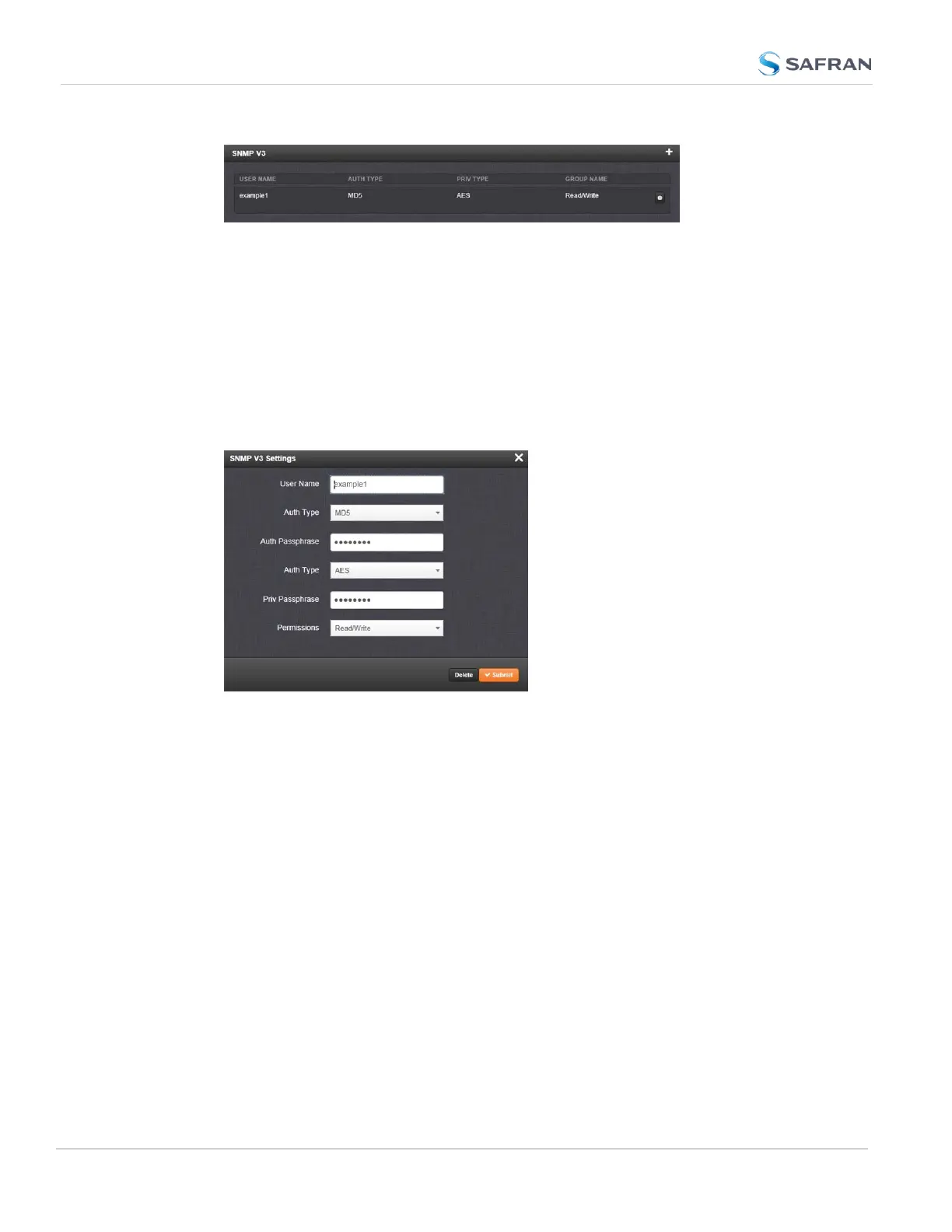
To edit or delete a user you have created:
1.
Navigate to MANAGEMENT > NETWORK: SNMP Setup.
2.
Click the row of the SNMP V3 panel that displays the community you wish
to edit or delete. The cursor will change from an arrow icon to a pointing fin-
ger to indicate that the entry is clickable.
3.
The SNMP V3 Settings window will display:
4.
Apply your changes and click Submit. OR: Click Delete to remove the User.
2.14.8.3 SNMP Traps
SNMP traps allow for automatic event notification, and as such are one way to
remotely monitor SecureSync's status.
SNMP traps indicate the status change that caused the trap to be sent and may
also include one or more objects, referred to as variable-bindings, or varbinds. A
varbind provides a current SecureSync data object that is related to the specific
trap that was sent. For example, when a Holdover trap is sent because
SecureSync either entered or exited the Holdover mode, the trap varbind will
indicate that SecureSync is either currently in Holdover mode or not currently in
Holdover mode.
For testing purposes, a command line interface command is provided. This com-
mand, testevent, allows one, several, or all of the traps defined in the
108
CHAPTER 2 • SecureSync 2400 User Manual Rev. 5.2
2.14 Configure Network Settings



 To Next Page