SecureSync MIB to be generated. Refer to "CLICommands" on page555 for com-
mand details.
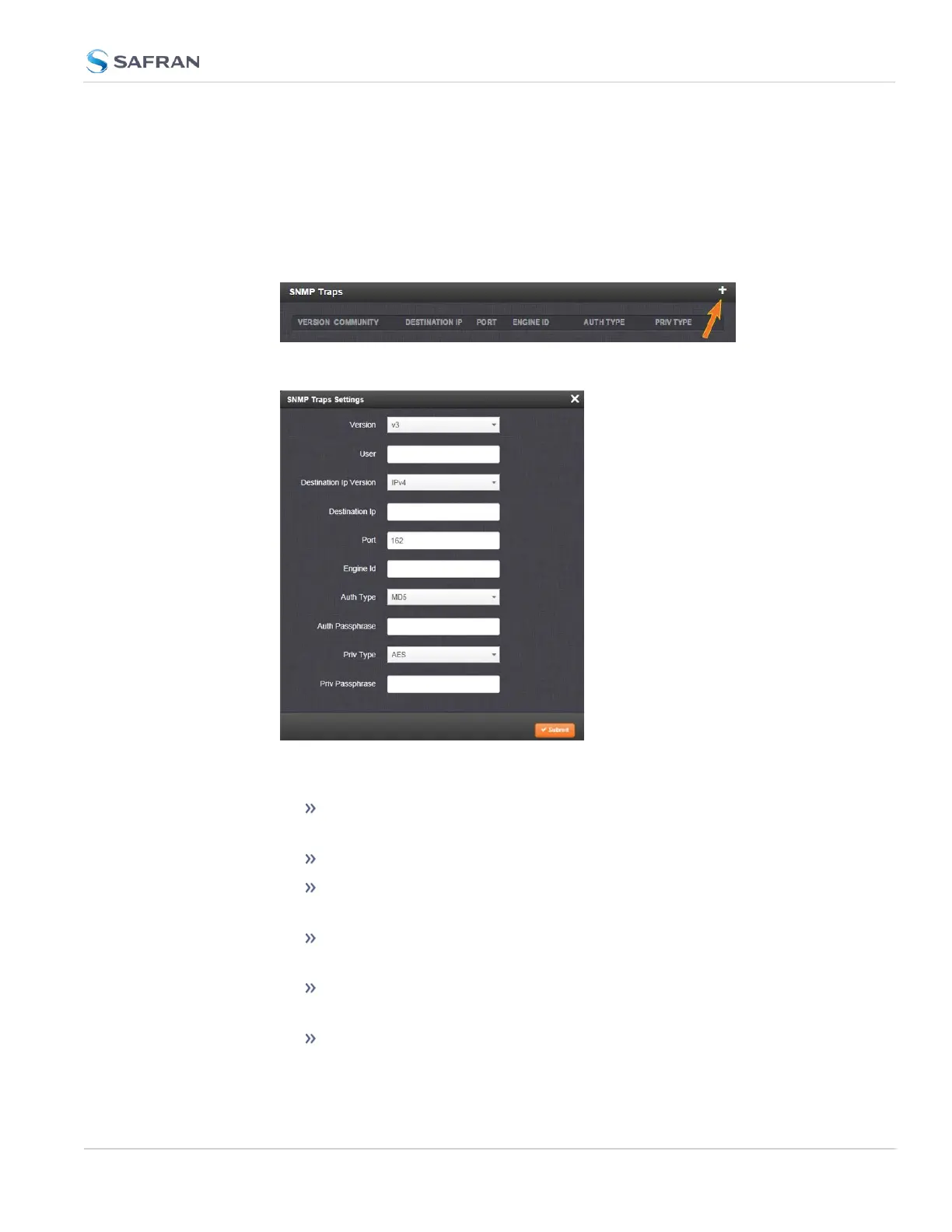
To define SNMP Traps (Notifications):
1.
Navigate to MANAGEMENT > NETWORK: SNMP Setup.
2.
In the SNMP Traps panel, click the PLUS icon in the top-right corner.
3.
The SNMP Traps Settings window will display:
4. Enter the required information in the fields provided. (Note that the options
will vary contextually according to your Version.)
5.
The Version field provides a choice between v1, v2c, and v3 [=
default]
The Community field for the SNMP Community string. [v1, v2c]
SNMP User names should be between 4 and 32 characters in length.
[v3]
Destination IP Version is a choice between IPv4 and IPv6. [v1, v2c,
v3]
Destination IP is destination address for the notification and pass-
word key to be sent. The default port is 162. [v1, v2c, v3]
The UDP Port number used by SNMP Traps [default = 162]. [v1, v2c]
2.14 Configure Network Settings
CHAPTER 2 • SecureSync 2400 User Manual Rev. 5.2
109



 To Next Page