The Local Logging panel
The Local Logging panel will control the local logging (logs stored directly on the
unit) for each log individually.
Each log defaults to logging locally unless the user turns off the logging for
a particular log directly.
To turn off local logging, simply switch the toggle to OFF in the Local Log-
ging Panel. See "Types of Logs" on page328 for information on each log
type.
4.5.2.3 Displaying Individual Logs
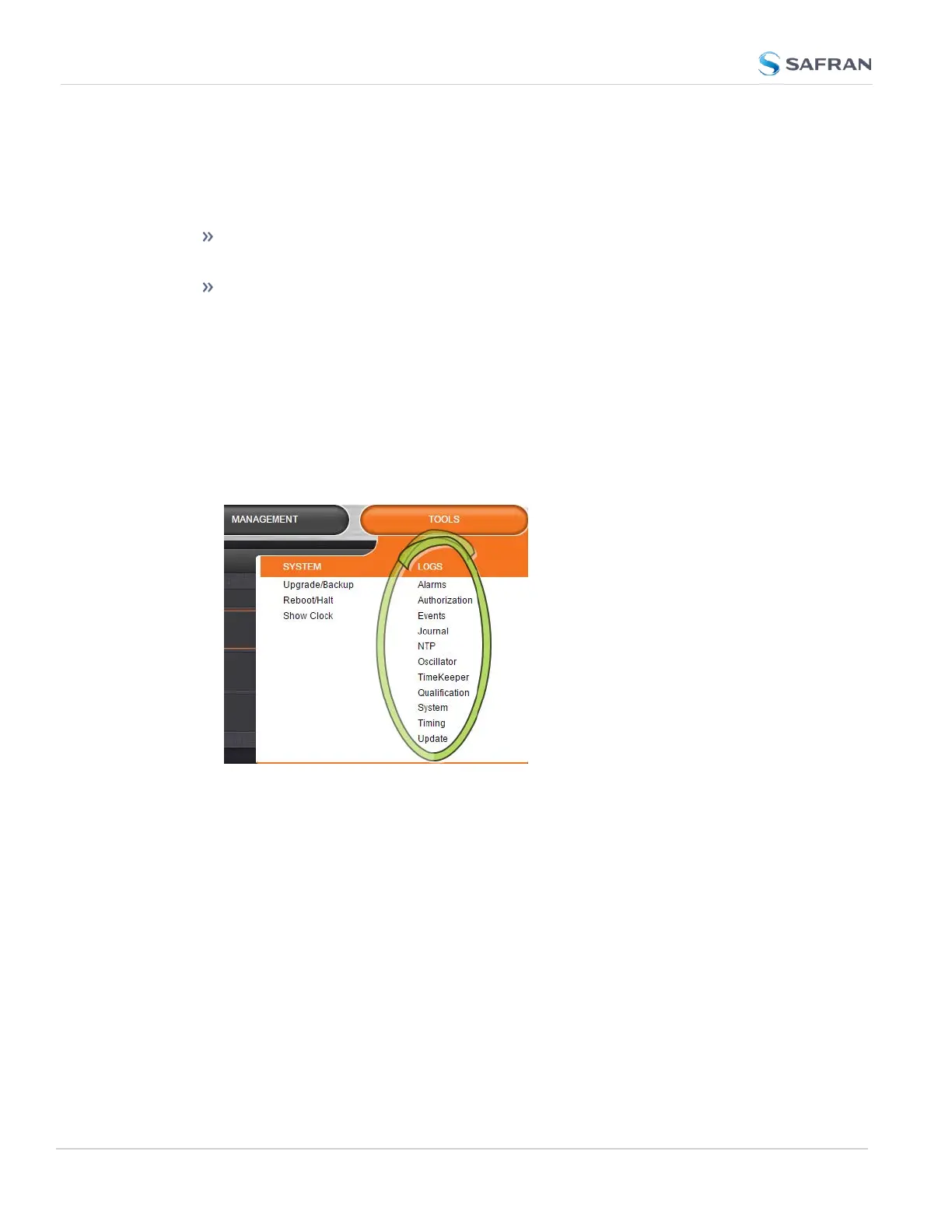
To access individual SecureSync logs:
1.
From the TOOLS drop-down menu, select the desired Logs category (for
example, “Alarms”, or “Events”) from the right-hand column.
4.5.2.4 Saving and Downloading Logs
The SecureSync Web UI offers a convenient way to save, bundle, and download
all logs in one simple step. This feature may be useful when archiving logs, for
example, or for troubleshooting technical problems: Safran Technical Sup-
port/Customer Service may ask you to send them the bundled logs to remotely
investigate a technical concern.
To save, bundle, and download all logs:
1.
Navigate to MANAGEMENT > OTHER: Log Configuration.
334
CHAPTER 4 • SecureSync 2400 User Manual Rev. 5.2
4.5 Quality Management



 To Next Page