3.
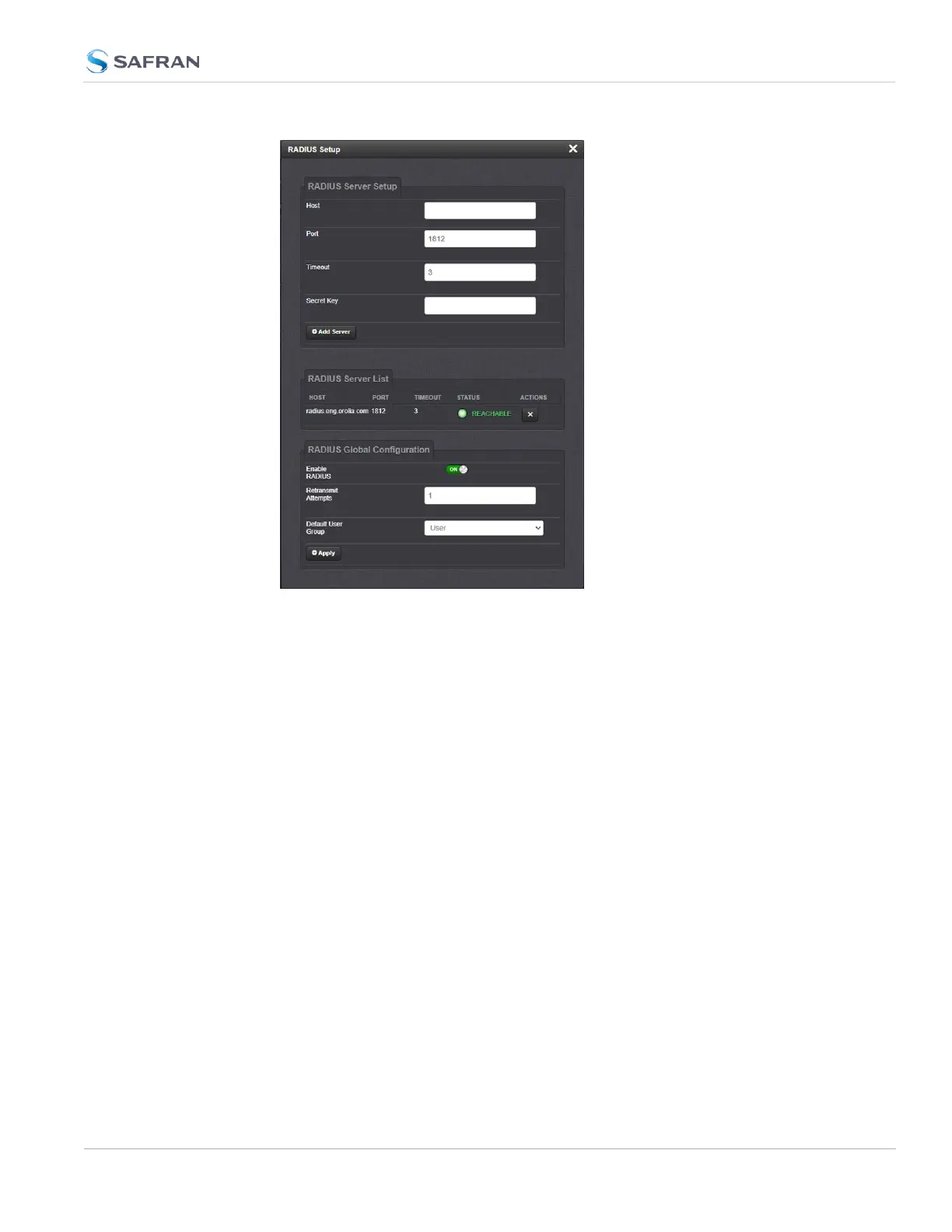
Click the ON/OFF toggle under Enable RADIUS to enable or disable the fea-
ture.
4.
If you are enabling the service, in the Retransmit Attempts field, select the
number of retries for SecureSync to communicate with the RADIUS server
(default = 0).
5.
Configure the Default User Group to select your preferred default user per-
missions level (Admin or User)
6. Click Submit.
4.3.5.2 Adding/Removing a RADIUS Server
To add a RADIUSauthentication server, or remove a server from the list:
1.
Navigate to MANAGEMENT > OTHER: Authentication.
2.
In the Actions panel on the left, click RADIUS Setup. The RADIUS Setup
window will be displayed:
4.3 Managing Users and Security
CHAPTER 4 • SecureSync 2400 User Manual Rev. 5.2
291



 To Next Page