Assuming the MaxTFOM is set to 5 and the TFOM happens to go to a 6, i.e. TFOM
is now exceeding MaxTFOM. This condition will cause a 1PPS out of spe-
cification alarm to be asserted and the oscillator disciplining will change in order
to speed-up the alignment of the system 1PPS to the selected reference (causing
it to take less time getting closer into alignment with the reference):
This will cause the TFOM to start to decrease faster. Once TFOM no longer
exceeds MaxTFOM because the System 1PPS is now much closer to the ref-
erence 1PPS, the disciplining slows back down again as the system 1PPS con-
tinues to be brought into alignment with the selected 1PPS input.
3.5.3 Monitoring the Oscillator
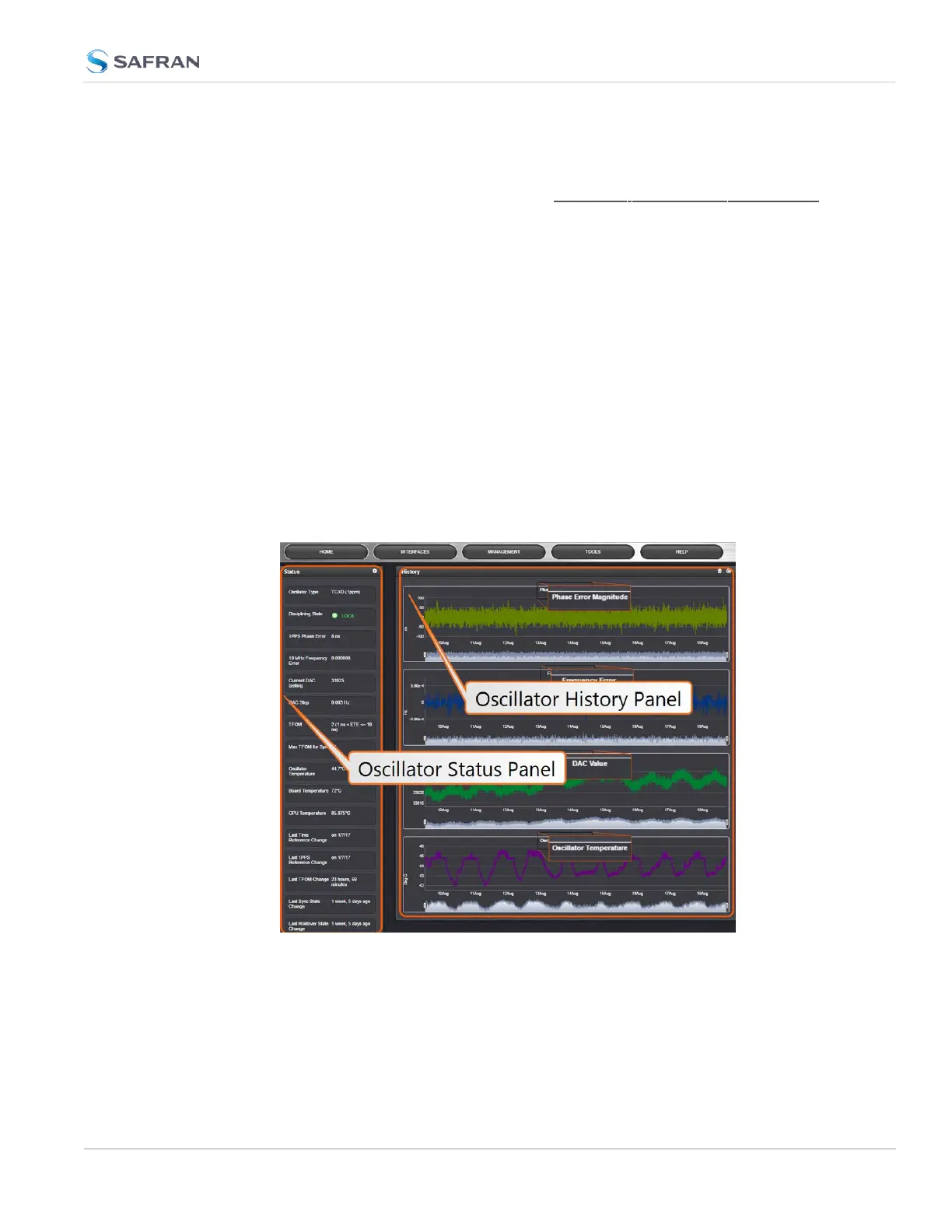
The Oscillator Management screen provides current and history status inform-
ation on disciplining state and accuracy.
To access the Oscillator Management screen:
1.
Navigate to MANAGEMENT > OTHER: Disciplining.
2.
The Oscillator Management screen will display. It consists of two panels:
The Oscillator Status Panel
This panel provides comprehensive information on the current status of
SecureSync's timing state.
3.5 Managing the Oscillator
CHAPTER 3 • SecureSync 2400 User Manual Rev. 5.2
255



 To Next Page