4.3 Managing Users and Security
4.3.1 Managing User Accounts
Users need to authenticate as the login to SecureSync. The system administrator
is responsible for maintaining a list of user accounts (user names, passwords etc.)
via the MANAGEMENT > OTHER: Authentication screen of the SecureSync
WebUI (HTTP/HTTPS). Note that user accounts CANNOT be created or edited
via CLI commands using telnet or SSH.
4.3.1.1 Types of Accounts
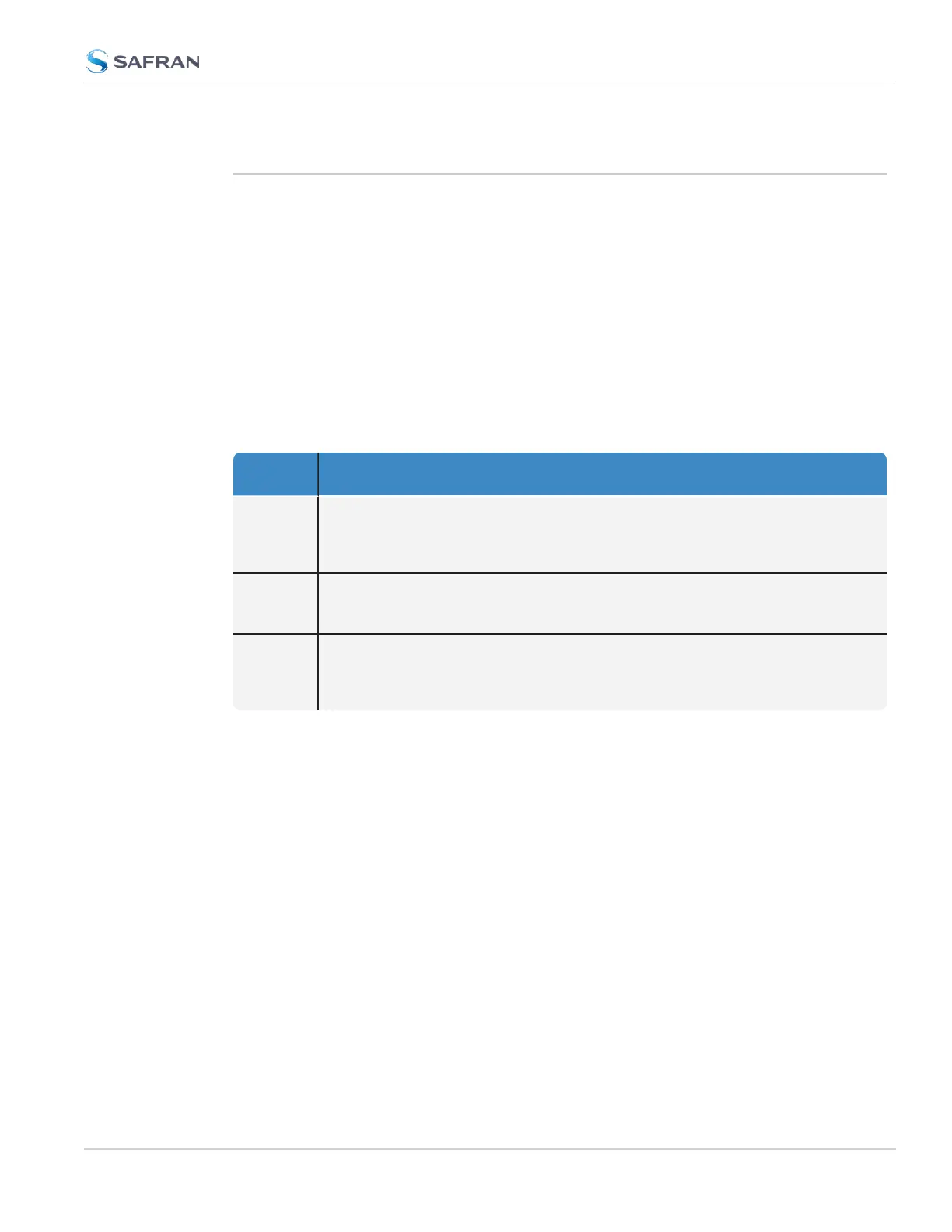
There are three types of accounts:
Account
Type
Permissions
"user" These accounts are intended for users only e.g., operators. These "user" accounts
are read-only accounts, i.e. they do not allow any editing rights and are restricted
to reviewing status-related information. The Web UI will not show (or gray-out)
any editing functionality.
"admin" Administrator accounts are intended to be used by system administrators. These
accounts have writing access. You can add additional admin accounts to the pre-
installed administrator account
spadmin
.
"factory" The default factory account with the username
spfactory
is meant to provide
access to Safran technical support personnel. You can delete this account, if you
so prefer. Note, however, that executing the
Clean and Halt
command will
recreate the Factory account.
4.3.1.2 About "user" Account Permissions
As outlined above – unlike "administrator" accounts – "user" accounts are read-
only accounts, i.e. they do not allow any editing rights and are restricted to
reviewing status-related information. Otherwise, the privileges assigned to admin
groups are exactly the same whether logging in via the WebUI, or connecting via
SSH.
Account Differences, General
While most menus look the same to "admin" and "user" type accounts(except the
MANAGEMENT menu, see below), the screens and panels located below the
main menus will differ in such that the "user" UI will show fewer (if any) con-
figuration options:
4.3 Managing Users and Security
CHAPTER 4 • SecureSync 2400 User Manual Rev. 5.2
273



 To Next Page