Configuring the Relay/Alarm Output
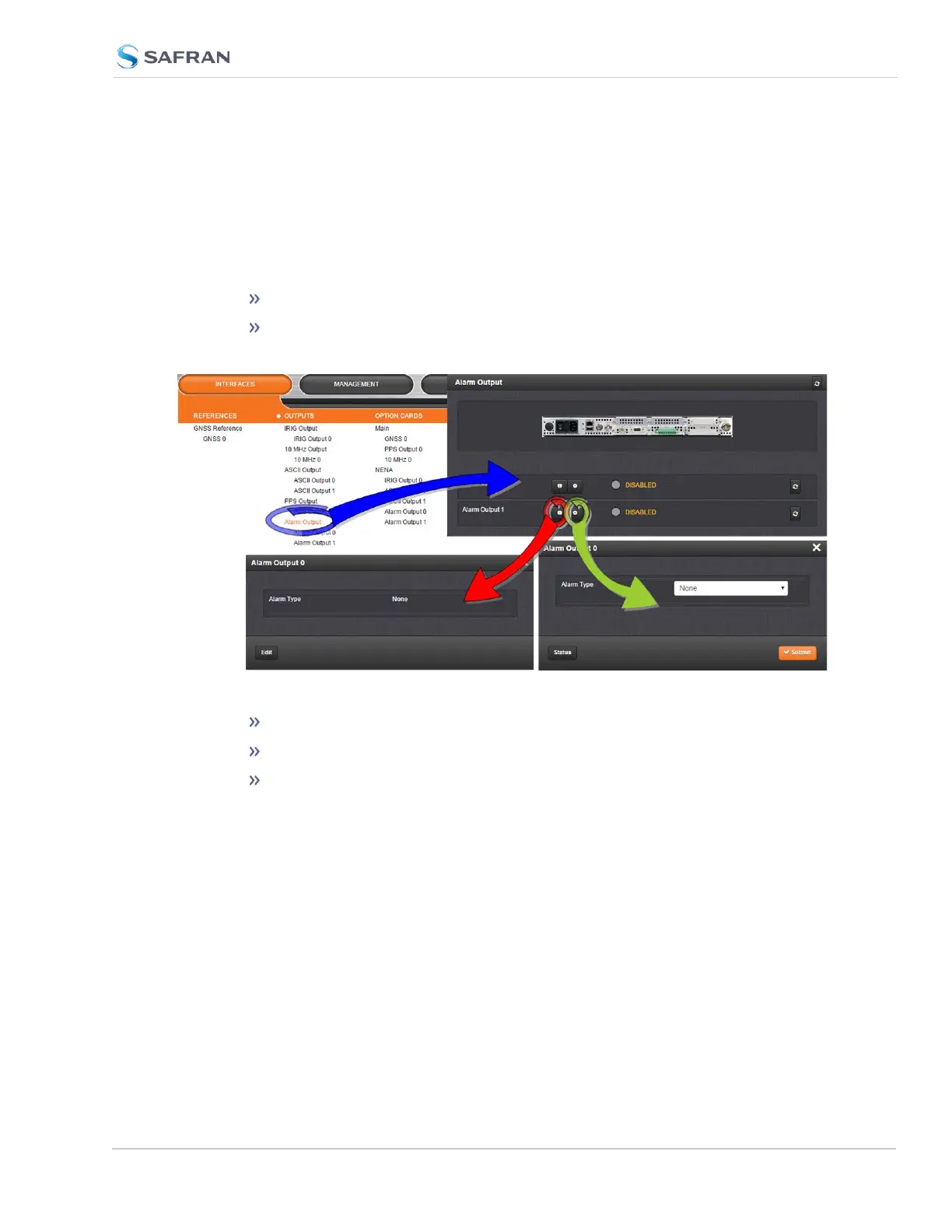
To manage the alarm relays:
1.
Via the INTERFACES > Alarm Output drop-down menu, navigate to the
Alarm Output entry for the card you wish to configure. Depending on the
path taken, …
… click Edit or the GEAR button to edit the Alarm Output settings, or
… click Status or the INFO button to view the current settings for the
Alarm Output:
2.
The Alarm Type options displayed/to choose from are:
None: Will not output for an alarm.
Minor: Will output on a minor alarm.
Major: Will output on a major alarm.
5.2.7.4 Revertive Selector Card [1204-2E]
The Revertive Selector Option Card provides automatic failover capability, using
one option card slot for a single output signal.
SecureSync 2400 User Manual 543
APPENDIX



 To Next Page