Note that the Mode is auto-negotiated by SecureSync. It can be changed only via
the switch SecureSync is connected to, not by using the SecureSync WebUI.
4.5.1.6 Outputs Status Monitoring
Per standard configuration, SecureSync is equipped with one 1PPS and one 10
MHz output. Additional outputs can be added by means of output option cards.
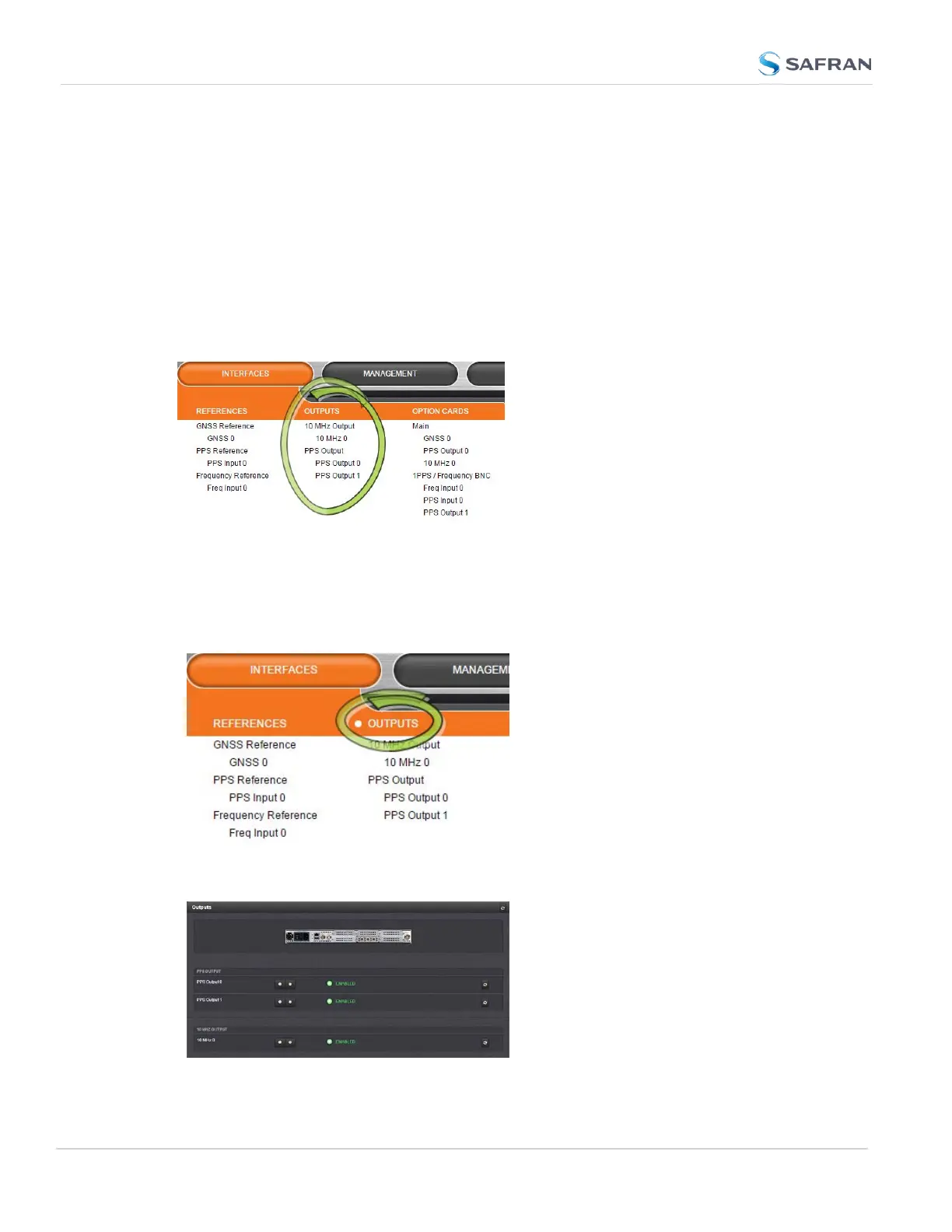
Outputs can be monitored in real time via the INTERFACES drop-down menu.
The menu will populate dynamically, depending on which outputs are installed.
Monitoring the status of all outputs
To display a list of all the outputs installed in a SecureSync unit:
1.
Select INTERFACES and click OUTPUTS in the menu heading.
2.
The Outputs panel will list all the outputs installed, sorted by category.
310
CHAPTER 4 • SecureSync 2400 User Manual Rev. 5.2
4.5 Quality Management



 To Next Page