2.5.1 Rack Mounting (Ears)
The SecureSync ancillary kit contains the following parts needed for rack mount-
ing:
2 each 2400-1000-0714 equipment rack mount ears
6 each HM20R-04R7-0010 M4 flat head Phillips screws
The 2400-0000-0704 ruggedization ancillary kit (optional) contains additional
mounting items available for purchase:
2 each 2400-1000-0706 rear rack mount ears
2 each HM20R-04R7-0010 M4 flat head Phillips screws
The following customer supplied items are also needed:
4 each #10-32 pan head rack mount screws
1 each #2 Phillips head screwdriver
1 each 3/32" straight screwdriver
To rack mount the SecureSync unit:
1.
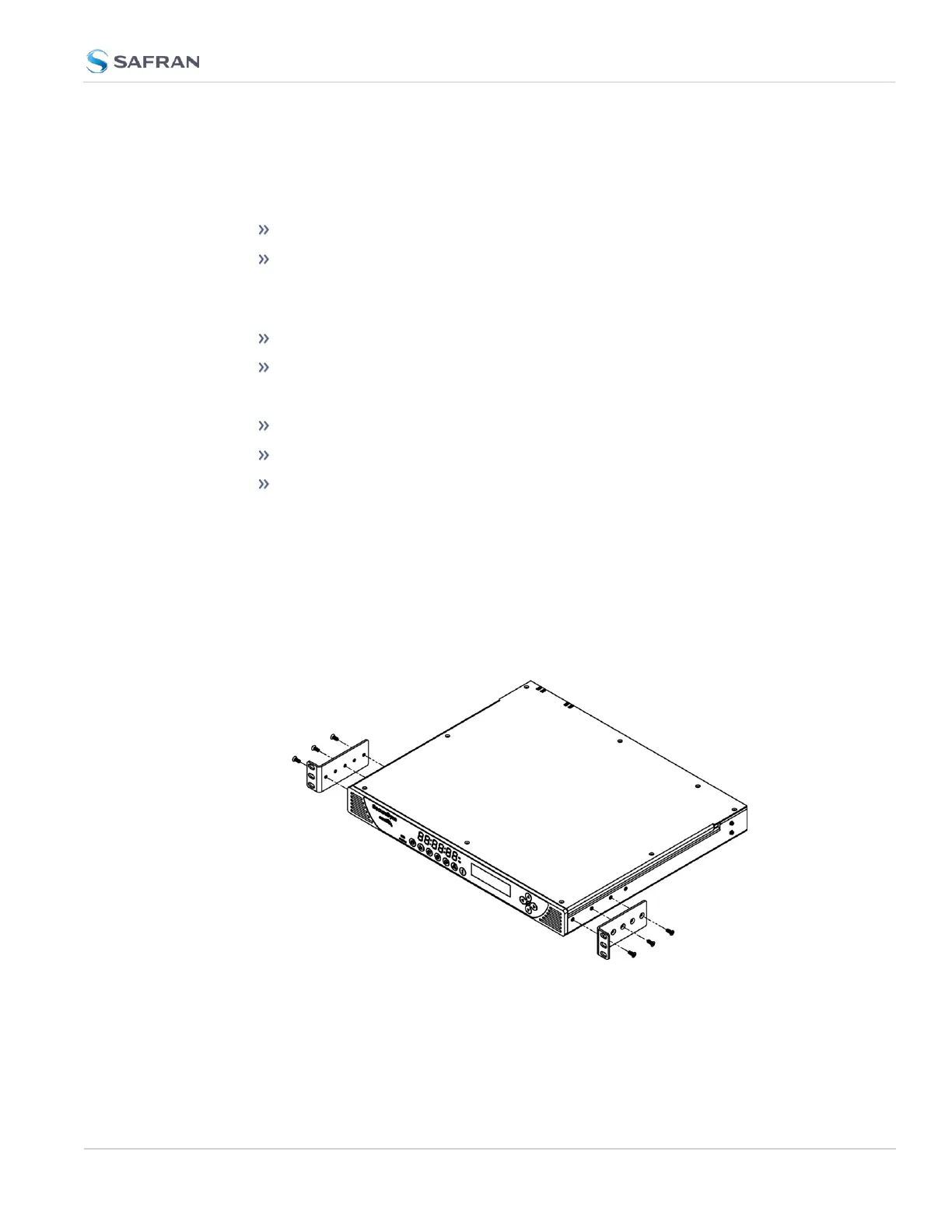
Attach the 2400- 1000- 0714 rack mount ears to the sides of the
SecureSync with the ears facing outward, aligned with the front edge of the
SecureSync front panel. (See image below). To secure, use the #2 Phillips
screwdriver, and 3 each of the HM20R-04R7-0010 M4 flat head Phillips
screws per side.
Figure 2-1: Rack mount installation
2.5 Mounting the Unit
CHAPTER 2 • SecureSync 2400 User Manual Rev. 5.2
49



 To Next Page