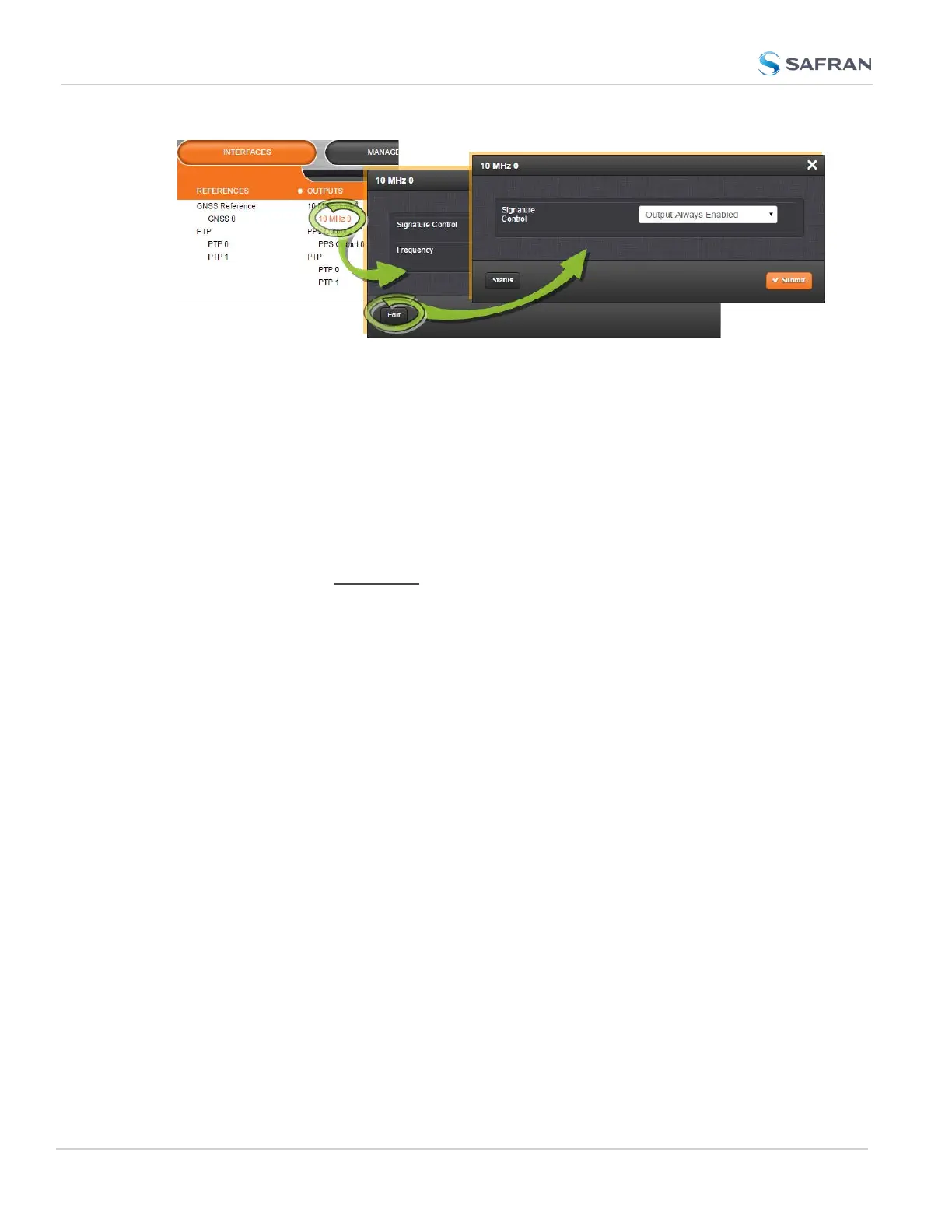
1.
Under INTERFACES > OUTPUTS, click the desired output.
2. The Status window for the specific reference you selected will be displayed.
Click the Edit button in the bottom-left corner.
3. The settings window for the chosen output will be displayed. Edit the field
(s) as desired.
Configuring the settings of an output, method 2:
1.
In the INTERFACES > OUTPUTS drop-down menu, click OUTPUTS, or one
of the output categories (not indented to the right)
2. In the Status window, click the GEAR button next to the desired output.
3. The settings window for the chosen output will be displayed. Edit the field
(s) as desired.
The following configuration instructions apply to optional outputs on the basic
unit model. For specifics on outputs made available through option cards, see the
section "Option Cards" on page361.
Note: Offset values for outputs are set in 20 ns increments and will round to the
nearest multiple of 20 if not set to one exactly.
2.20.2 Configuring a 1PPS Output
A 1PPS Output is available by default configuration through the BNC connector,
and can also be output through the Multi-I/O connector (see "Configurable Con-
nectors" on page157).
To configure a 1PPS output:
1.
Navigate to INTERFACES: OUTPUTS, or to INTERFACES: OPTION CARDS
(white on orange).
2.
In the panel on the right, click the GEAR button next to the 1PPS Output you
want to edit.
170
CHAPTER 2 • SecureSync 2400 User Manual Rev. 5.2
2.20 Configuring Outputs



 To Next Page