PPS Source – choices are:
Message: The 1PPS on time point is extracted from the ASCII mes-
sage received.
1PPS Pin: The origin of the 1PPS on-time-point is the 1PPS input con-
nector.
Baud Rate: Determines the speed at which the input port will operate.
Data Bits: Defines the number of Data Bits for the input output.
Parity: Configures the parity checking of the input port.
Stop Bits: Defines the number of Stop Bits for the input port.
2.19.4 Configure a HaveQuick Input
A HaveQuick Input is available by default configuration through the Multi-I/O con-
nector (see "Configurable Connectors" on page157).
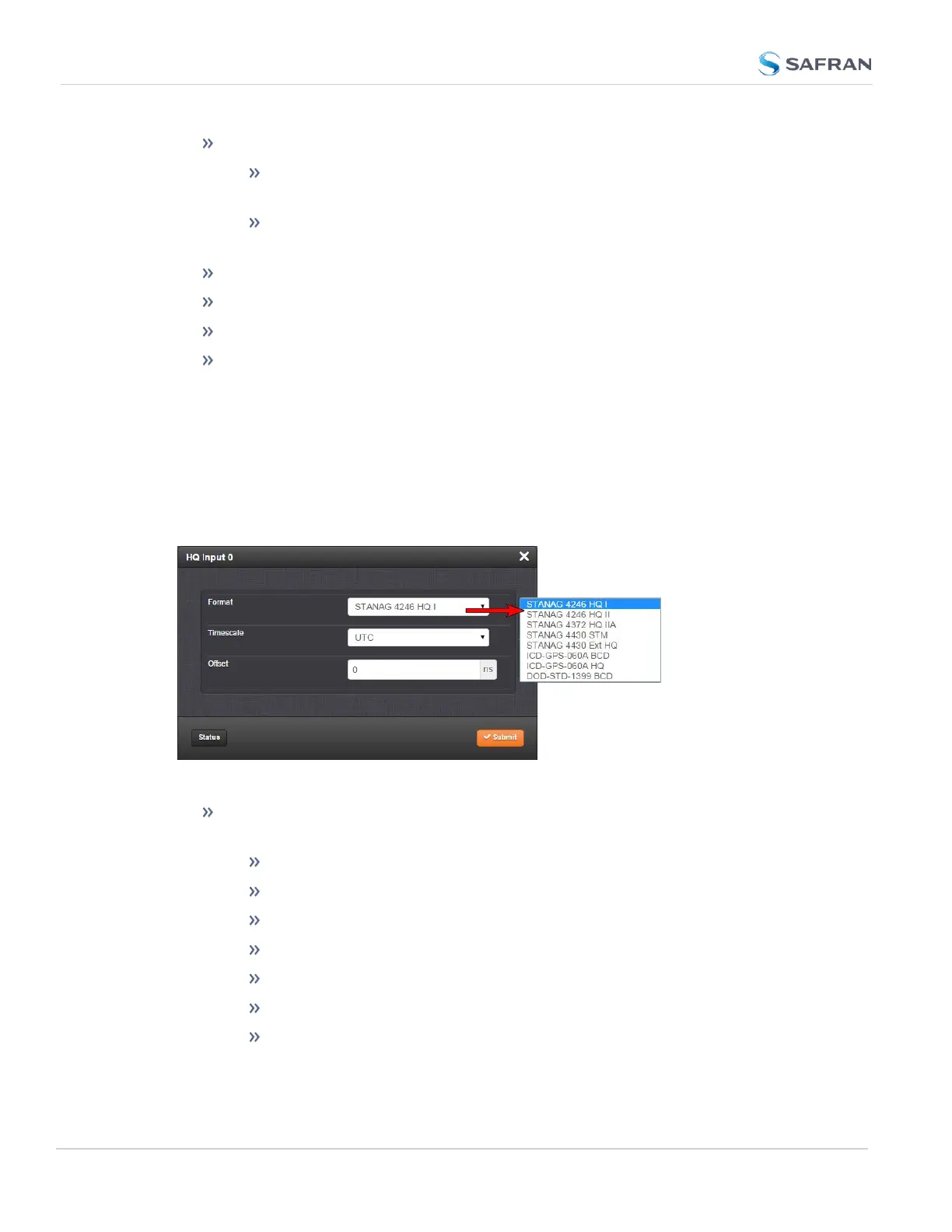
To configure the settings of the HAVE QUICK Input (also referred to as ‘Refer-
ence’), go to its Edit window.
The Edit window allows the configuration of the following settings:
Format: Used to configure the formatting of the four available HAVE
QUICK outputs. The available output formats are as follows:
STANAG 4246 HQ I
STANAG 4246 HQ II
STANAG 4430 STM
STANAG 4430 Ext HQ
ICD-GPS-060A BCD
ICD-GPS-060A HQ
DOD-STD-1399 BCD
166
CHAPTER 2 • SecureSync 2400 User Manual Rev. 5.2
2.19 Configuring Input References



 To Next Page