Note: If synchronization to UTC is NOT required, it is advisable to set
a time in the past or future, so as to avoid users inadvertently con-
sidering the distributed time to be genuine.
Caution: Note that this mode of operation is intended for special use
cases e.g., autonomous systems, where legally traceable time is not
required: This time will be inaccurate/not traceable, since it is not tied
to any reference.
To hand-set the System Time, and configure this time to be a valid reference:
1.
Navigate to MANAGEMENT > OTHER: Time Management.
2.
In the System Time panel on the left, click the GEAR icon.
3.
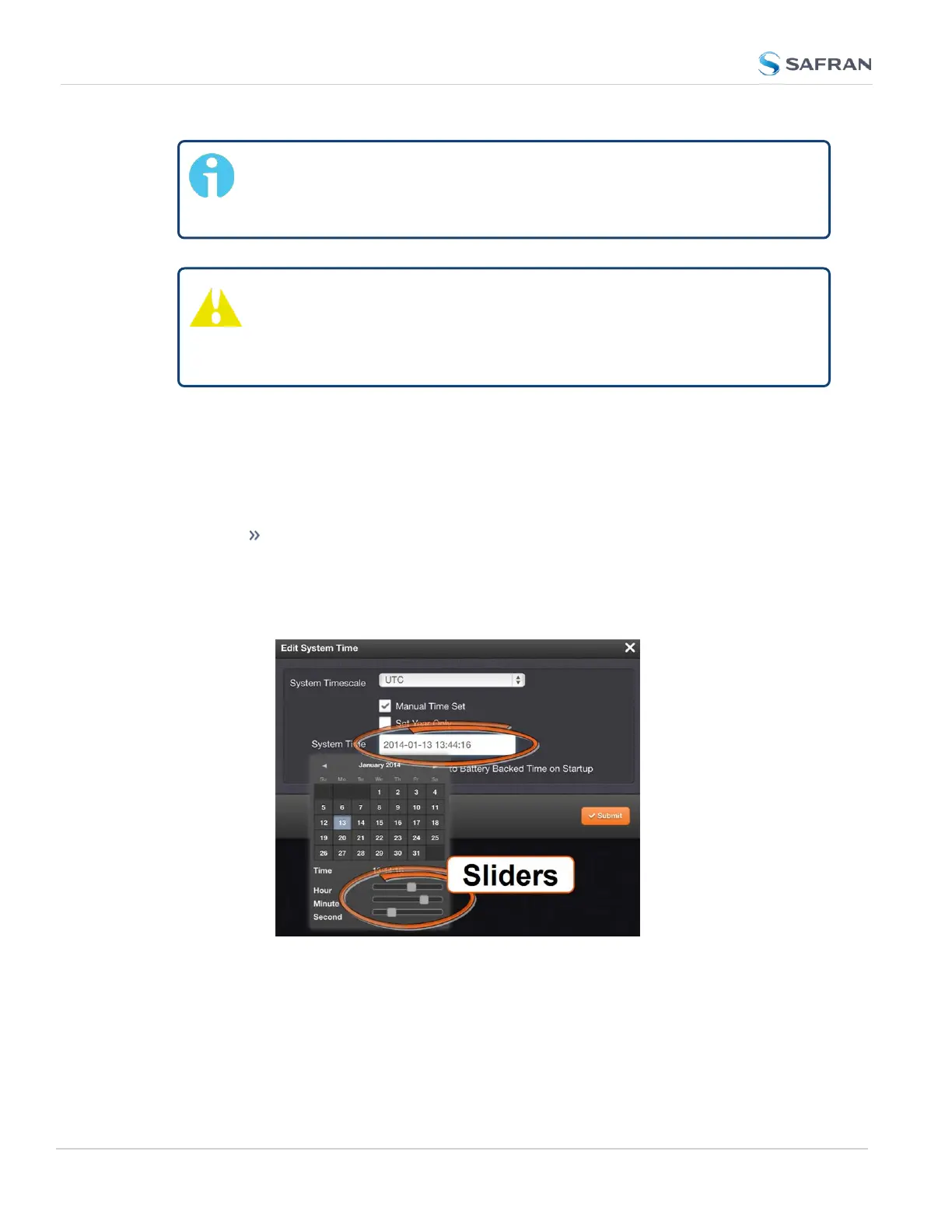
Select Manual Time Set. Set your time & date, as needed:
System Time [DATE; TIME]: If you do not select Set Year Only, this
box will show the current time in the format: Year-Month-Day
Hour:Minute:Second. To set the time manually, click anywhere in the
System Time field. A drop-down calendar with time-setting sliders
will appear:
The time in the System Time field will default to the current date and
time. To set the time, use the sliders. The time will display between
the calendar and the sliders, and also next to the chosen date in the
field directly above the calendar. To close the calendar, click any-
where in the Edit System Time window.
192
CHAPTER 3 • SecureSync 2400 User Manual Rev. 5.2
3.2 System Time



 To Next Page