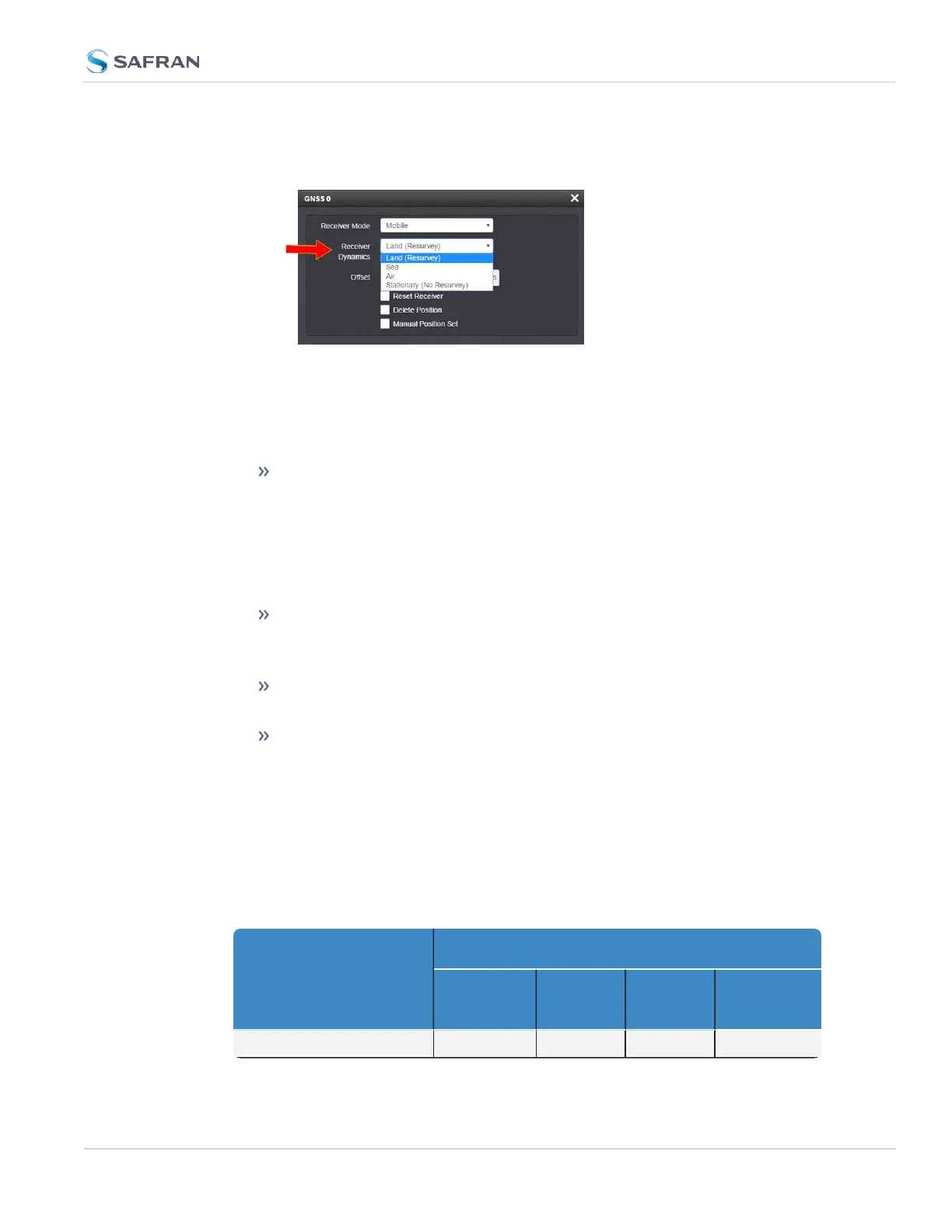
3. To change the setting, click Edit in the bottom-left corner. The GNSS 0 con-
figuration window will display:
4. Select a setting and click Submit.
Available GNSS Receiver Dynamics Settings
The following Receiver Dynamics settings are available:
Land (Resurvey): [default]
When used with the Mobile Receiver Mode, the receiver is adjusted for typ-
ical dynamic land-based applications.
When used with the Standard Receiver Mode, this setting also will auto-
matically initiate a resurvey after SecureSync reboots, in order to account
for a possible relocation.
Sea: The receiver dynamics will be optimized for mobile motion patterns
typical with marine applications, resulting in greater timing accuracy, and
avoiding premature loss of synchronization.
Air: The receiver dynamics will be optimized for acceleration forces typ-
ically experienced in civil aviation applications.
Stationary (No Resurvey): In Standard Mode, the receiver is set to a non-
dynamic value for stationary applications.
There will be no automatic resurvey after a reboot. Should a unit be relo-
cated, you need to delete its position, thus initiating a new survey.
The following table illustrates the interdependence between Receiver Dynamics,
Receiver Mode (see "Selecting a GNSS Receiver Mode" on page231) and receiver
type:
Table 3-2: Receiver dynamics, ~modes, ~ dynamics, ~ types
Receiver Mode
Receiver Dynamics
Land
(Resurvey)
Sea Air
Stationary
(No Resur-
vey)
Single Satellite irrelevant irrelevant irrelevant irrelevant
3.3 Managing References
CHAPTER 3 • SecureSync 2400 User Manual Rev. 5.2
235



 To Next Page