Optional input/output connectors depend on the installed option cards.
The ANTENNA connector is an SMA connector for the GNSS input from
your GNSS antenna via a coax cable.
The 10 MHz BNC connector provides a 10 MHz sine-wave output signal.
The HD15 multi I/O connector provides 6 different configurable channels.
These channels can be set to provide various outputs and inputs, such as
1PPS, HaveQuick, IRIG, ATC, and GPIO.
The DCLS OUT BNC connector can be set to produce 1PPS, IRIG output,
HaveQuick output, or GPIOoutput. The default 1PPS signal offers a once-
per-second square wave output signal, and can be configured to have
either its rising or falling edge to coincide with the system’s on-time point.
The Ethernet RJ45 (Eth0) and SFP (Eth1) connectors provide an interface
to the network for NTP synchronization and to obtain access to the
SecureSync product Web UI for system management. Eth0 has two small
indicator lamps, “Good Link” (green LED), and “Activity” (orange LED). The
“Good Link” light indicates a connection to the network is present. The
“Activity” light will illuminate when network traffic is detected.
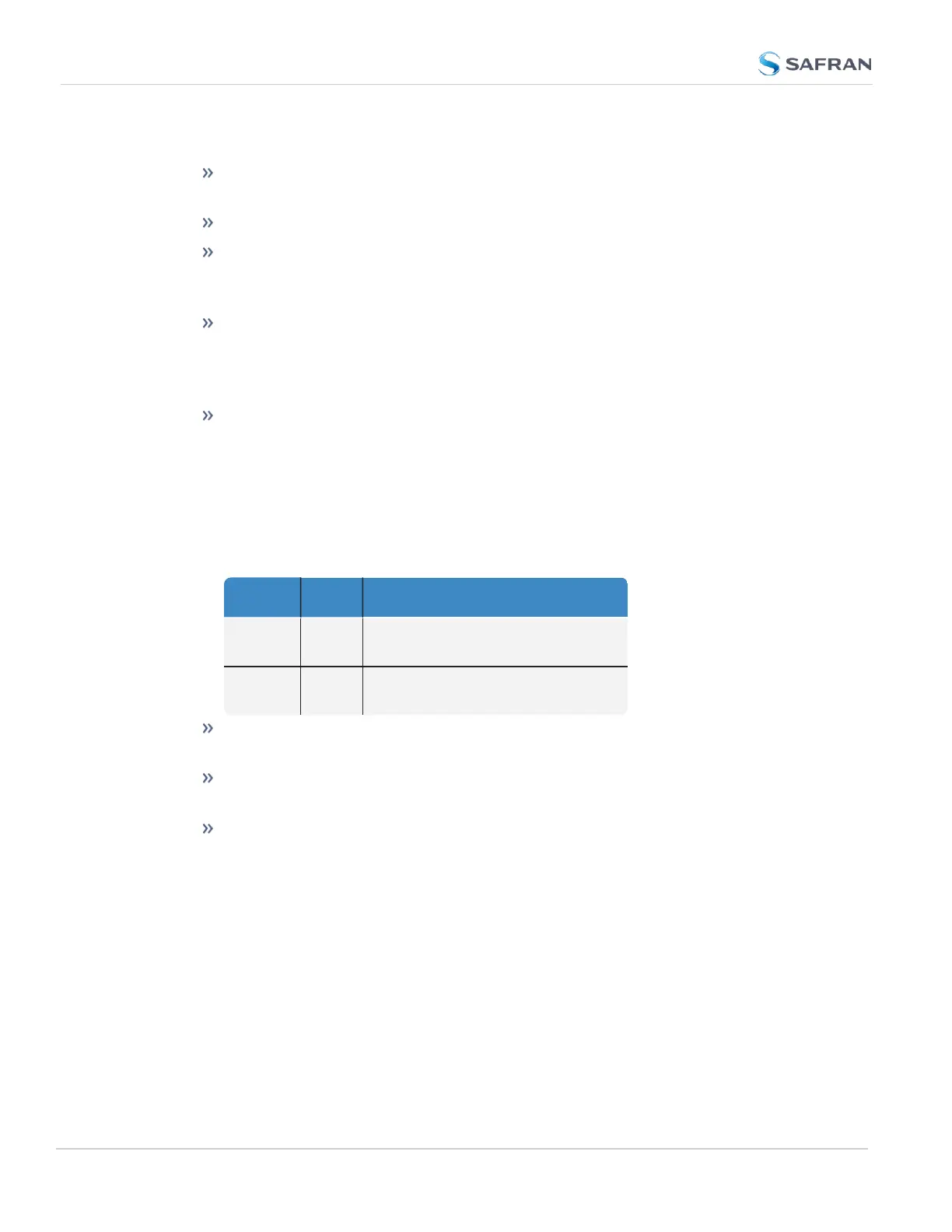
Table 1-3: Ethernet status indicator lights
LED State Meaning
Orange
On
Off
LAN Activity detected
No LAN traffic detected
Green
On
Off
LAN Link established, 10 or 100 Mbps
No link established
The rear Serial Console accepts commands to locally configure the unit via
CLI.
The ACPower connector is the input for the ACpower (does not include
an ON/OFF switch).
The chassis ground on the rear panel is a supplementary ground.
SecureSync is grounded through the power connector.
Typically, option cards will be installed at the factory. Should you purchase an
extra option card at a later point, you will need to undergo field installation (for
technically proficient service personnel only). Your local Sales Office will gladly
assist you with the optimal option cards selection for your application.
14
CHAPTER 1 • SecureSync 2400 User Manual Rev. 5.2
1.4 Unit Rear Panel



 To Next Page