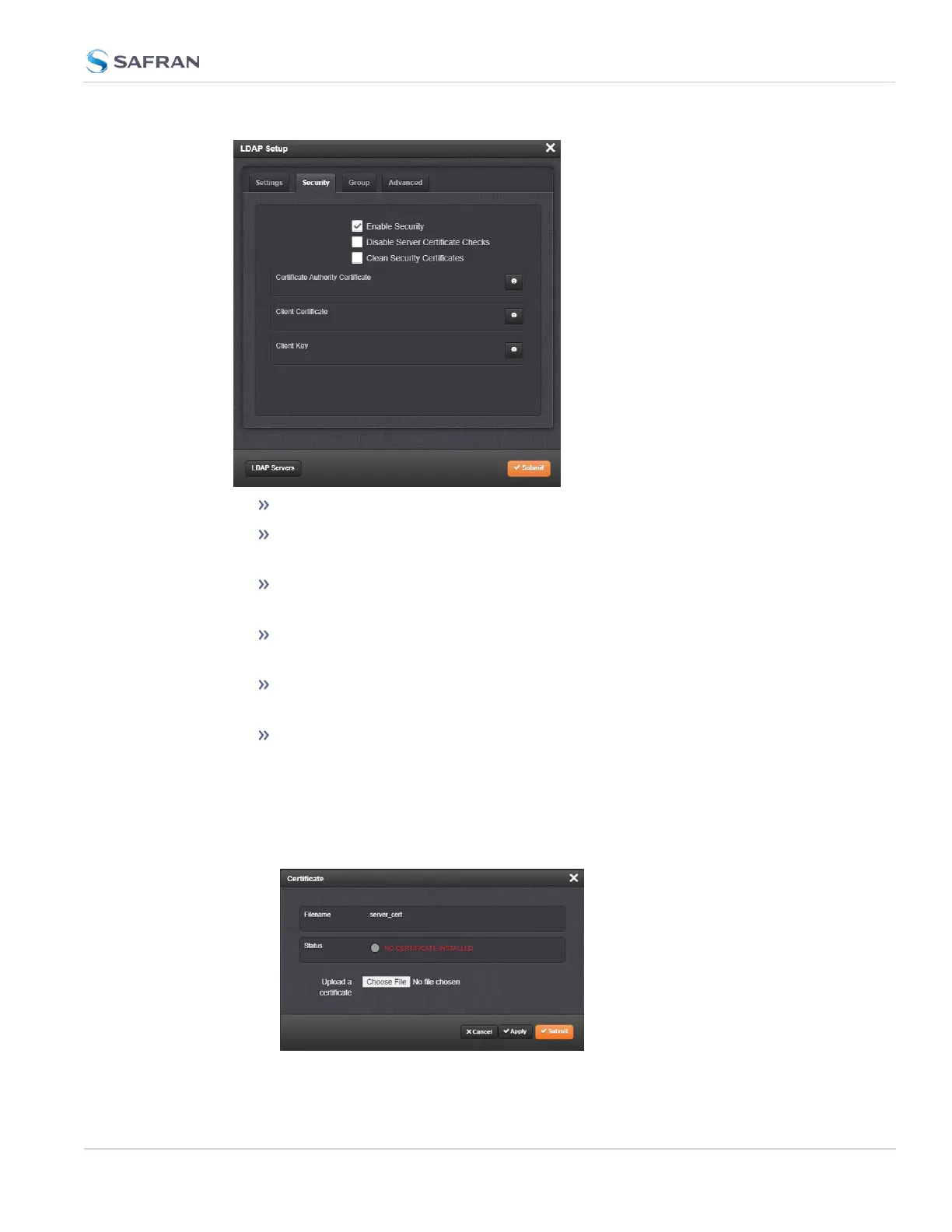
Select Enable Security to enable LDAP SSL/ TLS (default is ON).
Select Disable Server Certificate Checks to disable verification of the cer-
tificate presented by the server.
Select Clean Security Certificates to remove all certificates currently
stored on SecureSync (e.g., to eliminate expired certificates).
Certificate Authority Certificate: The Server Certificate. Required if Enable
Security is checked and Disable Server Certificate Checks is unchecked.
Client Certificate: Required if the LDAP server requires client authen-
tication.
Client Key: The private key that pair with the client certificate. Required if a
Client Certificate is uploaded.
To upload a certificate or client key:
a. Click the INFO icon for the certificate you wish to upload.
b.
In the Certificate window, click the Choose File button.
4.3 Managing Users and Security
CHAPTER 4 • SecureSync 2400 User Manual Rev. 5.2
287



 To Next Page