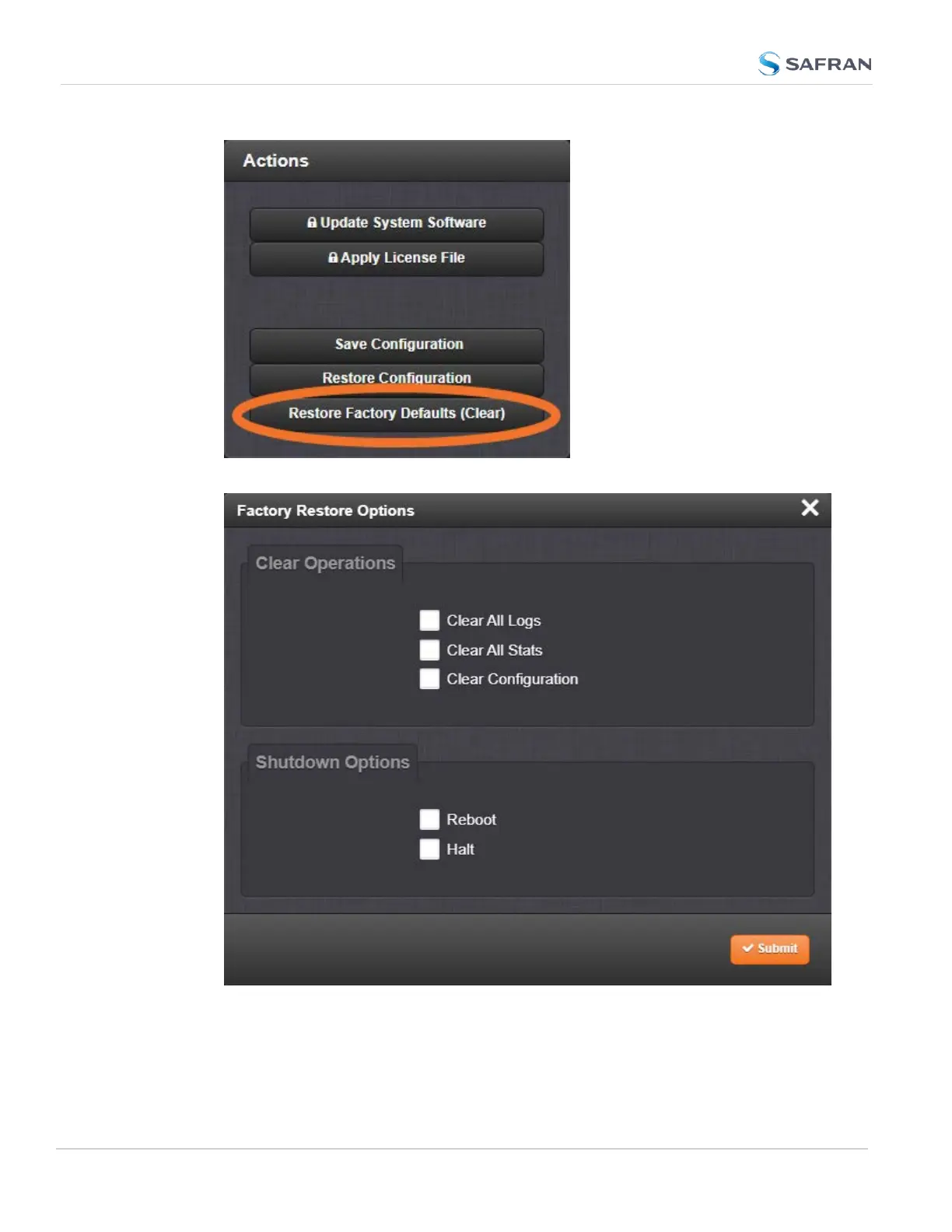
3. In the Factory Restore Options panel, choose your options for the restore:
Clear All Logs erases all logs
Clear All Stats will clear NTP stats, PTP stats, and all database tables
Clear Configuration clears any user configuration, including network
346
CHAPTER 4 • SecureSync 2400 User Manual Rev. 5.2
4.7 Backing-up and Restoring Configuration Files



 To Next Page